DISCLOSURE: If you buy through affiliate links, I may earn a small commission. (disclosures)
I've been thoroughly enjoying my time in Pokopia but it wasn't til the end game when I started taking a look at all the switch mechanics.
One of the coolest switches is the Laser Sensor which allows you to chain a signal and is the basis of many of the advanced builds people are posting online from lava gates to logic machines to motion-activated light shows (as seen on developer island).
So in this post we'll go over the basics of how Laser Sensors work and how you might use them to make advanced builds in your game.
Why are Laser Sensors useful?
Laser sensors are useful as they're one of the only items in the game that can be chained to transport a signal from one area to another.
For example, you have a switch on your building and want a light way up high to turn on / off. A sensor is a good way to chain that signal so you click the switch and the signal passes from sensor to sensor until it triggers the light changing its state from on to off.
How do Laser Sensors work?
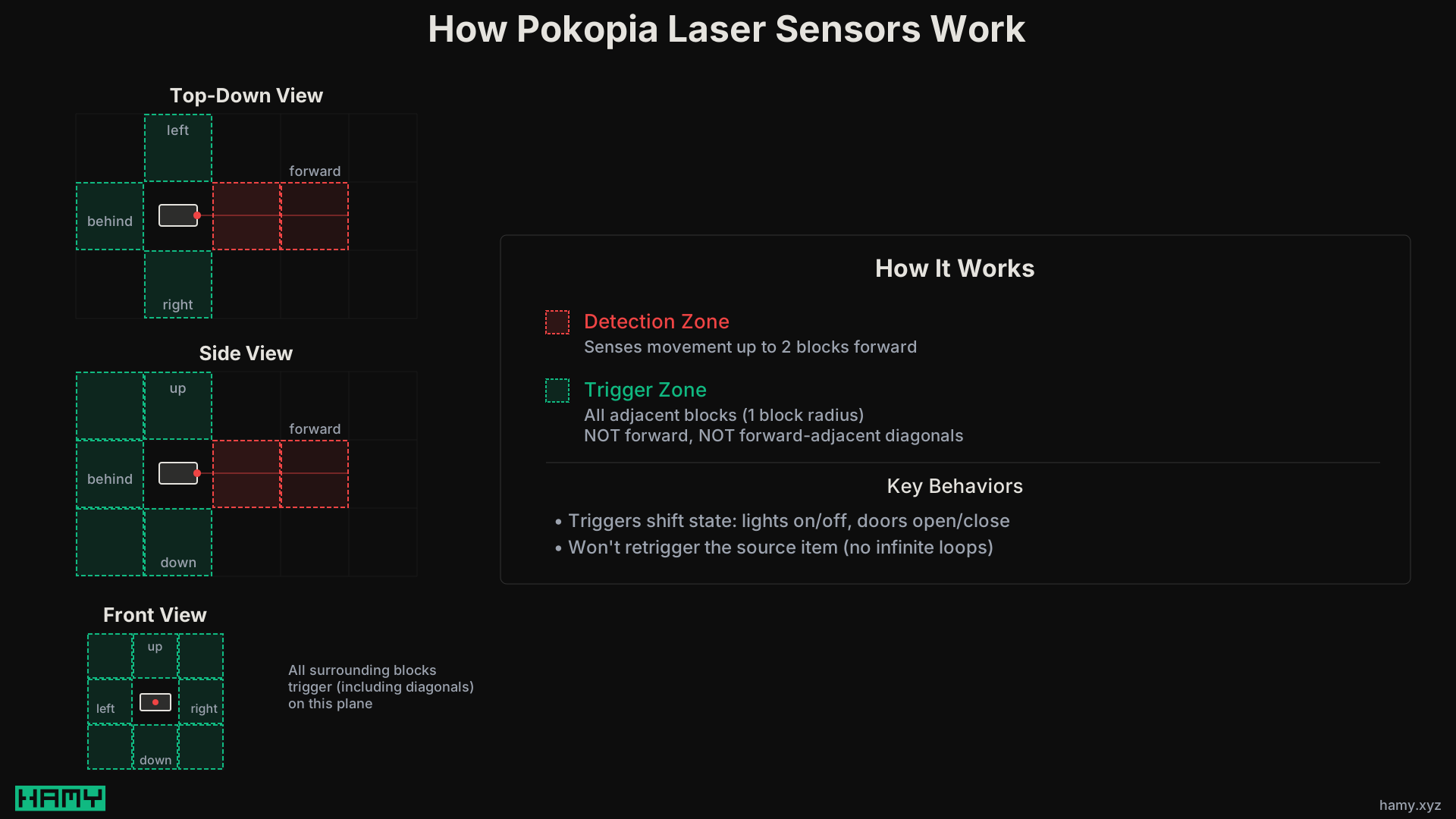
Laser sensors are pretty simple:
- They sense movement 2 blocks in the direction they're facing (red light)
- When they sense movement, they will trigger in a 1 block radius perpendicular to the device (i.e. no diagonals)
- They will NOT retrigger the item that triggered them (so you can put the item that causes motion within 1 block of the sensor and not get infinite loops)
Triggering is useful because it shifts the state of select items:
- Turns lights on/off
- Makes doors and (some) windows open / close
How do you chain laser sensors?
So you might be thinking oh this is simple I'll just chain laser sensors together and the signal will pass through them! Unfortunately that's not quite how they work.

The laser sensor detects MOTION. The laser sensor itself does not move when it detects something so the second laser sensor has nothing to see.
So in order to chain a signal, we need the original laser sensor to trigger something that does move in order for the next sensor in the line to pick it up. This is why you so often see examples with a bunch of doors / windows lined up.
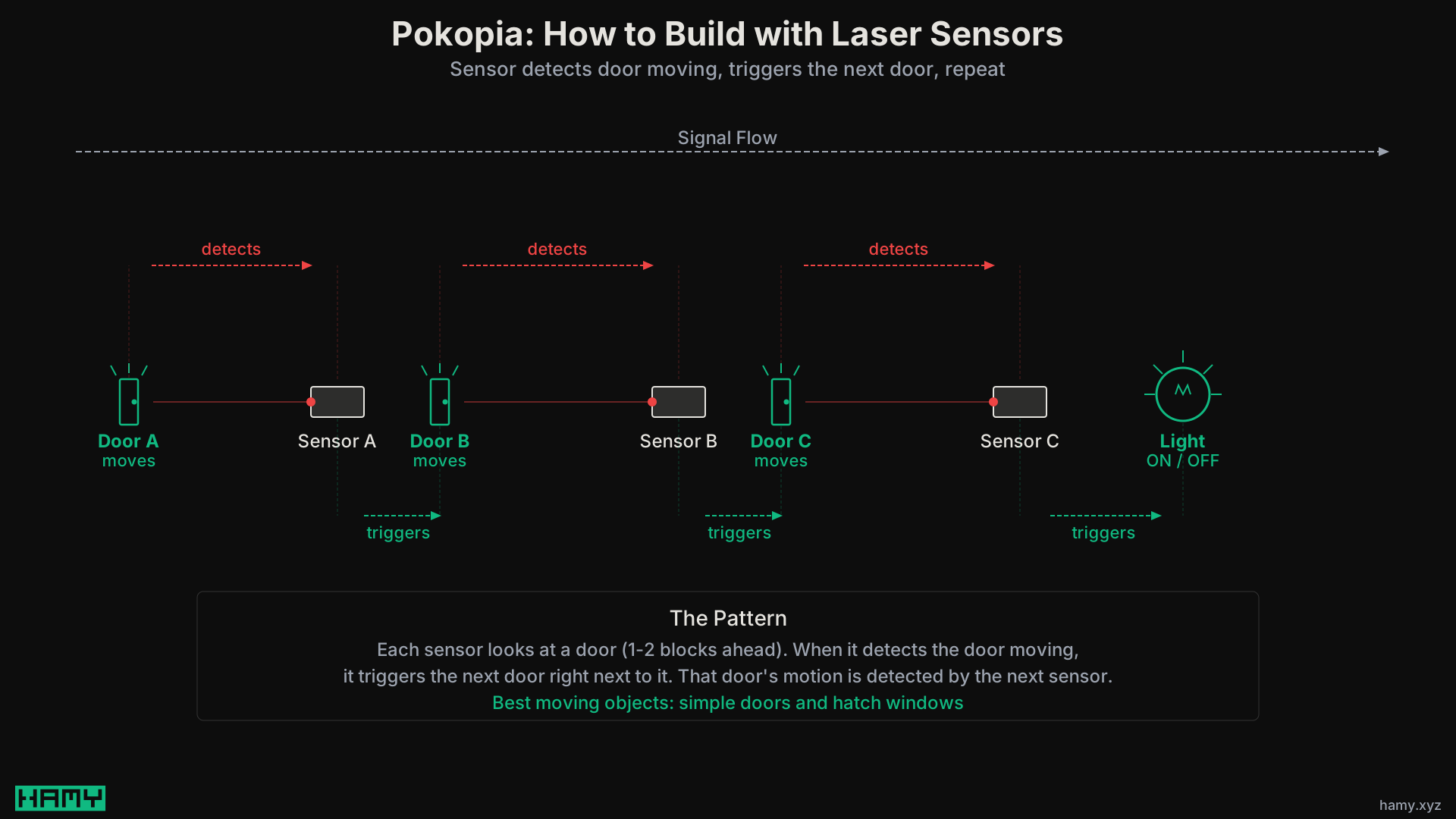
So the way to chain a signal is:
- Laser sensor looks at an area / object that will move (within 2 blocks)
- A movable object is next to the sensor so it will move on trigger
- Repeat
In my experience the best moving objects to chain signals are:
- Doors - The simple doors are better than the iron one cause they're smaller
- Windows - I like the hatch window, haven't tried the other ones but if they open/close should work
Note: I have not reliably gotten the underground hatch to work so would recommend sticking with doors and windows.
Next
So that's how laser sensors work and how you might put chain them to pass a signal across your islands.
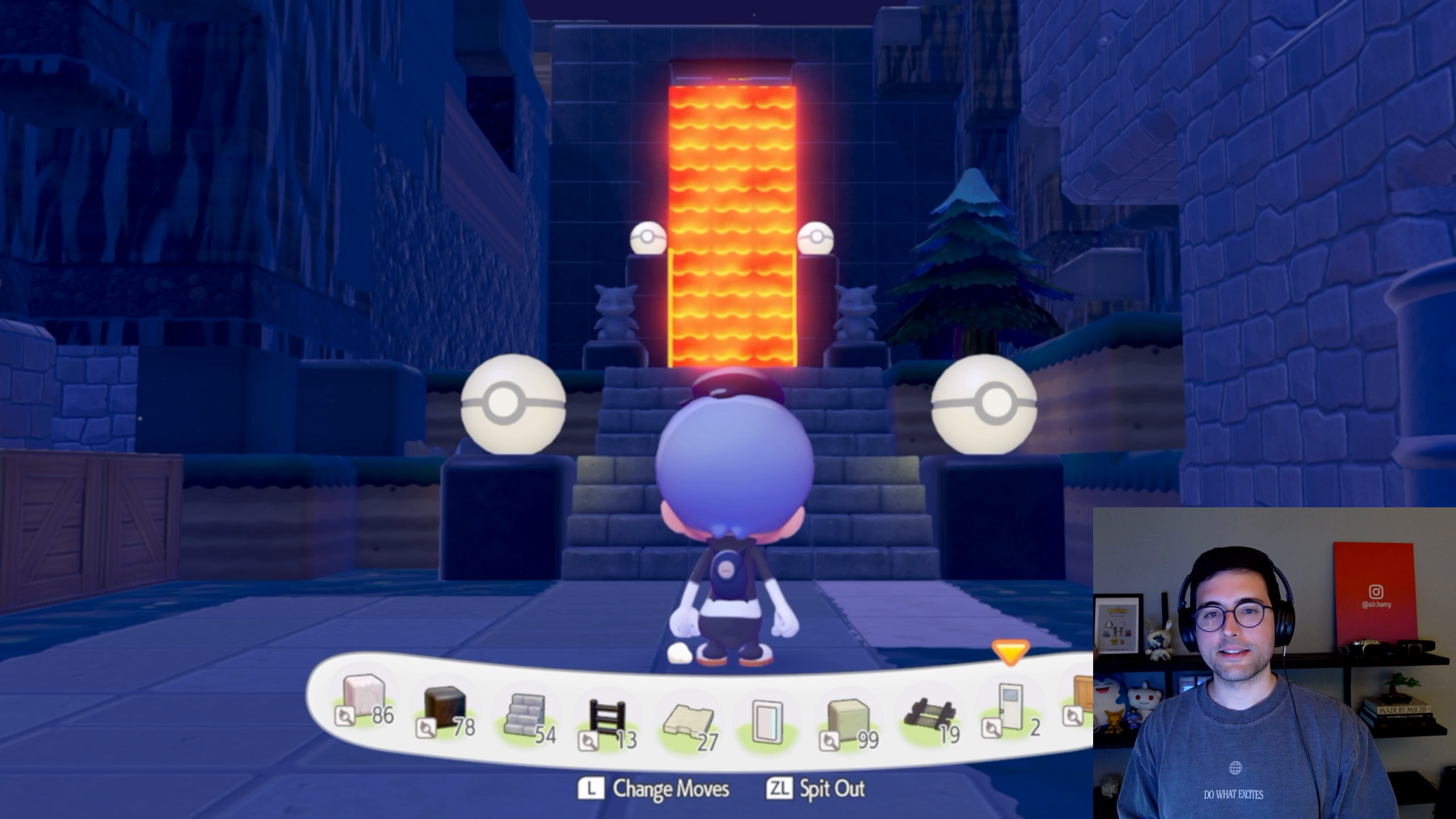
As an example, my latest build with laser sensors was a lava gate. I have a switch on the inside of the gate and a hidden switch on the outside. When you press it, I chain a signal underground then up my wall until it hits a window behind which lava is sitting. This is how the lava flow starts / stops on trigger.
If you liked this post, let me know by giving me a like / subscribe and if you're interested in learning more about how the lava gate was built leave me a comment and I'll make one if there's enough interest.