Back Original

CORS Chat

Tool CORS Chat — Chat directly with any OpenAI Responses-compatible API endpoint that supports CORS headers, all within your browser. Configure endpoints with custom headers, save conversations locally, and manage multiple chat sessions with different models and reasoning settings.

I built this today (with GPT-5.6-Sol xhigh) to help test Qwen 3.8 27B running in LM Studio on both my M5 MacBook Pro and an NVIDIA DGX Spark.

It provides a web UI for exercising an OpenAI-Responses-compatible chat endpoint. I've tried it against LM Studio with the --cors option and OpenRouter, and both work fine.

Conversations are persisted in the browser and can be exported as copy-pasted JSON. One fun detail is that it notices SVG images that are being generated and progressively renders them in the chat while the tokens are still streaming in.
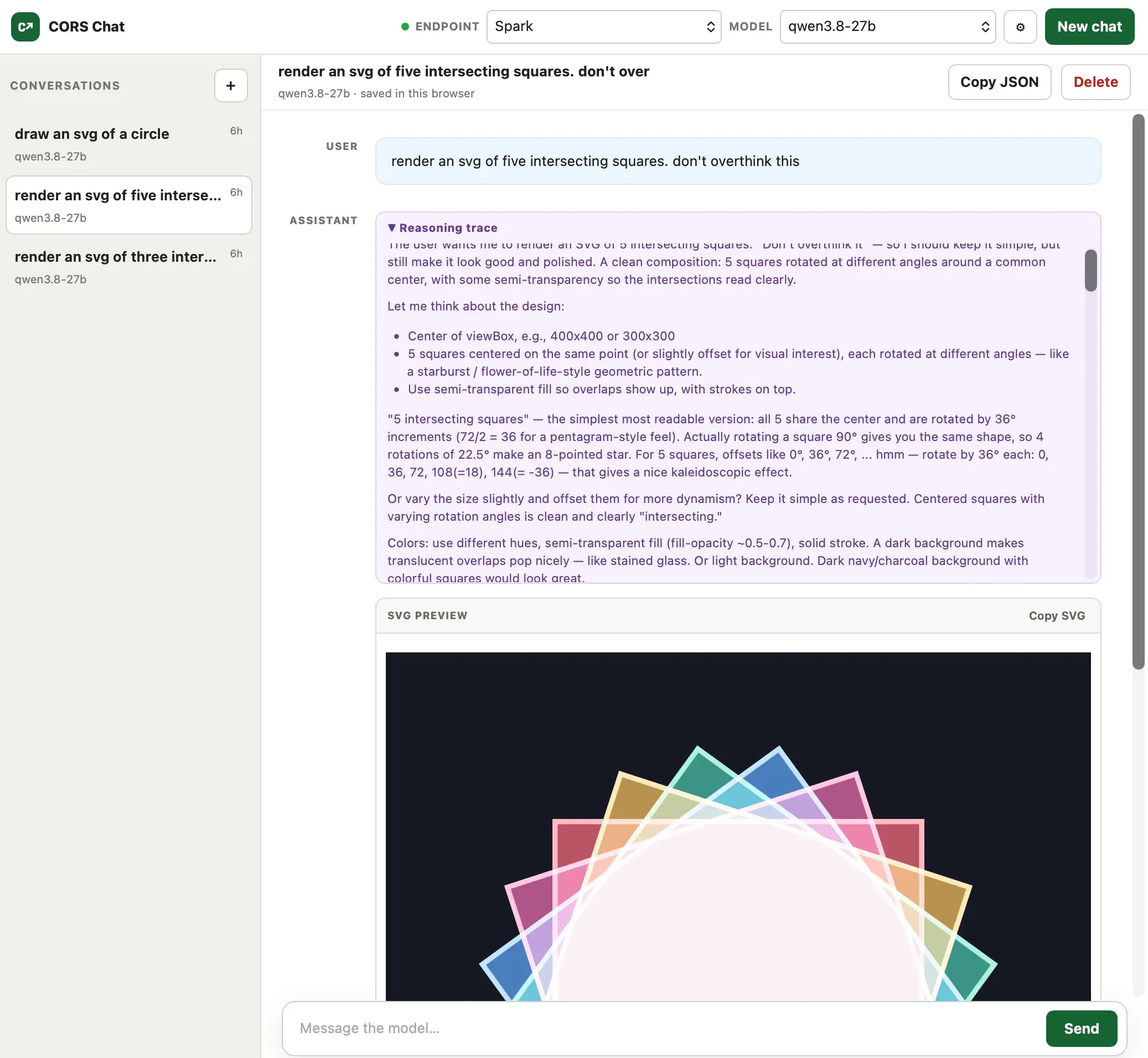
Alt text generated by Qwen-3.8 27B: Screenshot of the CORS Chat web interface. The left sidebar lists three saved conversations, with "render an svg of five intersecting squares" selected. The main panel shows a chat with the qwen3.8‑27b model: the user asked "render an svg of five intersecting squares. don't overthink this," followed by the model's reasoning trace describing the design (five semi‑transparent squares rotated around a common center on a dark background). Below is an SVG preview pane displaying five overlapping, semi‑transparent colored squares—pink, blue, green, yellow, and purple—with white outlines, rotated at different angles to form a starburst pattern on a dark navy background. Top controls include endpoint/model selectors and a "New chat" button; the bottom has a message input and a "Send" button.