A deep dive into QR code art
Sep 27, 2024 - Updated Aug 25, 2026
Nobody willingly goes out of their way to scan a QR code. Yet they have infested the world, because it’s the simplest way to visually share a URL. On signs, advertisements, and packaging of all sorts; if you look around and try to notice, it’s hard to stop noticing.
Of course, regular black and white QR codes are just the tip of the iceberg.
Many people want something personalized and on-brand, which is easily done by slapping a logo right in the middle. This is possible because QR codes, like CDs and DVDs, use Reed-Solomon error correction to recover damaged information.
This can be executed with taste; it can also be done lazily.
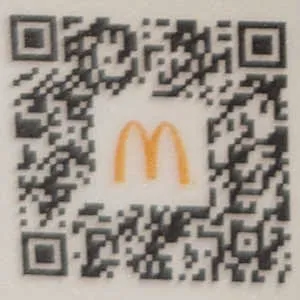
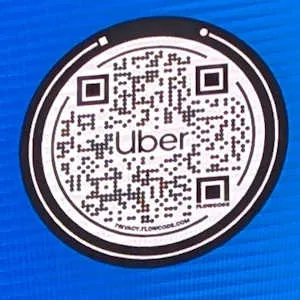


QR codes are displayed small, and illegible logos are the rule. Moreover, more error correction requires a denser code with smaller pixels. If you’re not careful, you can end up with something ugly as well as impossible to scan.
Is there a way to craft a beautiful and scannable QR code?
Yes, that’s the whole blog post.
The Landscape of Artistic QR Codes
First, let’s cover what is possible.
Many have incorporated photos into the entire code. But there is a real tradeoff between image quality and usefulness.
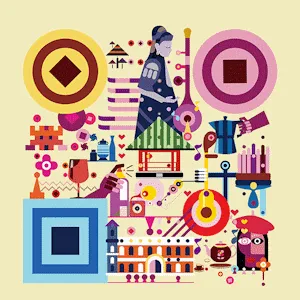
For maximum style points, artists can design fully bespoke QR codes by hand.
 minor
minor
There’s AI for this too. I recommend reading the creators’ blog post and Stable Diffusion QR Code 101. I’ll omit examples and leave a poem in their place.
I shall not beleaguer thy weary eyes,
nor further burden the web, world wide,
with pages from this Babelian picture tome.
This is not a place of honor,
there are thirteen fingers on her,
anime girl big boobs ancient rome.
One interesting direction is to simply change how the black and white squares are rendered.
I was so inspired that I wrote some code myself.
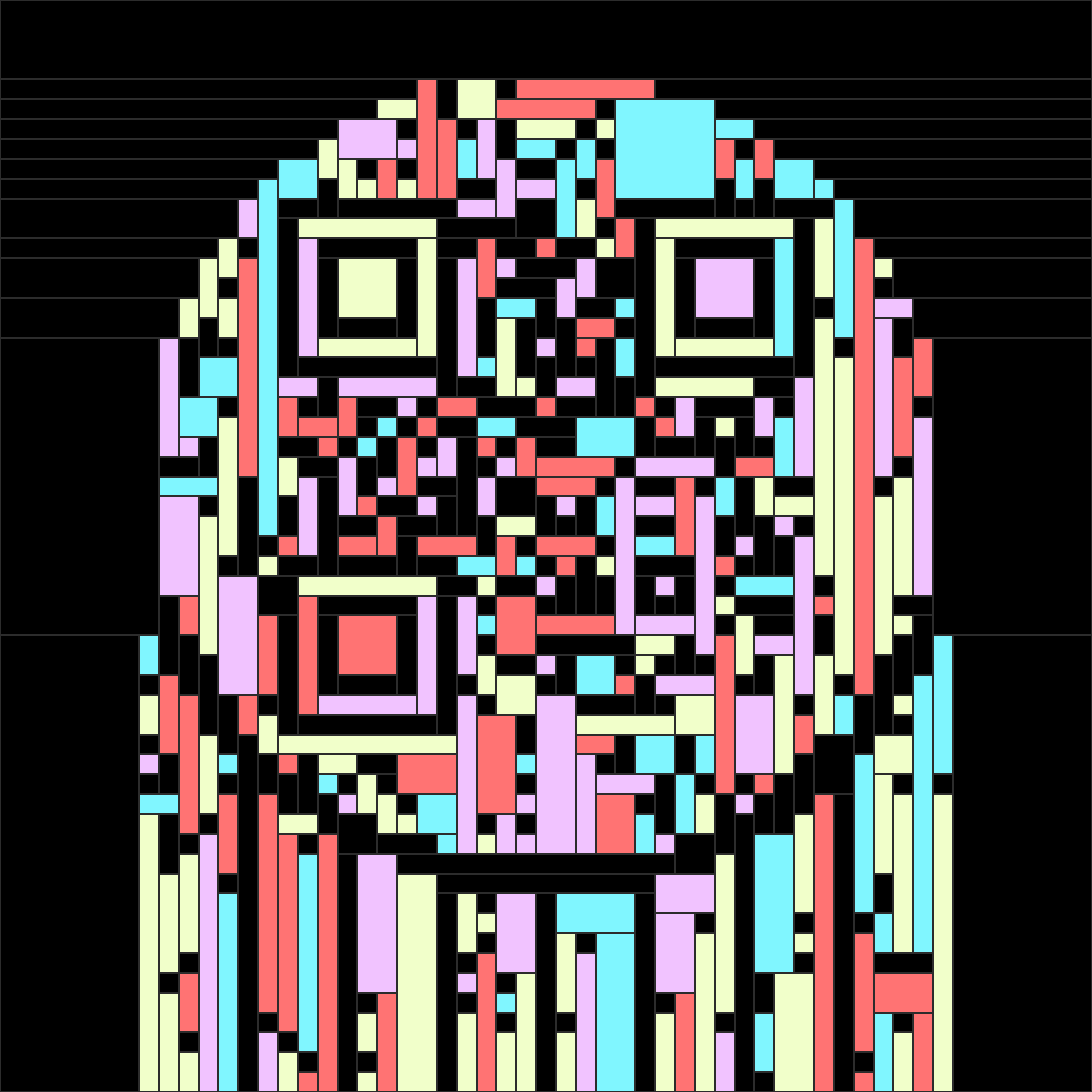

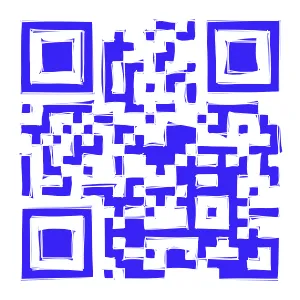

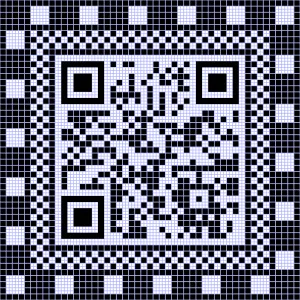
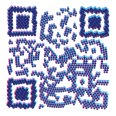
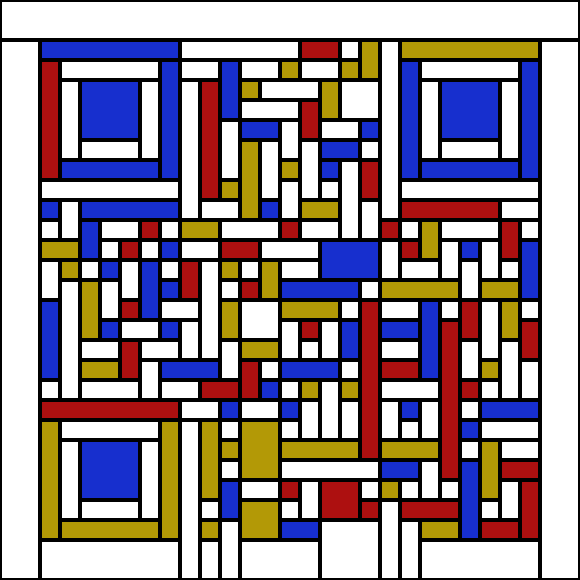
The design tool I made is available at qrframe.kylezhe.ng. It comes with presets that are simple to modify or create from scratch using Javascript.
With that, you have glimpsed a breadth of techniques, many of which will confuse users, some of which may fail to work with the modern smartphone camera app.
To truly understand where and why we can take creative liberties, we must start with how QR codes are structured and scanned.
The Anatomy of a QR Code
Here’s all you need to remember to make an artistic QR code: the finder patterns must be the right shape, and the rest of the QR code just needs to be dark or light enough in the right place.
That’s 80% of it, but unfortunately there’s one major gotcha we’ve gotta cover.
Convenience at a Cost
Can you tell what I did wrong with these QR codes I drew using chalk?
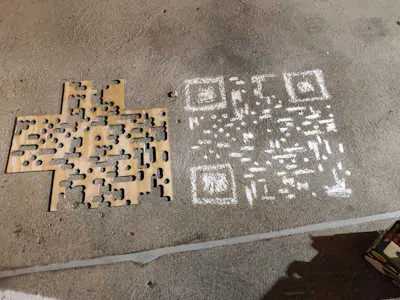 Attempt 1 (terrible)
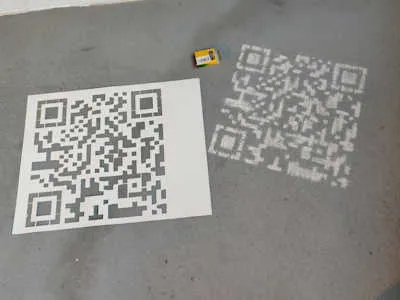 Attempt 2 (still unscannable)
The first one is janky, but I was legitimately confused why my second attempt failed.
Multipurpose scanners (like the default smartphone camera app) must first detect a QR code before any scanning is attempted. Compared to constantly active dumb scanners, smartphones are much pickier about what they’ll accept. It must “look like a QR code” to the black box that is the on-device computer vision model.
A rule of thumb is to use solid and highly contrasting colors while maintaining a good balance between dark and light pixels, but there’s no alternative to testing with real devices.
With that in mind, let’s cover existing ways people have successfully created artistic codes programmatically.
Combining An Existing QR Code With An Image
The basic idea here involves placing black and white QR pixels on top of an arbitrary image.
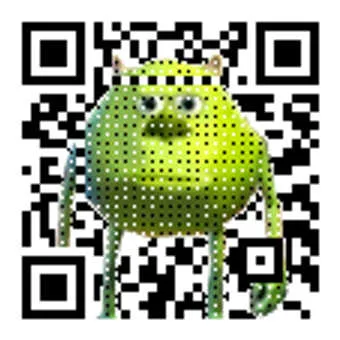 Created using Amazing-QR
In the simplest case, you can just place dots over the center of where each pixel would be. A dot at least 1/3 the width and height of a pixel is usually enough for it to decode properly.
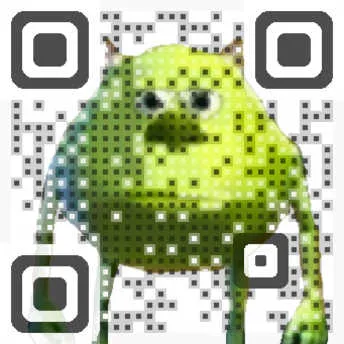 Created using Visualead
In addition to a center dot, you can partially lighten or darken the entirety of each pixel.
By downscaling the image or using pixel art, the center dot can be hidden in plain sight. Dithering and limiting the color palette (quantization) both increase noise which also provides more camouflage.
The most unique technique I've seen involves generating word clouds. In this case, the overlay dots are used in an intermediate step to drive a text deforming algorithm.
The jump to animation is simple, since the same dot overlay can be drawn on each frame. This example changes over time to display the lyrics though.
Creating A QR Code With An Intrinsic Image
Instead of a generating QR code beforehand and then combining it with an image, is it possible to manipulate the data to make the image appear in the data itself? Yes, using short messages and padding with arbitrary desired data.
See Longer Explanation
Abusing Padding
For a given size QR code, there is a fixed amount of space for the message and error correction. If the message is too short, it’s padded with arbitrary data. Setting this padding gives you complete control over the middle section of a QR code.
Extended Padding Abuse / Padding Solving
It’s possible to use our control over the padding bytes to also control the error correction bytes. If there are p padding bytes, then a mix of up to p padding or error correction can be arbitrarily set.
QR codes use Reed-Solomon error correction. Reed-Solomon codes are Maximum Distance Seperable, meaning they have the optimal error correction for a given size. If there are k message symbols in a code and r error correction symbols, then any k symbols are enough to decode the original message. Since we don’t want to change the message content, the true limit is p padding bytes.
Abusing Error Correction
Every two error correction bytes provides enough information to fix one erroneous byte at a unknown location. Using this naively is the simplest type of QR art; just alter any pixels you need within the limit. Compared to the methods above, this is space inefficient; there’s 2 bytes of overhead for every byte changed, but there is no restriction on where pixels can be changed. This is the only way to change pixels corresponding to the actual message content.
 Created using QArt Coder
URLs can have anchors like test.com#anchor. Usually, this scrolls to a specific part of a page, but an invalid anchor is just ignored. The math used to manipulate pixels by adding an anchor is covered in QArt Codes.
 Created using MY-QR.ART
This site lets you draw the desired output data, which can be directly interpreted as part of the input text. The first half of the text is the url to a link redirect service and the random characters that follow act as a unique key. For details, see Hacking QR code design.
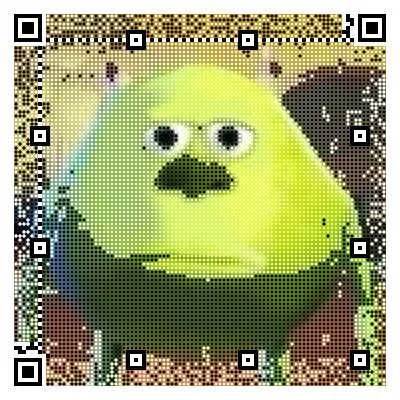 Created using QRpicture
Here, the data pixels match an image, but they are not part of the decoded message. In other words, they are changing the padding bytes. See their HN post.
In terms of animation, reverse-engineering the data for every "frame" is a bit more tedious, and the QR code is unlikely to be scannable. See their behind the scenes video to see how they approached it.
I ended up making my own reverse-engineered Bad Apple with the goal of making it somewhat scannable in realtime. Adding a noisy pattern makes it much more likely to be detected. The source code is an example in fuqr.
Non-Image Techniques
Since there aren’t too many examples of these, I’ll be showing my own work and giving my thoughts.
While each unique design will have unique challenges, hopefully these examples can give you some some idea of steps you can take.
Forgery
Good artists copy. Often times human-made designs are possible to implement using code. Here, Douglas Coupland has replaced 2x2 squares of black and white with a corresponding dark or light colored square. Not only is this easy to code, it demonstrates a common tactic of replacing groups of pixels with a larger design element. See Vancouver Codes (2012) for more examples of his work.
Great artists steal. The original design is slick, but not all that glitters is a scannable QR code. When things don’t scan, experience tells us that we need solid colors and higher contrast. I opted to increase the dot size and density, especially for the finder patterns, and I filled the gap between dots with a dark shadow. This is less pretty, but a necessary compromise.
Great programmers steal by copying code. This QR code style option, along with many others, is found in the react-qrbtf repository under the MIT license. Building on top of existing code is a great way to make a new design, so feel free to use my code in the qrframe repository as well. The psychological damage you’ll suffer is cost enough.
Touching grass
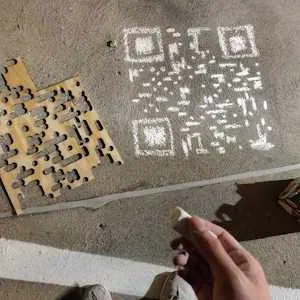 Pathetic human attempt
Of course I had to digitally create what I failed to do in real life. With the help of roughjs, making hand-drawn SVGs is quite simple. Playing with the fill and roughness parameters really helped me understand where the line between undetectable and reliably scannable is. My manual drawing was not even close. I cannot overemphasize solid colors and high contrast.
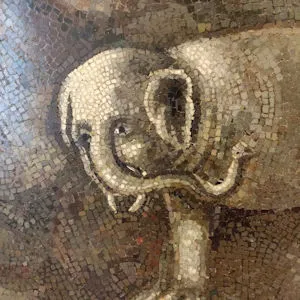 Mosaic inside the Vatican museum
Exposure to all types of art is probably the best source of creative energy. The design is quite simple, but the effect is mighty like the elephant. If there’s a lesson to be learned here, it’s that rules are made to be respectfully broken. You CAN mess with the finder patterns, but notice how the cross shape is completely preserved in two of them.
 The Mediterranean Sea
 Created using fuqr
Animation is generally a bad idea since you want every frame to be scannable. But the call of the sea is unrelenting. In this example, each pixel only changes in scale, and the center 1/3 of each pixel is always the correct color like in the dot overlay technique.
With these techniques, you can fool any scanner into recognizing your artistic QR code.
What About Users?
The sad truth is: you shouldn’t use any of these techniques. A QR code needs to be easily recognizable to users as well. A boring design, perhaps with a logo in the middle, really is the best option. But if no one is scanning your QR codes anyway, feel free to go crazy.
Thanks For Reading!
I hope you learned something interesting, even if it’s not useful.
If you’d like to design a QR code, and you’re not afraid of writing a little code, give qrframe.kylezhe.ng a try.
The editor and rendering source code is available at qrframe while the QR code generator written in Rust rewritten in Typescript that powers it is available at fuqr.
You can do it if you try, but also your time is precious.
See ya!
Random Tangents
Here are some QR code thoughts I had to get off my mind.
-
There are
many, there are4, there is 1 encoding mode.- The QR code standard doesn’t reflect reality. I’m sure there are standards compliant generators and scanners, probably in some legacy systems of some Japanese enterprise that still uses fax machines and pagers.
- Alphanumeric and Numeric mode are supported b/c they are dead simple to implement, but nobody uses this.
- Nobody supports extensions like Structured append, ECI, and FNC1 encoding modes.
- Nobody supports Kanji mode
- Nobody assumes byte mode is ISO 8859-1
- Everybody just assumes UTF-8. It’s identical for ASCII (all URLs) and the default encoding for most systems.
-
The mask selection step is deeply unserious.
- The best mask is chosen by scoring the masked data, but the scoring conditions are arbitrary, and all 8 masks will work just fine anyway.
- This interative step by step walkthrough showcases this in Steps 7 and 8. Choose the worst mask and see that it doesn’t matter.
- https://www.nayuki.io/page/creating-a-qr-code-step-by-step
-
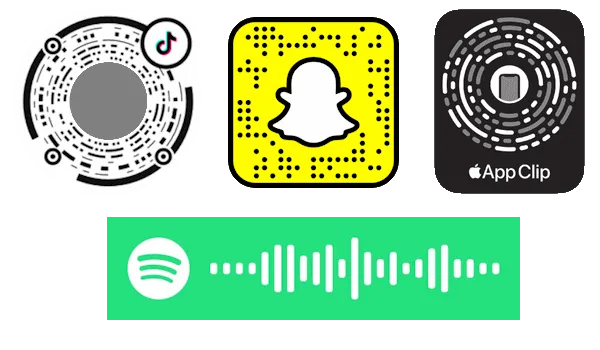
Proprietary scannable codes are kinda funny. Tiktok, Snapchat, and Instagram have already replaced their custom codes (TikCode, Snapcode, Nametag, respectively) with stylized QR codes.
-
Here are links I don’t want to lose.
- https://www.thonky.com/qr-code-tutorial is a great resource and helped me understand the error correction math.
- segno is probably the only QR code generator that supports Kanji mode.
- I’ve found two 3d galleries of QR code art. If I had a nickel…
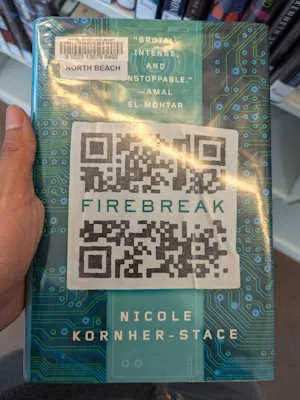
- QRazyBox is a super cool QR code recovery tool that I used to decode this book cover and find the original stock image from 2011.