Deno 2.9 is here, headlined by deno desktop, a new way to build native desktop
applications from the web stack you already know, with no Electron boilerplate
and a single binary at the end. It’s also the easiest release yet to bring an
existing Node project over: deno install now reads npm, pnpm, yarn, and Bun
lockfiles directly, so switching your package manager to Deno takes a couple of
commands, not a migration. There’s plenty more below, from CSS module imports
and a much stronger test runner to faster startup and Node.js 26 compatibility.
To upgrade to Deno 2.9, run the following in your terminal:
If Deno is not yet installed, run one of the following commands to install or learn how to install it here.
curl -fsSL https://deno.land/install.sh | sh


iwr https://deno.land/install.ps1 -useb | iex
deno desktop
Building a desktop app has usually meant pulling in Electron or Tauri, wiring up a separate toolchain, and shipping a bundle that bears little resemblance to the rest of your project.
Deno 2.9 introduces deno desktop. Point it at a script (or a web framework
project) and it produces a native, self-contained desktop application where the
UI runs in a webview, your logic runs in Deno, and the whole thing compiles down
to a single distributable binary
(#33441).
deno desktopis experimental in 2.9. The surface described here is stabilizing and some platform features are still landing.
The simplest app is an entrypoint that serves your UI. Deno.serve() inside a
desktop entrypoint automatically binds to the port the webview opens, so there’s
no port wiring to do:
main.ts
Deno.serve(() =>
  new Response(
    "<!DOCTYPE html><h1>Hello from Deno desktop 👋</h1>",
    { headers: { "content-type": "text/html" } },
  )
);
That opens a native window rendering your page. deno desktop shares the same
framework detection as
deno compile: run it with no
entrypoint (or deno desktop .) and it auto-detects the web framework in the
current directory (Next.js, Astro, Fresh, Remix, Nuxt, SvelteKit, SolidStart,
TanStack Start, and Vite SSR are all supported), builds it, and wraps the
result:
$ deno desktop
$ deno desktop --hmr
Native desktop APIs
Richer apps get a full set of native desktop APIs built right into the runtime
under Deno.*, available immediately with no extra dependencies.
Deno.BrowserWindow gives you programmatic control over window size, position,
visibility, menus, and DevTools, and lets you bridge between the webview and
Deno: bind a function in the entrypoint with window.bind() and call it from
page JavaScript via the bindings namespace. There’s also Deno.Tray for
system-tray icons and panels, and Deno.Dock on macOS:
tray.ts
const tray = new Deno.Tray();
tray.setIcon(iconBytes);
const panel = tray.attachPanel({ url: "https://localhost:8000/panel" });
panel.window.bind("doThing", async () => {});
prompt(), alert(), and confirm() render as native dialogs, and
Deno.autoUpdate() wires up a polling auto-updater that applies binary patches
in the background.
Webview or CEF
Every desktop app needs a browser engine to draw its UI, and deno desktop
ships two, selected with --backend:
webview(the default) renders with the operating system’s built-in engine: WebView2 on Windows, WebKit on macOS and Linux. Nothing extra is bundled, so binaries stay small and launch fast. The tradeoff is that rendering follows whatever engine the host ships.cefbundles Chromium through the Chromium Embedded Framework, so every user gets the same modern engine on every platform. That adds tens of megabytes and a download at build time, but guarantees identical rendering and the latest web-platform features everywhere.
$ deno desktop main.ts
$ deno desktop --backend cef main.ts
Most apps are happiest on the default webview; reach for cef when you need a
guaranteed-identical engine on every platform.
Distribution
Because deno desktop is built on the same machinery as deno compile, the
output is a standalone binary with your code and assets embedded. The format
follows the extension you pass to --output: .app and .dmg on macOS, .exe
or an .msi installer on Windows, and .AppImage, .deb, or .rpm on Linux.
You don’t need a fleet of machines to ship cross-platform, though. --target
cross-compiles the app to any supported platform and --all-targets builds them
all in one command, so a single Linux CI runner (or your laptop) can turn out
binaries for Windows, macOS, and Linux together. The Windows .msi and Linux
.deb / .rpm installers are authored in pure Rust, so they’re produced from
any host with no platform-specific packaging toolchain:
$ deno desktop --output MyApp.dmg main.ts
$ deno desktop --target x86_64-pc-windows-msvc main.ts
$ deno desktop --all-targets main.ts
The five supported targets match deno compile: Linux x64/arm64, Windows x64,
and macOS x64/arm64. For smaller artifacts, --compress ships the runtime and
UI backend as a self-extracting bundle that unpacks on first launch.
For the full guides, see the
deno desktop documentation. And for
a complete, real-world example,
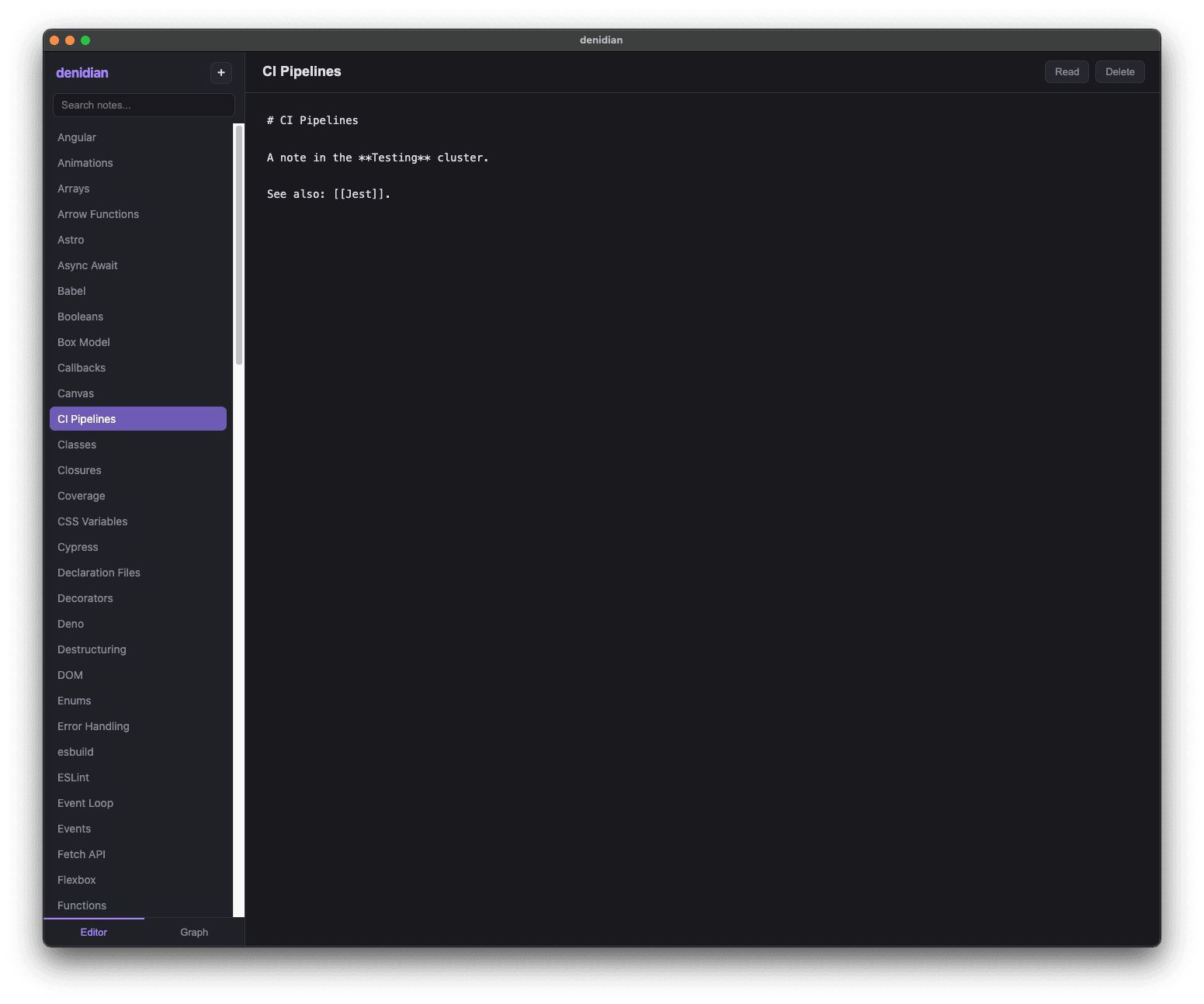
denidian is a note-taking app built
with deno desktop:
Performance
Deno 2.9 ships broad performance gains in startup time, memory use, and HTTP
throughput. The Deno.serve benchmarks below run three workloads at concurrency
100: a plaintext Hello, World!, a 1 MiB response body, and a realworld
request that POSTs a JSON payload with a Bearer-auth header and echoes it back
as JSON. All measured on a dedicated x86_64 Linux box against Deno 2.8.0:
Deno 2.8 (gray) vs 2.9 (blue)
Deno.serve throughput and peak RSS at concurrency 100; cold start is mean of 150 hyperfine runs. Dedicated x86_64 Linux box, server and load generator pinned to disjoint cores, oha median of 3 runs.
Startup. A hello-world program now cold-starts in about half the time it
took in 2.8 (34ms down to 17ms). The win comes from lazy-loading node:
globals out of the snapshot, gating the eager Node bootstrap to Node workers, a
V8 code cache for residual lazy-loaded ESM modules, and a minified snapshot
(#34450,
#35373,
#35338,
#35183); on macOS, chained fixups
trim additional pre-main time
(#35409).
Memory. The standout this cycle is memory under load. In 2.8, resident set
size grew with the workload, from roughly 94 MB serving plaintext up to
197 MB streaming 1 MiB bodies. In 2.9 it stays essentially flat, holding
around 62 MB no matter what the server is doing. That works out to 2.2x less
peak RSS on the realworld workload (142 MB down to 64 MB) and 3.1x less on
1 MiB bodies (197 MB down to 63 MB), so the same machine can run far more
concurrent Deno.serve instances before it runs out of headroom.
HTTP throughput. Deno.serve is faster across the board too: the realworld
workload gains 1.27x, plaintext 1.11x, and 1 MiB bodies 1.18x, helped by a
new Deno-owned HTTP/1.1 serving path
(#34446).
Several hot paths also moved from JavaScript into Rust this release:
crypto.subtle (#34966) and
console / Deno.inspect
(#35087).
CSS module imports
Deno 2.9 supports importing CSS files as constructable stylesheets using import attributes, matching the CSS module scripts web standard (#35093):
main.ts
import sheet from "./styles.css" with { type: "css" };

document.adoptedStyleSheets = [sheet];
The import evaluates to a CSSStyleSheet instance, so the same code runs in
Deno and in the browser without a bundler step. It’s gated behind the
--unstable-raw-imports flag in 2.9. A lone CSS import isn’t much on its own,
but it’s the difference between front-end code that runs under Deno and code
that trips the module loader: components and modules that import their own
stylesheets now load and type-check directly, which makes testing front-end code
in Deno considerably easier.
Learn more about modules.
Migrating from npm, pnpm, yarn, and Bun
Moving an existing Node project to Deno is about as smooth as it gets: in most
cases it’s a couple of commands. Run deno install to pull your dependencies
and deno task dev to start your app, and you’re running on Deno. There’s
nothing to port and nothing to rewrite. Deno reads the package.json, lockfile,
and workspace layout you already have, and 2.9 closes the last rough edges so
that even pnpm workspaces and tools that shell out to node work without
intervention.
Your lockfile comes with you. The biggest friction in switching package
managers is losing a carefully-pinned dependency graph. In 2.9 you don’t. Run
deno install in a project that has a package-lock.json, pnpm-lock.yaml,
yarn.lock, or bun.lock but no deno.lock, and Deno seeds a fresh
deno.lock straight from it, carrying over the exact resolved versions and
integrity hashes on that first install
(#34296,
#35394):
$ deno install
Seeded deno.lock from package-lock.json
There’s no re-resolution and no surprise upgrades: the versions you were running
under npm are the versions you run under Deno. From there deno install writes
a node_modules directory Deno can run against, and deno task runs the
package.json scripts you already have, so the rest of your team can keep
working the way they do.
Workspaces carry over, pnpm’s included. Deno already understands the
workspaces field that npm, yarn, and Bun keep in package.json, so those
monorepos work as-is. pnpm is the odd one out: it stores its workspace
configuration in a separate pnpm-workspace.yaml that Deno doesn’t read, which
used to surface as a confusing resolution error. Now Deno spots that file and
migrates its packages, catalog, and catalogs into your package.json (or
deno.json) without disturbing your comments or existing fields, then asks you
to re-run (#34993). Combined with
the catalog: protocol Deno
adopted in 2.8, your centralized, shared dependency versions keep working after
the move.
Tools that expect node keep working. Plenty of build tooling shells out to
a node binary directly, like Next.js’s Turbopack worker pool. When no real
node is installed, Deno now puts a stand-in on PATH that forwards to itself
and translates Node’s CLI arguments, so those tools run unmodified. A real
node is never shadowed, and DENO_DISABLE_NODE_SHIM=1 opts out
(#34969).
Put together, you can drop Deno into a Node project, run your existing scripts against it, and decide how much further to take it on your own schedule. Read the guide to switching your package manager to Deno.
Dependency management
deno link and deno unlink
deno link and deno unlink manage local package links from the CLI instead of
hand-editing config, in the spirit of npm link
(#34359). Point deno link at a
local directory containing a deno.json with a name field, and it’s added to
the links array and importable by its name everywhere in your project:
$ deno link ../my-lib
Link ../my-lib (my-lib)

$ deno unlink my-lib
deno.json
{
  "imports": {},
  "links": ["../my-lib"]
}
The links field itself is now stable in 2.9: it shipped under that name back
in 2.3 and was never gated behind a runtime flag, so 2.9 simply drops the
remaining “unstable” labeling
(#34996).
Learn more about deno link.
deno list
The new deno list subcommand prints the dependencies your project declares in
deno.json and package.json and resolves their versions, the equivalent of
npm ls / pnpm list, answering “what do I depend on” rather than walking the
full module graph the way deno info does
(#34972):
$ deno list
┌───────────────────────┬──────────┬──────────┐
│ Package               │ Required │ Resolved │
├───────────────────────┼──────────┼──────────┤
│ jsr:@hono/hono (hono) │ ^4       │ 4.12.23  │
├───────────────────────┼──────────┼──────────┤
│ jsr:@std/assert       │ ^1       │ 1.0.19   │
├───────────────────────┼──────────┼──────────┤
│ npm:express           │ ^5       │ 5.2.1    │
└───────────────────────┴──────────┴──────────┘
Flags narrow or widen the view:
$ deno list --depth 2
$ deno list --prod
$ deno list -r
$ deno list "*eslint*"
Prefer package.json
For projects that keep package.json as their source of truth, the new
preferPackageJson setting makes deno add, deno install, and deno remove
manage dependencies in package.json instead of deno.json (creating one if it
doesn’t exist), the equivalent of passing the --package-json flag added in 2.8
on every command (#35392):
deno.json
{
  "preferPackageJson": true
}
deno install also reads the engines field in package.json and warns (never
errors, matching npm) when the current Node or Deno version doesn’t satisfy a
declared constraint (#34225).
Learn more about preferPackageJson.
JSR dependencies in node_modules
When a node_modules directory is in use, the new jsrDepsInNodeModules option
installs jsr: dependencies into it through JSR’s npm compatibility registry
(jsr:@david/dax becomes npm:@jsr/david__dax, served from npm.jsr.io). This
matches the native JSR support package managers like pnpm and npm already
provide, which install JSR packages through the same npm-compat registry
(#35029):
deno.json
{
  "jsrDepsInNodeModules": true
}
With it on, JSR packages behave like npm dependencies on disk: the full tarball
is materialized (so a package can read its own bundled assets and
import.meta.dirname is defined), and each one is symlinked under its original
@scope/name so external type checkers and bundlers resolve it like any other
npm install. It’s opt-in and off by default; left off, jsr: specifiers keep
resolving over HTTPS exactly as before.
Learn more about jsrDepsInNodeModules.
Workspace node_modules
In a workspace, deno install now creates a node_modules directory inside
each member and populates its .bin, so Node tooling run from within a member
(eslint, svelte-check, astro, and so on) finds the local dependencies it expects
(#34970).
Lockfile merge conflicts
A deno.lock containing git merge conflict markers used to be a hard error.
Deno 2.9 resolves them automatically, unioning the additive sections and taking
the higher version on genuine specifier conflicts, so a rebase no longer means
hand-editing the lockfile
(#34726).
Supply chain security
Minimum dependency age, enabled by default
A large class of npm supply-chain attacks is caught simply by waiting: a
malicious version is usually detected and unpublished within a day or two of
being released. Deno’s
min-release-age,
introduced in 2.6, refuses to install any npm package version younger than a
configured age. In 2.9 it is enabled by default with a 24-hour window, so a
freshly-published, potentially compromised version never lands in your
dependency tree the moment it appears
(#35458).
The default sits at the bottom of the min-release-age precedence chain, so
anything you set explicitly wins. Tune or disable it in .npmrc:
.npmrc
min-release-age=72h
min-release-age=0
It also fetches the richer npm metadata that the no-downgrade trust policy
below relies on, so the two supply-chain guards work well together.
Learn more about .npmrc configuration.
no-downgrade trust policy
Deno 2.9 adds an opt-in npm trust policy that defends against stolen-maintainer-token attacks (#34927). Following pnpm’s design, Deno ranks how each package version was published: staged publishing (a maintainer approving with a live 2FA challenge) is the strongest signal, then trusted publishing backed by a provenance attestation, then a provenance attestation on its own.
Enable the policy with trust-policy=no-downgrade in .npmrc:
.npmrc
trust-policy=no-downgradeWith it on, Deno refuses to resolve a version whose trust evidence is weaker
than the strongest evidence on any earlier-published version of the same package
(compared by publish date). If a package has consistently shipped through
trusted publishing or with provenance and a later version suddenly appears as a
plain token publish (the hallmark of a compromised maintainer token, as in the
August 2025 s1ngularity incident), the install becomes a hard error instead of a
silent downgrade. Two escape hatches mirror pnpm: trust-policy-ignore-after
(in minutes) skips the check for older, genuinely pre-provenance releases, and
trust-policy-exclude[]=<package> exempts named packages.
The policy is off by default, since provenance and trusted publishing are still
unevenly adopted across the registry. It builds on the min-release-age guard
above, which already fetches the metadata the trust check needs.
Learn more about .npmrc configuration.
Testing and coverage
Deno’s built-in test runner picks up features you used to reach for Vitest or Jest to get.
Snapshot testing
The test context now has a built-in t.assertSnapshot(), using the same format
and serializer as @std/testing/snapshot, no import required
(#35139):
render_test.ts
Deno.test("renders the header", async (t) => {
  await t.assertSnapshot(renderHeader({ title: "Deno 2.9" }));
});
Snapshots are written to __snapshots__/<test file>.snap next to the test. On a
mismatch the runner prints a diff and tells you how to update:
error: AssertionError: Snapshot does not match:

    [Diff] Actual / Expected

    {
+     value: 2,
-     value: 1,
    }

To update snapshots, run
    deno test --update-snapshots [files]...
Default-location snapshots need no read/write permissions (the runner manages
them), and stale entries are pruned automatically when a full run updates them.
Pass --update-snapshots (or -u) to regenerate. Snapshot testing also works
through node:test, via t.assert.fileSnapshot()
(#35478).
Learn more about snapshot testing.
Change-aware test selection
For fast local iteration, deno test can run only the tests affected by your
changes (#35199):
$ deno test --changed
$ deno test --changed=origin/main
$ deno test --related=src/util.ts
Selection is dependency-aware (it walks the module graph, across workspace
members) and conservative: changing your config, lockfile, import map, or
package.json disables filtering and runs everything. It pairs naturally with a
file watcher for a tight edit-test loop, or with --changed=origin/main in CI
to run only the tests a pull request could have affected.
Learn more about deno test.
Retries and repeats
Flaky tests can now be retried, and stability-sensitive tests can be repeated, either per-test or across the whole run (#35053):
flaky_test.ts
Deno.test({
  name: "eventually consistent",
  retry: 2,
  fn: async () => {

  },
});
$ deno test --retry=2
$ deno test --repeats=5
A test that only passes after a retry is reported as flaky in the summary, so
the signal isn’t silently lost. Per-test options take precedence over the CLI
flags (including an explicit 0 to opt a test out).
Learn more about deno test.
Coverage thresholds
Coverage can now fail a run when it drops below a target, either via a flag or
configured per-metric in deno.json
(#35056):
$ deno coverage --threshold=90 coverage/
$ deno test --coverage --coverage-threshold=90
deno.json
{
  "coverage": {
    "thresholds": { "lines": 90, "branches": 80, "functions": 90 }
  }
}
When the aggregate falls short, the command exits non-zero and tells you which metric missed:
Coverage threshold not met:
  - Line coverage 85.00% is below the threshold of 90.00%
Learn more about deno coverage.
Sharding with --shard
deno test --shard=<index>/<count> splits the discovered test files into
balanced groups and runs only one group, so you can fan a suite out across CI
machines (#35057). It drops
straight into a GitHub Actions matrix:
.github/workflows/test.yml
jobs:
  test:
    strategy:
      matrix:
        shard: [1, 2, 3]
    steps:
      - uses: denoland/setup-deno@v2
      - run: deno test --shard=${{ matrix.shard }}/3
The index is 1-based, sharding happens before --shuffle, and over-sharding
(more shards than files) simply leaves some shards empty and exits cleanly.
Learn more about deno test.
Parameterized tests with Deno.test.each
Deno.test.each registers one real, independently-filterable test per case from
a table of inputs (#34938):
add_test.ts
import { assertEquals } from "jsr:@std/assert";

Deno.test.each([
  [1, 1, 2],
  [1, 2, 3],
  [2, 1, 3],
])("add(%i, %i) = %i", (a, b, expected) => {
  assertEquals(a + b, expected);
});
Array cases are spread as positional arguments; object cases are passed as a
single argument and can be interpolated into the test name with $key:
Deno.test.each([
  { a: 1, b: 1, sum: 2 },
  { a: 2, b: 3, sum: 5 },
])("$a + $b = $sum", ({ a, b, sum }) => {
  assertEquals(a + b, sum);
});
Name templates support printf-style tokens (%s, %i/%d, %f, %j, %o),
%# for the case index, and $key.nested for nested object access.
Deno.test.only.each and Deno.test.ignore.each compose as you’d expect.
Learn more about Deno.test.
deno compile
deno compile gains --include-as-is, which embeds a file or directory into
the executable’s virtual filesystem without any module resolution or
transpilation (#32417). Where
--include runs files through the module graph, --include-as-is is for assets
and pre-built bundles you just want available via filesystem APIs at runtime:
$ deno compile --include-as-is dist/ --allow-read server.ts
const html = Deno.readTextFileSync(import.meta.dirname + "/dist/index.html");
The two flags combine, so you can resolve some modules and embed others verbatim in the same build.
Compiled binaries also get real persistent storage. A default Deno.openKv(),
localStorage, and the caches API now persist to a per-app directory under
the platform’s app-data location instead of falling back to in-memory storage
(#34618). The storage identity is
the new --app-name flag, which defaults to the output file name, so two
binaries built with the same --app-name share a store, and renaming a binary
no longer loses its data:
$ deno compile --unstable-kv --app-name notes --output notes main.tsSmaller binaries with --bundle. By default deno compile embeds your
entire resolved node_modules tree into the binary. The new experimental
--bundle flag instead runs your entrypoint through Deno’s bundler first
(tree-shaking and emitting a single module), and embeds that, which can
dramatically shrink binaries for npm-heavy projects (in the project’s own
measurements, a lodash hello-world dropped from 11.6 MB to 1.5 MB). Pair it with
--minify to shrink the embedded bundle further
(#34527,
#34532,
#34536):
$ deno compile --bundle --minify --output app main.ts
Warning deno compile --bundle is experimental and may change.
deno compile also picks up a --watch mode that rebuilds the executable when
your sources change (#34860).
Learn more about deno compile.
deno bundle
deno bundle can now emit a rolled-up .d.ts alongside the bundled JavaScript
with --declaration, inlining re-export chains into a single self-contained
declaration file per entrypoint
(#33838):
$ deno bundle mod.ts --outdir dist --declaration
It also understands the object form of npm’s package.json browser field when
bundling with --platform browser, remapping or stubbing modules for browser
targets (#34407).
Learn more about deno bundle.
deno fmt
This release rebuilds Deno’s non-JS formatters on the new lax formatting
engines, which only ever move whitespace: they never reorder, requote, or drop a
token, and they pass malformed input through instead of erroring.
- Markup. HTML, XML, and SVG are now formatted by
lax-markup, and they format by default with no flag (#35174). Component formats (Vue, Svelte, Astro, Vento, Nunjucks, and Mustache) are available under--unstable-component. A 10 MB document that previously couldn’t be formatted in 15 minutes now takes about a tenth of a second. - CSS. CSS, SCSS, and Less are now formatted by
lax-css(still under--unstable-css), which fixes a long list of parse errors and value-mangling bugs (#35160). Note that the indented.sasssyntax is no longer supported. - SQL. SQL formatting (under
--unstable-sql) is now powered bylax-sql, which produces canonical, dialect-agnostic output: Postgres dollar-quoting, MySQL backticks, T-SQL brackets, and placeholders all pass through untouched (#35161).
There are also new configuration options for JavaScript and JSON formatting:
Sorting named imports and exports. Two new options,
sortNamedImportsandsortNamedExports, control how named specifiers are ordered withinimport/exportstatements. Both accept"caseInsensitive"(the default),"caseSensitive", and"maintain"(leave source order alone), handy for matching another tool’s ordering, e.g. Biome’s (#33313):deno.json
{
  "fmt": {
    "sortNamedImports": "maintain"
  }
}
JSON trailing commas. A new
json.trailingCommasoption controls trailing commas in JSON and JSONC. It accepts"never"(the default),"always","maintain", and"jsonc"(which adds them in.jsoncfiles and omits them in.json) (#33383)..editorconfigsupport.deno fmtnow reads.editorconfigfiles and uses them to fill in any formatting options you haven’t set explicitly, so a shared editor config no longer drifts from how Deno formats. Precedence runs CLI flags →deno.json→.editorconfig→ built-in defaults (#34071).
deno task
deno task grew into a much more capable build runner this release, with
input-based caching, concurrency control, and several new flags.
Input-based caching
Declare a task’s inputs with files, and Deno skips the task entirely when
nothing relevant has changed, restoring any declared output artifacts straight
from the cache (#34509):
deno.json
{
  "tasks": {
    "build": {
      "command": "deno run -A build.ts",
      "files": ["src/**/*.ts"],
      "output": ["dist/**"]
    }
  }
}
$ deno task build
Task build deno run -A build.ts
$ deno task build
Task build deno run -A build.ts (cached, inputs unchanged)
On each run Deno computes a fingerprint from the command, the contents of the
files matched by files, the values of any environment variables you list in
env, the fingerprints of the task’s dependencies, and the host OS, CPU
architecture, and Deno version. If that fingerprint matches the last successful
run, the task is skipped and its output files are restored from the cache;
otherwise it runs and the cache is refreshed.
A few consequences worth knowing:
- Arguments and env are part of the key.
deno task build fooanddeno task build barcache independently, and changing a listedenvvalue invalidates the cache. - Dependencies cascade. A task re-runs when one of its
dependenciesre-ran, even if its own inputs are unchanged. - Safe by default. If the
filesglobs match nothing, the task is treated as uncacheable and always runs, so a typo can never produce a false cache hit. npm scripts and tasks without a command are never cached.
Controlling concurrency
In a workspace run, --jobs (short -j, alias --concurrency) caps how many
tasks run at once; use --jobs 1 to force sequential execution. It overrides
the DENO_JOBS environment variable and defaults to the number of available
CPUs (#35318).
Other flags
--if-presentexits 0 instead of erroring when the named task doesn’t exist, matching npm (#35315).--env-fileloads a dotenv file into the task’s environment without forwarding the flag to every inner command (#34508).- Exclusion groups in task-name wildcards:
deno task "test:*(!e2e|interactive)"runs everytest:*task except the excluded ones (#34506).
Node.js compatibility
Deno 2.9 advances its Node.js compatibility target to Node.js 26. The reported version moves up accordingly (#34747), and the node-compat test suite Deno runs against is bumped to 26.3.0 (#34746):
console.log(process.version);
console.log(process.versions.node);
Bare Node builtins now resolve without configuration: import "fs" and
import "path" map to node:fs / node:path unconditionally, with no
--unstable-bare-node-builtins flag
(#33316). This also fixes a bug
where a node_modules package could shadow a builtin; as in Node, builtins now
always win, while your own deno.json imports and package.json
dependencies mappings still take precedence.
Worth calling out changes to:
node:testgainedmock.module()andmock.timers(#35329, #33946),t.assert.fileSnapshot()(#35478) andTestContext.runOnly()(#35158), and now fails on unhandled rejections, enforces timeouts, and runs hooks in the correct order (#35297, #35393).- More runtime APIs.
process.resourceUsage()(#35468) andworker_threads.isInternalThread(#35234) are now implemented, andAsyncLocalStoragecontext is preserved acrossnode:netcallbacks (#35237). - Node-API version 10. Deno’s NAPI implementation now reports version 10
(
process.versions.napiis10), in line with Node 26 (#35270).
Learn more about Node.js compatibility.
Web Cryptography
Deno 2.9 ships a major expansion of the Web Cryptography API, implementing the Modern Algorithms in the Web Cryptography API proposal, starting with NIST’s post-quantum algorithms:
- ML-KEM (FIPS 203) key encapsulation:
"ML-KEM-512","ML-KEM-768","ML-KEM-1024"(#34447) - ML-DSA (FIPS 204) signatures:
"ML-DSA-44","ML-DSA-65","ML-DSA-87", including JWK import/export (#34448, #34914) - SLH-DSA (FIPS 205) signatures, all twelve parameter sets (#35223)
ML-KEM adds four new crypto.subtle methods: encapsulateKey/encapsulateBits
and decapsulateKey/decapsulateBits:
const kp = await crypto.subtle.generateKey({ name: "ML-KEM-768" }, true, [
  "encapsulateBits",
  "decapsulateBits",
]);


const { ciphertext, sharedKey } = await crypto.subtle.encapsulateBits(
  { name: "ML-KEM-768" },
  kp.publicKey,
);


const shared = await crypto.subtle.decapsulateBits(
  { name: "ML-KEM-768" },
  kp.privateKey,
  ciphertext,
);
Beyond post-quantum, 2.9 adds the "ChaCha20-Poly1305" AEAD cipher
(#34417), the SHA-3 family and
XOFs ("SHA3-256"/"SHA3-384"/"SHA3-512", "SHAKE128"/"SHAKE256", cSHAKE,
TurboSHAKE, KangarooTwelve), KMAC, and Argon2 key derivation
(#35223).
To check what’s available at runtime, there’s a new synchronous
SubtleCrypto.supports() feature-detection method
(#34903):
SubtleCrypto.supports("encapsulateKey", "ML-KEM-768");
SubtleCrypto.supports("sign", "ML-DSA-65");
SubtleCrypto.supports("digest", "SHA3-256");
Under the hood, the entire crypto.subtle implementation was ported from
JavaScript to Rust this release, trimming per-call overhead with no change in
behavior (#34966).
Learn more about Web Platform APIs.
Deno.serve
Two changes land in Deno.serve this release, one of them a behavior change.
Automatic compression is now off by default. Deno.serve no longer
compresses response bodies automatically; it’s opt-in, a change from earlier
versions (#35253,
#35486). Enable it per server
with automaticCompression: true, or process-wide with the
DENO_SERVE_AUTOMATIC_COMPRESSION=1 environment variable:
Deno.serve({ automaticCompression: true }, () => new Response(body));
Legacy abort deprecation. Deno.serve now emits a one-time deprecation
warning when a handler relies on the legacy behavior where request.signal
aborts on a successful response. Opt into the new behavior with
--unstable-no-legacy-abort
(#34397).
OpenTelemetry
Deno’s built-in OpenTelemetry integration gains finer control over sampling and span limits, all configured through the standard OTel environment variables:
OTEL_TRACES_SAMPLER(withOTEL_TRACES_SAMPLER_ARG) enables head-based trace sampling:always_on,always_off,traceidratio, and theparentbased_*variants are all supported, with parent decisions propagated across services (#34764).OTEL_SPAN_ATTRIBUTE_COUNT_LIMITandOTEL_SPAN_EVENT_COUNT_LIMITcap per-span attributes and events (default 128 each), recording how many were dropped (#34787, #34795).
Auto-instrumentation, which already covered Deno.serve, fetch, and
node:http, now also traces node:http2 clients and servers
(#34510).
Learn more about OpenTelemetry.
Miscellaneous
Web APIs and runtime
Web Locks API. Deno implements the Web Locks API, letting you coordinate access to a named resource across async tasks and workers through
navigator.locks(#31166). The lock is held for the duration of the callback and released when its promise settles:await navigator.locks.request("config", async (lock) => { });
The full API is supported, including
"shared"vs"exclusive"modes,ifAvailable,steal, anAbortSignal, andnavigator.locks.query()to inspect held and pending locks.navigator.userAgentData. Deno now implements the User-Agent Client Hints API, exposingnavigator.userAgentDatain both window and worker scopes (#34743):navigator.userAgentData.brands; navigator.userAgentData.platform; await navigator.userAgentData.getHighEntropyValues(["architecture"]);
Happy Eyeballs.
Deno.connectandDeno.connectTlsnow implement Happy Eyeballs v2 (RFC 8305), racing IPv6 and IPv4 addresses on dual-stack networks for faster, more reliable connections. It’s on by default; opt out withautoSelectFamily: falseor tune the stagger withautoSelectFamilyAttemptDelay(default 250ms) (#31726).fetchrequest priority.RequestInitnow accepts the Fetch-standardprioritymember ("auto","high", or"low"), validated for browser parity (#34716).Deno.watchFsignoreoption. File watching can now skip paths, which is handy for ignoring.gitor build output (#31582):const watcher = Deno.watchFs(".", { ignore: [".git", "build"] });
process.killon self without--allow-run. Sending a signal to the current process no longer requires--allow-run, since it’s equivalent to self-termination, which never needed a permission. Signalling any other process still does. This unblocks tools likesignal-exit(used by Vite) (#34382).Stable
--unsafe-proto. The--unstable-unsafe-protoflag now has a stable--unsafe-protoalias, and when a program crashes after touching the disabledObject.prototype.__proto__accessor, Deno suggests re-running with it (#34738, #35192).
WebAssembly
Importing a .wasm module’s global exports now yields the underlying value
(e.g. 42) instead of the raw WebAssembly.Global wrapper, matching the
WebAssembly/ESM spec and Node
(#34912).
deno watch
A new deno watch main.ts subcommand is a short, more discoverable alias for
deno run --watch-hmr main.ts: it re-runs on file changes with hot module
replacement, restarting if hot replacement fails
(#35301).
Learn more about deno watch.
Acknowledgments
We couldn’t build Deno without the help of our community! Whether by answering questions in our community Discord server or reporting bugs, we are incredibly grateful for your support. In particular, we’d like to thank the following people for their contributions to Deno 2.9:
Angelo R., asuka, Bedis Nbiba, Bill Mill, Daniel Osvaldo Rahmanto, Erin of Yukis, Haruto Tanaka, John Vandenberg, Kenta Moriuchi, KnorpelSenf, Lach, likea-boss, Ly Nguyen, Manichandra, Maxwell Calkin, mehmet turac, Minh Vu, Nandhis, Nik B, Paul Browne, Platon Sterkhov, Reububble, Rizky Mirzaviandy Priambodo, sanjibani, scarf, Scott Young, Shaurya Singh, Simon Lecoq, snek, swandir, WH yang, and Zephyr Lykos.
Would you like to join the ranks of Deno contributors? Check out our contribution docs here, and we’ll see you on the list next time.
Believe it or not, the changes listed above still don’t tell you everything that got better in 2.9. You can view the full list of pull requests merged in Deno 2.9 on GitHub.
That’s all for 2.9, thanks for reading and see you in the next release.