(being weekly post 3 of 52 in the year 2026)

I organized my thoughts and to-dos, and did my highest priority tasks in a properly time-boxed way, and meditated. When all was done, I could say “I’ve done what I needed to do today and had a good time doing so,” which is just what I’d hoped - a far cry from the dopamine rut my “spidey senses” had warned me about that morning. And all the time I had a calm companion guiding me along: the voice of my prior intentions.
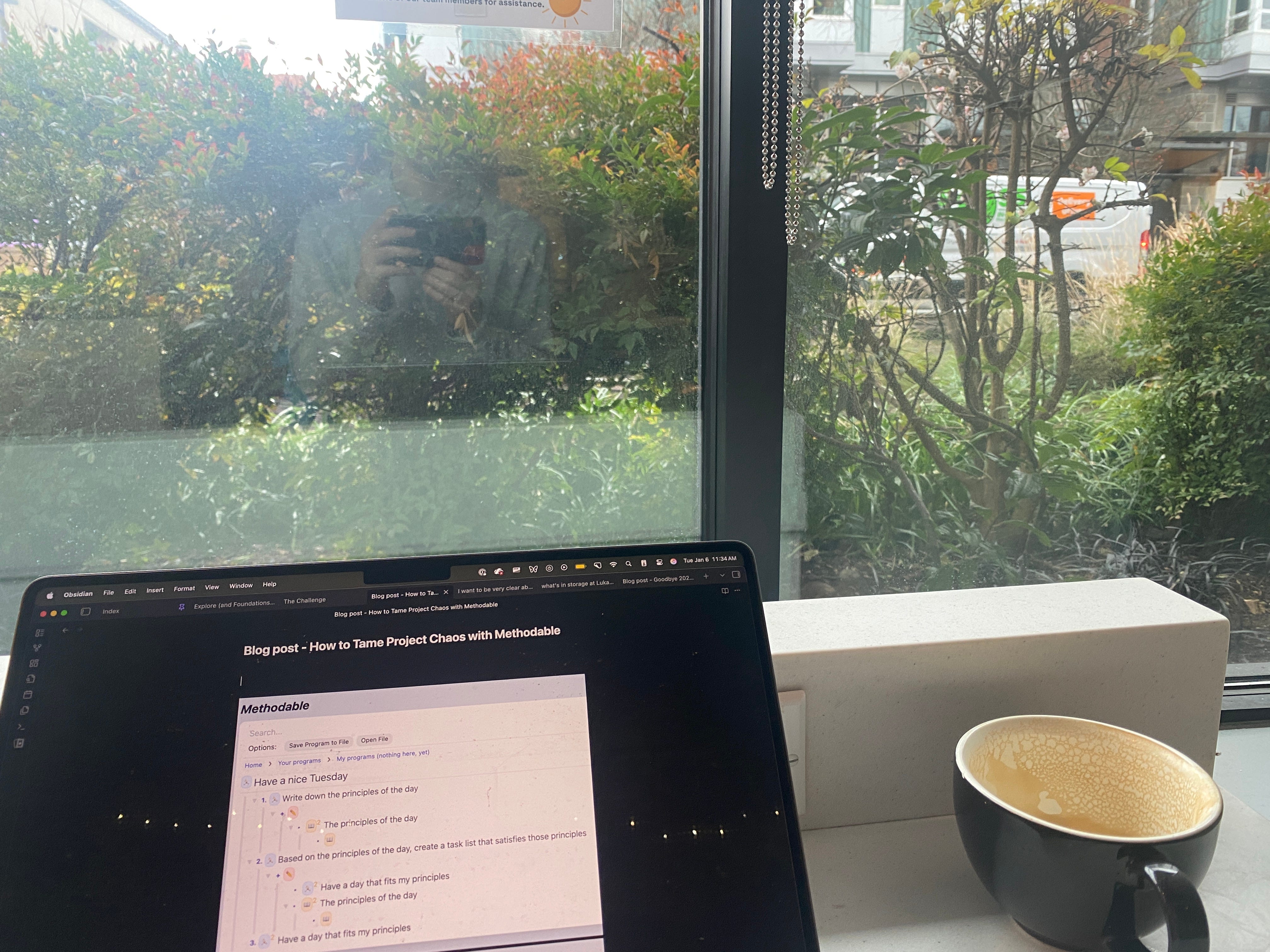
Today, I am sitting in a cafe, and writing about a different time I was sitting in a cafe… do I have you at the edge of your seat? I hope so, because:
If you are a new reader, you will be introduced to Methodable, my “human-programming tool,” a web app that helps people make systematic progress towards goals.
If you are a past reader, you will finally see a real-life Methodable use case!
In particular, I’ll describe a day during which I used Methodable to un-scatter my attention and gracefully navigate a complex landscape of personal projects. I’ll cover the entire day, starting from when I awoke and continuing through the creation of a seed program which ultimately blossomed into a comprehensive, tailored guide for my day.
Methodable is a quirky, unmaintained piece of software, but I still find it useful in my own life, and I hope you’ll enjoy learning about the patterns of thinking and planning that it enables.
Our story begins on a Tuesday morning.
Some days I feel I know what to do - I have clear projects, and clear tasks within those projects, and I can just “do”. And I really enjoy those days! But on many other days the path is not clear. This was such a day.
To start, I woke up with little energy and little bandwidth for work, as happens to me from time to time. And I felt quite scattered. I knew I had a lot of items on my to-do list, far more than I could handle, but I didn’t know which ones were really worth doing.
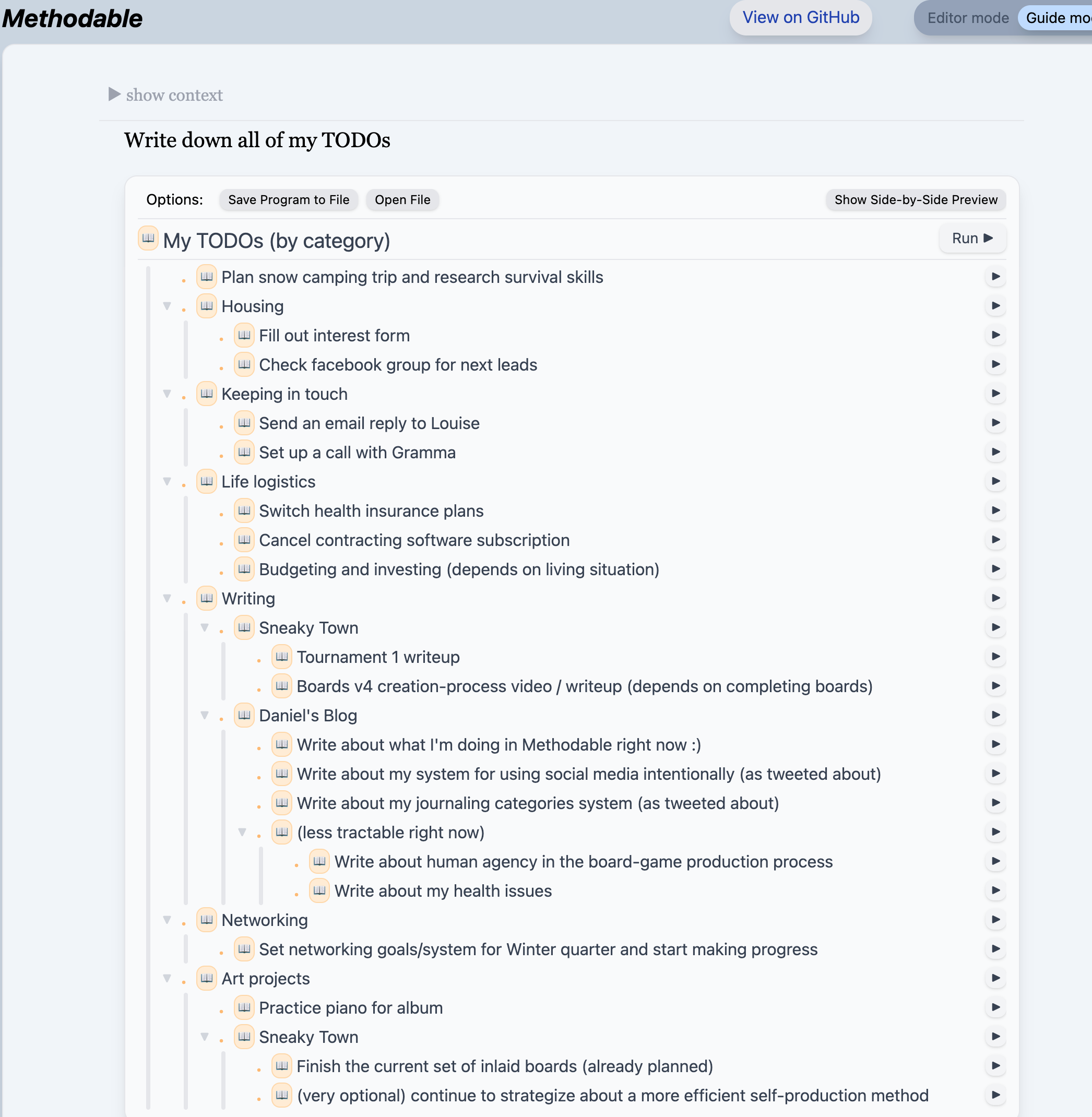
(Here’s what my to-do list ultimately looked like, but take note - at the beginning of the day, these tasks were not yet even collected into a single list!)
Having experienced these days before, my “spidey senses” were tingling: I knew I risked going off the rails and spending my day scrolling through social media while flinching away from the uncomfortable question of “what should I do?”
I knew I had to set myself on a good path, so I started with a change of scene.

I kicked off my first intervention, which was to walk to a cafe - that always helps me regain some clarity and situate myself for focused work.
On the walk, I realized that it was a perfect day for Methodable. I committed to open the Methodable editor first thing upon arriving and to write myself a program. That’s what I did and here’s how it went.
Here’s a screenshot of the initial program that I wrote (I’ll explain what you’re looking at shortly):
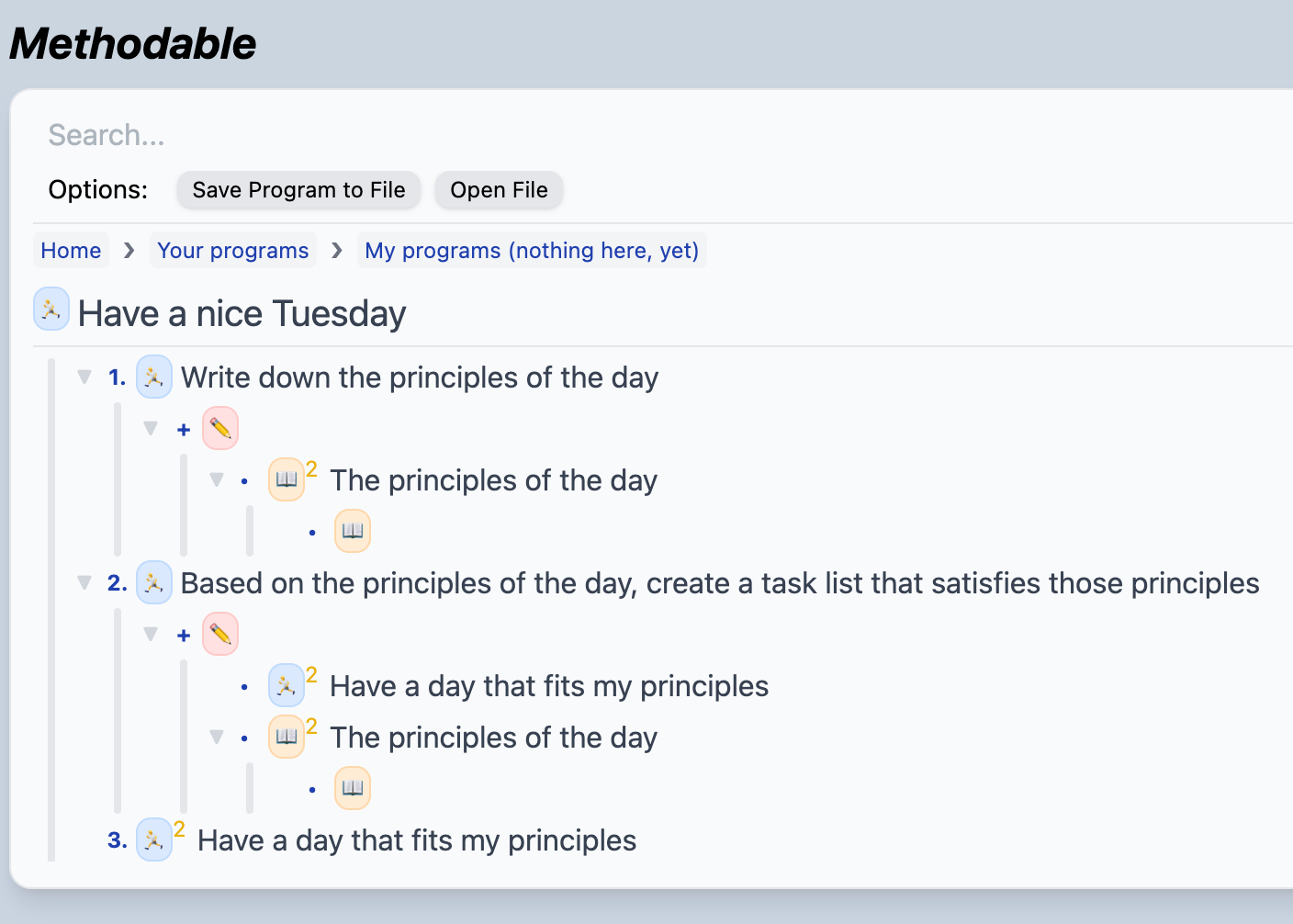
Some quick background on the Methodable editor: Methodable programs are composed of nested blocks of text. Writing a program feels like writing a bullet-point list, except that sometimes you use keyboard shortcuts to change the “verb” (the emoji on the left) of the block you’re on. The verbs tell the computer how to combine the text you wrote into a guided workflow.
Methodable programs are largely written in English (or one’s natural language of choice), but I’ll translate the above even further into English so that you can appreciate the journey I’m about to embark on. The program says:
I’d like to have a nice Tuesday. In order to do that, I plan to do the following:
I’d like to first write down principles to guide me today.
Then, based on those principles, I’d like to write a new Methodable program called “Have a day that fits my principles,” which should serve to guide me effectively through the day.
Then, I will immediately follow the steps of that program I just wrote!
We can call that program a meta-plan: a plan for myself which compels me to create a more detailed, well-informed plan - and then immediately follow it. Meta-plans are Methodable’s bread and butter, and I use them to help myself start the day intentionally when I’m not yet sure exactly what I’d like to do.
For more on why I wrote this particular meta-plan, see Appendix A. To see how Methodable’s language supports meta-planning, see Appendix B.
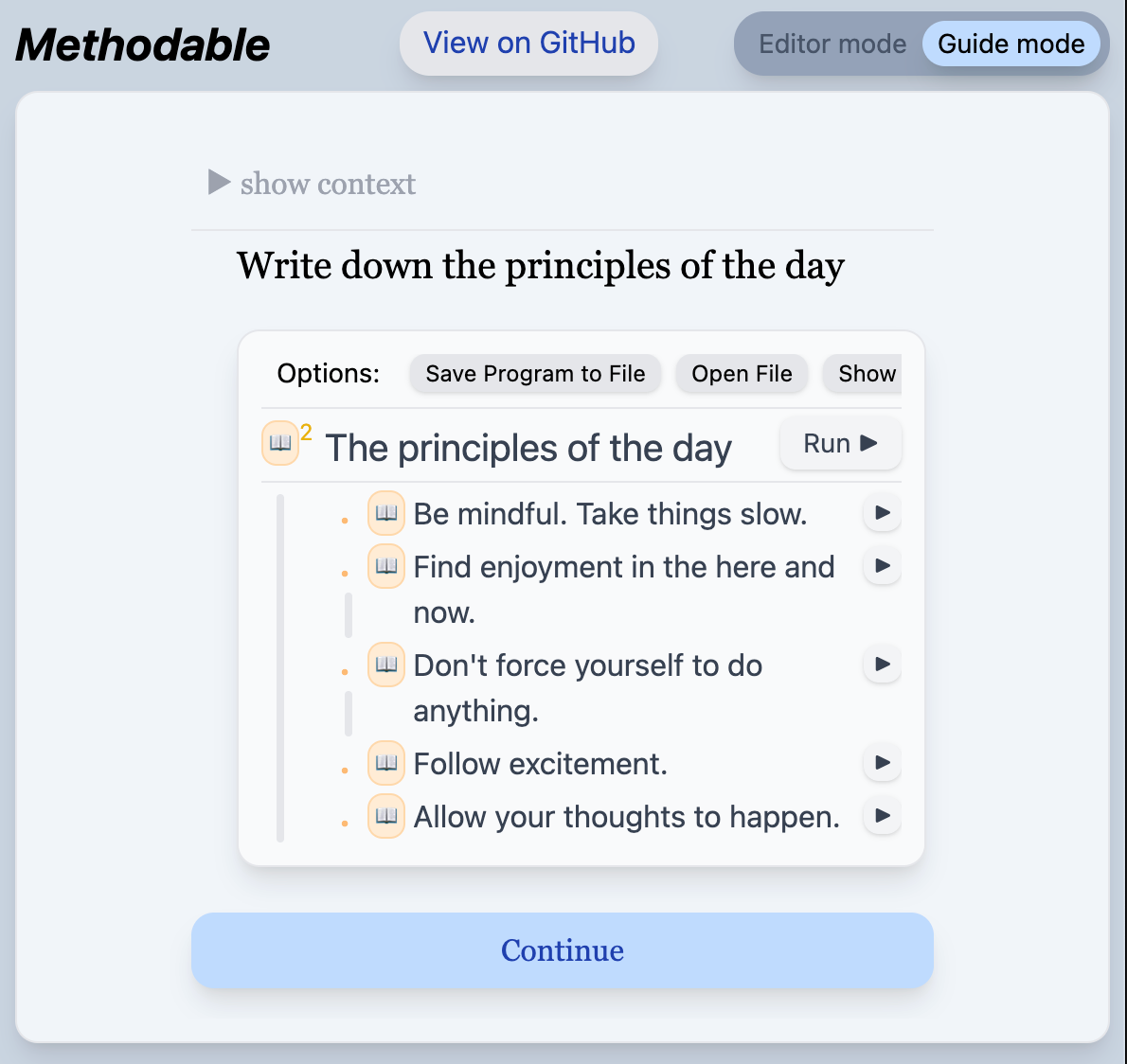
Ok, so here’s what’s cool about Methodable: after pressing “Run” and starting a program, you enter a new experience in which your every action is instructed, step-by-step and in sequence. At every moment you have a single instruction to follow, and sometimes you are given a small workspace in which to complete the task (as shown above).
When you enter Guide Mode, it’s as if you have taken your own hand, saying “don’t worry, I know what we must do. Follow me.” And indeed, during that day in the cafe, after clicking “Run” I was completely at ease, knowing that I was following the plan I had set for myself.
The magical part is, you can start with a very simple seed program like the one above and watch it blossom into a comprehensive guide, all while staying within a single step-by-step flow.
Let’s continue our Guide Mode story:
After writing down my principles as instructed, I clicked “continue,” moving to the next instruction in my program, and saw this:
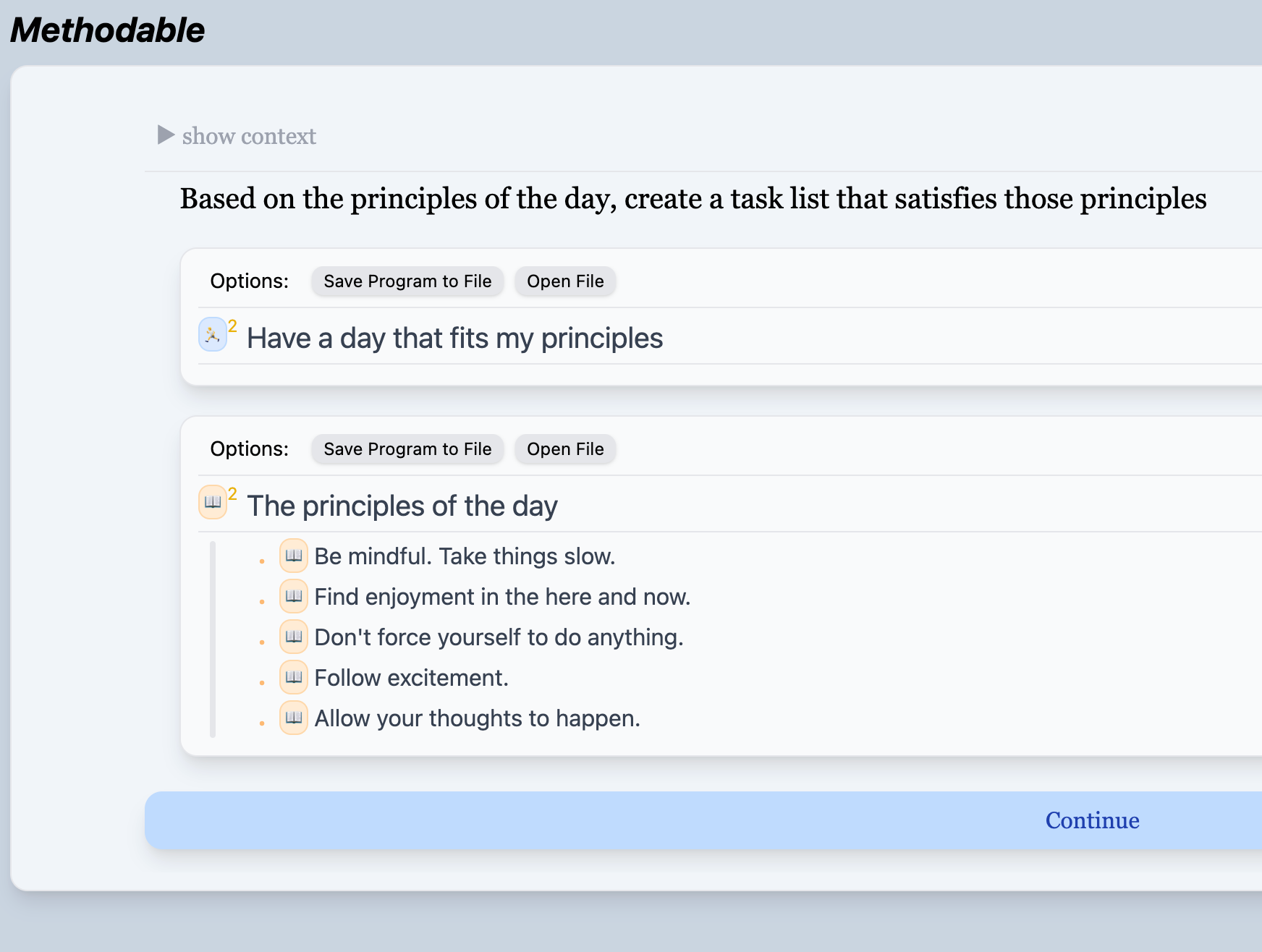
This screenshot is Methodable in full form. We see:
An instruction that I wrote as part of my initial meta-plan, telling me to create a task list based on my principles
An embedded Methodable editor (just under the instruction) where I can complete the task (by writing a program) without leaving the page
Another editor showing me my guiding principles, which I wrote during the prior step
…In other words, a neatly packaged workspace, expressing a confluence of my prior intentions, guiding me to make incremental progress towards my goal of having a productive day. As I sat there in my cocoon of telic closure, I calmly specified my next actions. Here’s the same page, but after I finished writing the sub-program:
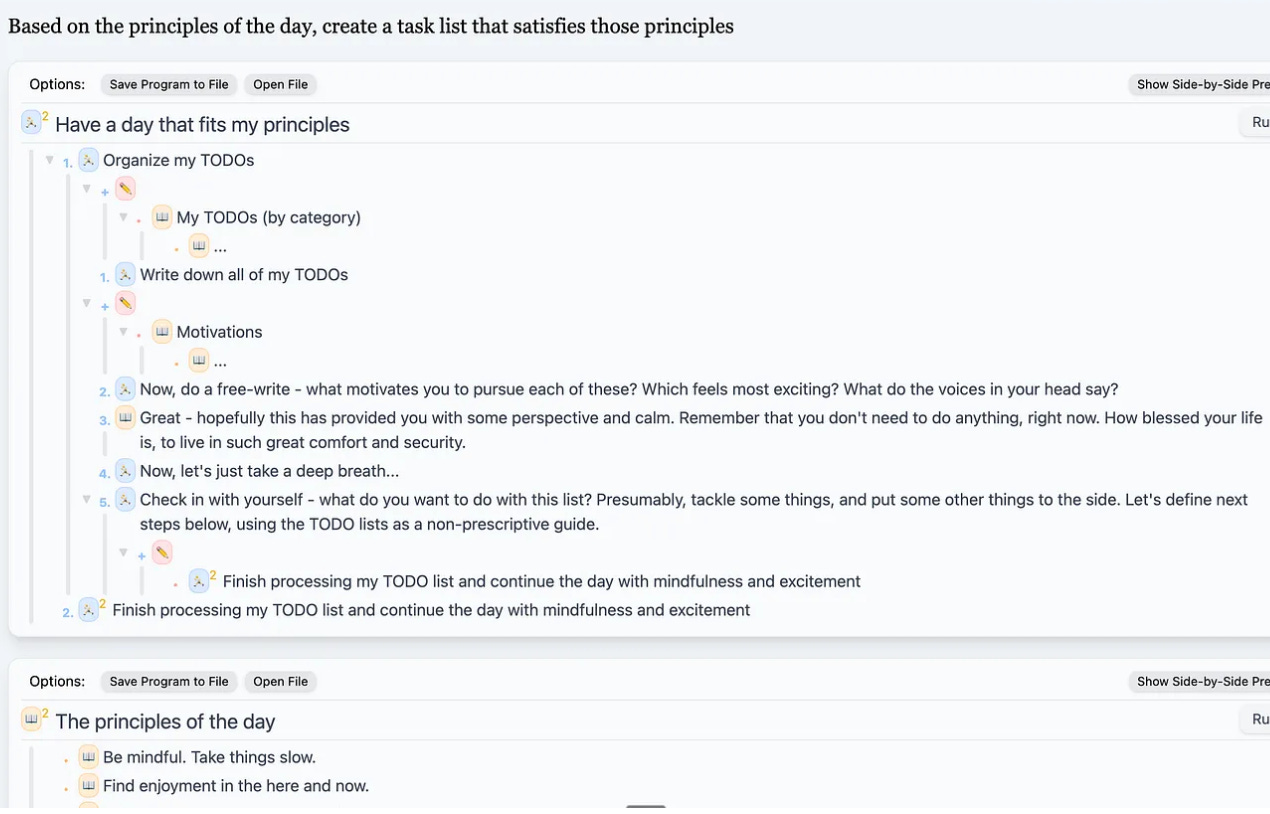
Note: I still don’t expect you to understand the language of these programs. If you’d like to understand it you can follow the Methodable program Learn how to create guides with the Methodable editor, which is a subprogram of the larger Meet Methodable program. Or check out Appendix B where Methodable syntax is briefly discussed.
After writing this program, I pressed “continue.” What happened next?
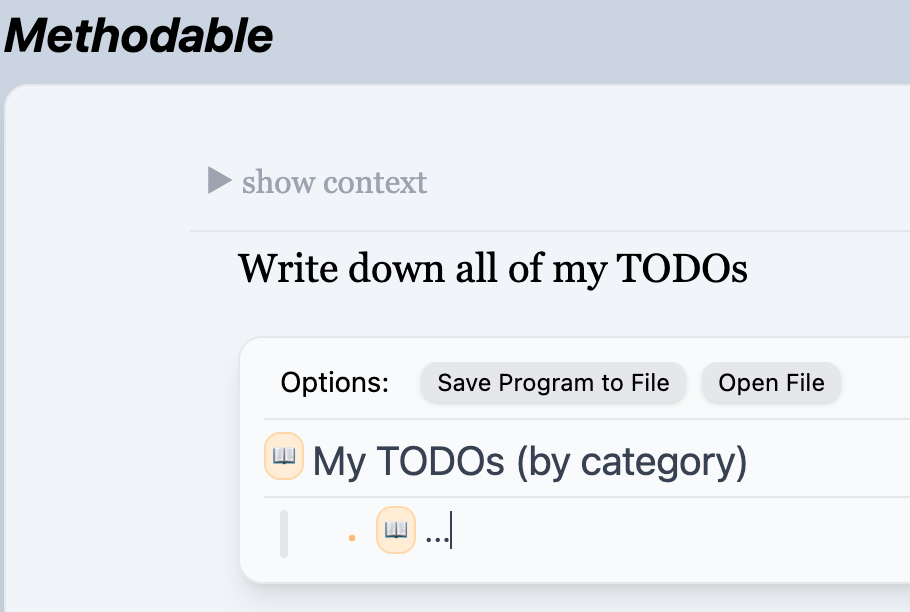
Well, I was still following my original meta-plan. And recall that the final step in that program was to “Have a day that fits my principles” - which is the exact program I just wrote! So, when I pressed “continue,” Guide Mode stitched me right into the first instruction of the program I had just described.
That first instruction I’d defined was to “Write down all of my TODOs”:
Things are about to get crazy - because that second program I wrote? The one my meta-plan told me to write? …Was also a meta-plan.
As planned, writing down my principles had given me some clarity and nudged me towards understanding my next steps, but I was still far from where I wanted to be in terms of understanding my projects and goals. As before, I pulled the meta-planning arrow from my quiver of self-programming tricks, this time writing a more detailed version. My second meta-plan would bring me through a series of exercises and prompts that were specifically tailored to wrangle clarity from the herd of projects and to-dos that were yet stampeding across my mental plain (as it were).
To describe the exact shape of this more complex meta-plan to you, instead of providing the “English translation” of the program as I did before, I’ll just continue to describe my experience in Guide Mode, as that will demonstrate exactly what the program prescribed.
So let’s pick our story back up. Upon seeing the instruction “Write down all of my TODOs,” I collected tasks from a few locations, and in the end produced this result:
Finally, the to-do list overview I so desperately wished to have at the beginning of the day!
This was an overwhelming list of tasks, but luckily I had prepared for this situation when I wrote my second meta-plan. When I clicked “continue,” I saw:
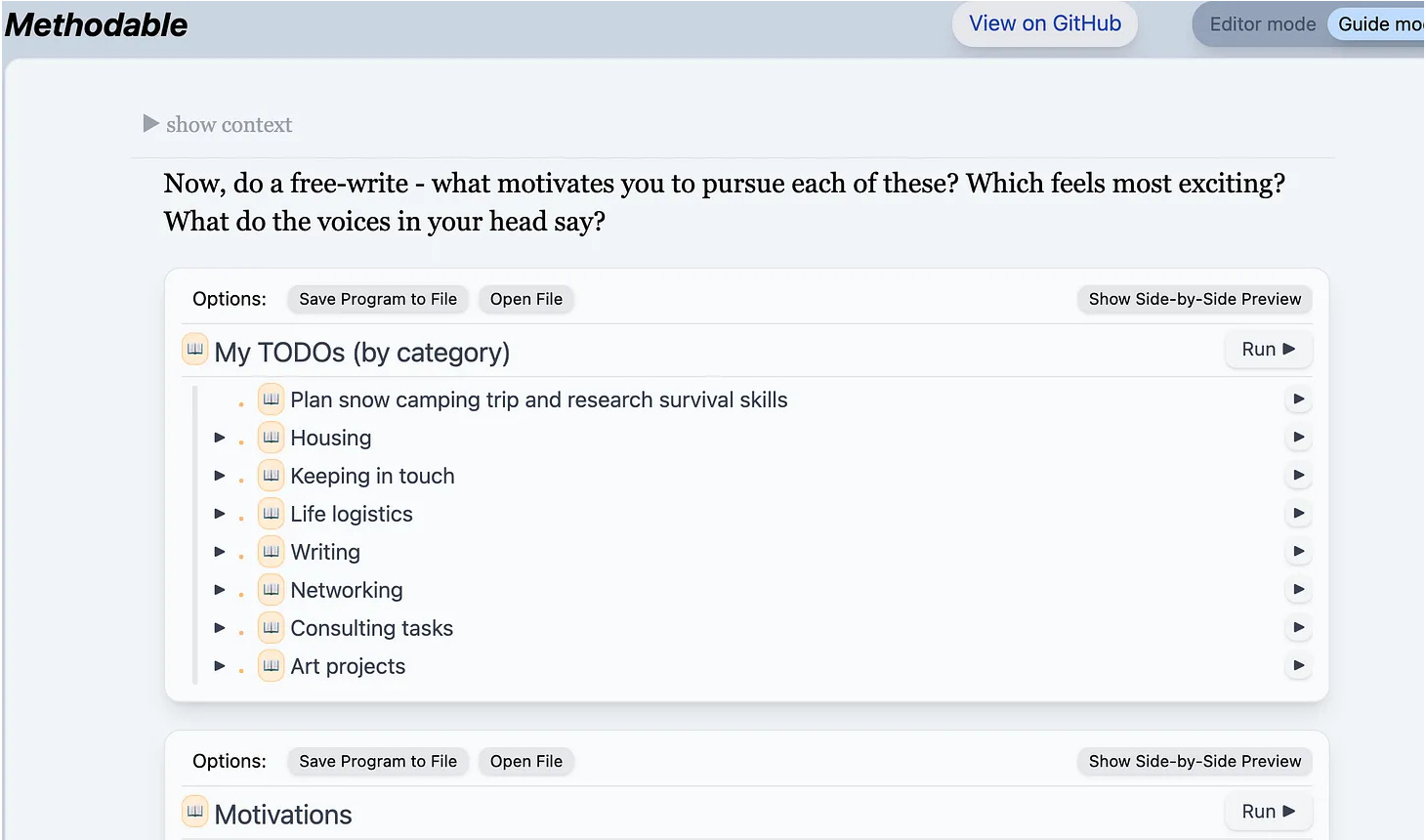
…A prompt to write about my motivations with respect to each of these tasks. Again, the workspace engineering of my second programming session had paid off, providing me with a single page with the minimal user interface required for completion of the instruction. The page contains the instruction itself, the to-do list to be analyzed, the editor in which to write my analysis, and (not shown) the trusty “continue” button.
I completed my preordained free-write as follows:
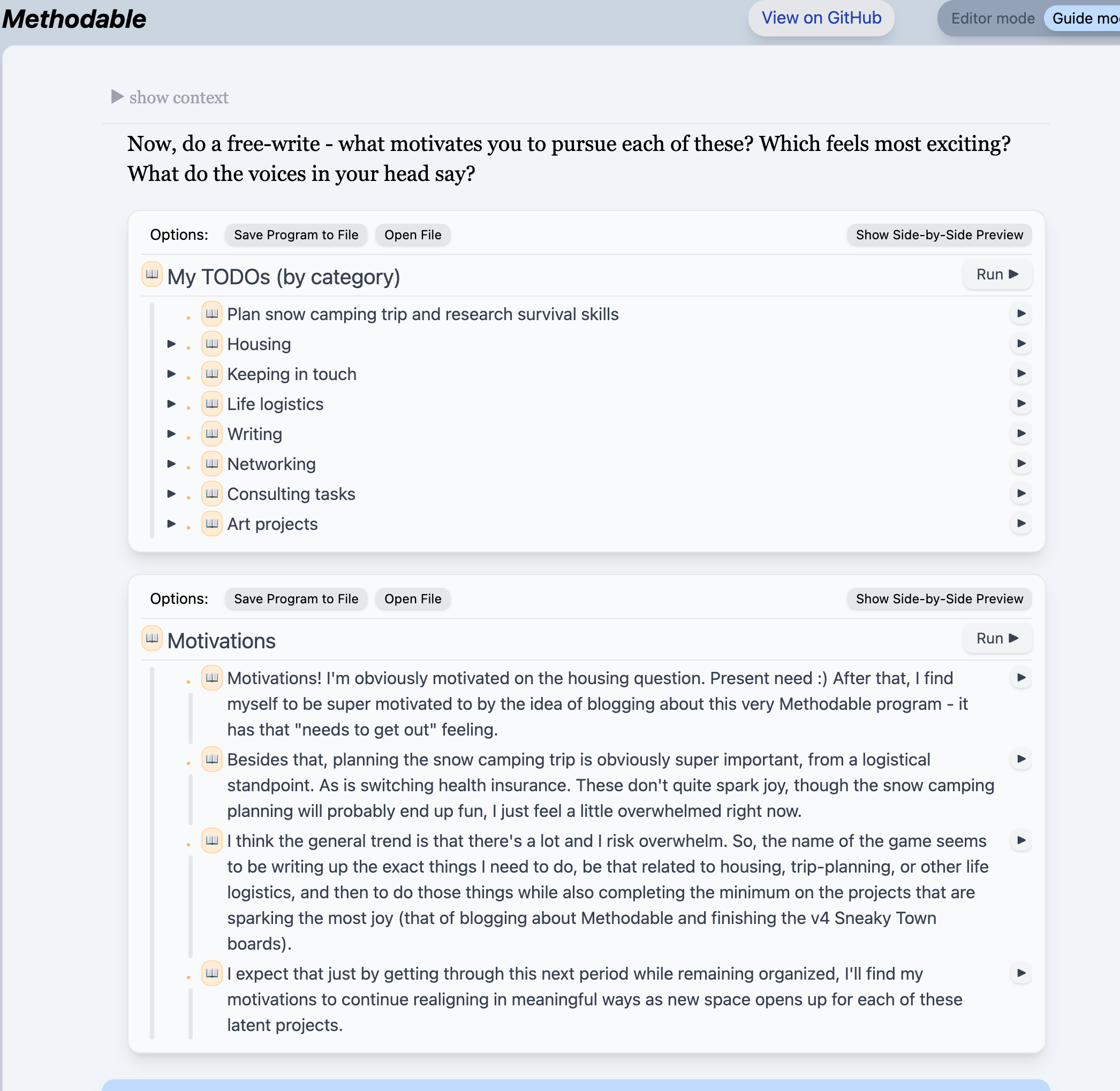
Through this free-write exercise, I articulated a path forward, which was to focus on the pressing needs of searching for housing, buying health insurance, and planning a snow-camping trip. Secondarily I wished to make progress on a couple of projects that sparked joy, for example the writing of this very blog post (I was taking these screenshots throughout the day as I did my work).
At this point I was in the earlier stages of gradual plan structuring, a feature of some Methodable meta-plans. Gradual plan structuring is the process by which semi-formed ideas slowly become more and more concrete, until they are fully specified in a program. I said above that I had “articulated a path forward,” and I did so in an editor within Methodable, but I did not articulate it as a program - the words I wrote were not executable.
But that’s just as intended! My second meta-plan was built to support this intermediate stage of definition. Just as computer programmers write free-form memos and design documents before creating their rigid code, so too the human programmer benefits from a process of gradual structuring.
It just so happens that the human programmer, unlike the computer programmer, may have the benefit of operating within a meta-plan which can carefully guide them through that gradual structuring process. That was the case for me.
We’ll soon see the completion of this gradual plan structuring, but first we must take a meaningful detour through the land of positive self-talk.
I clicked “continue,” and here’s what I saw:
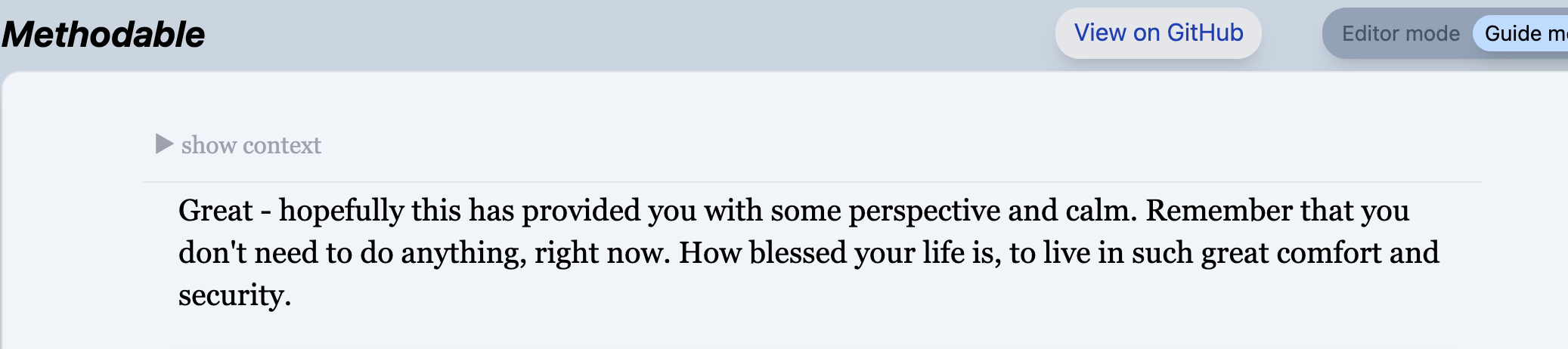
A reminder from myself to be grateful and to take it easy! How thoughtful. Thanks, prior Daniel.
I hope to convey how flexible these programs are, and how effectively they can integrate the softer elements of guidance - the gentle reminders, the positive affirmations, the fun, as you may have noticed in my free-write before…

At its best, an ad hoc Methodable session is a practice in being positive towards yourself - of telling the happiest, most productive story you can about what you’re doing, and then seeing that story play out.
We see this in my next instruction as well:

I try to make each Methodable instruction a gift to my future self, imbued with positive wishes. Like many of us, I sometimes struggle to have positive self-talk, and yet with Methodable I find it easy. By writing my programs intentionally, I can facilitate a dialogue with myself that is always caring and productive.
Having briefly sat with the last two instructions, I moved on to the programming step of my second meta-plan:
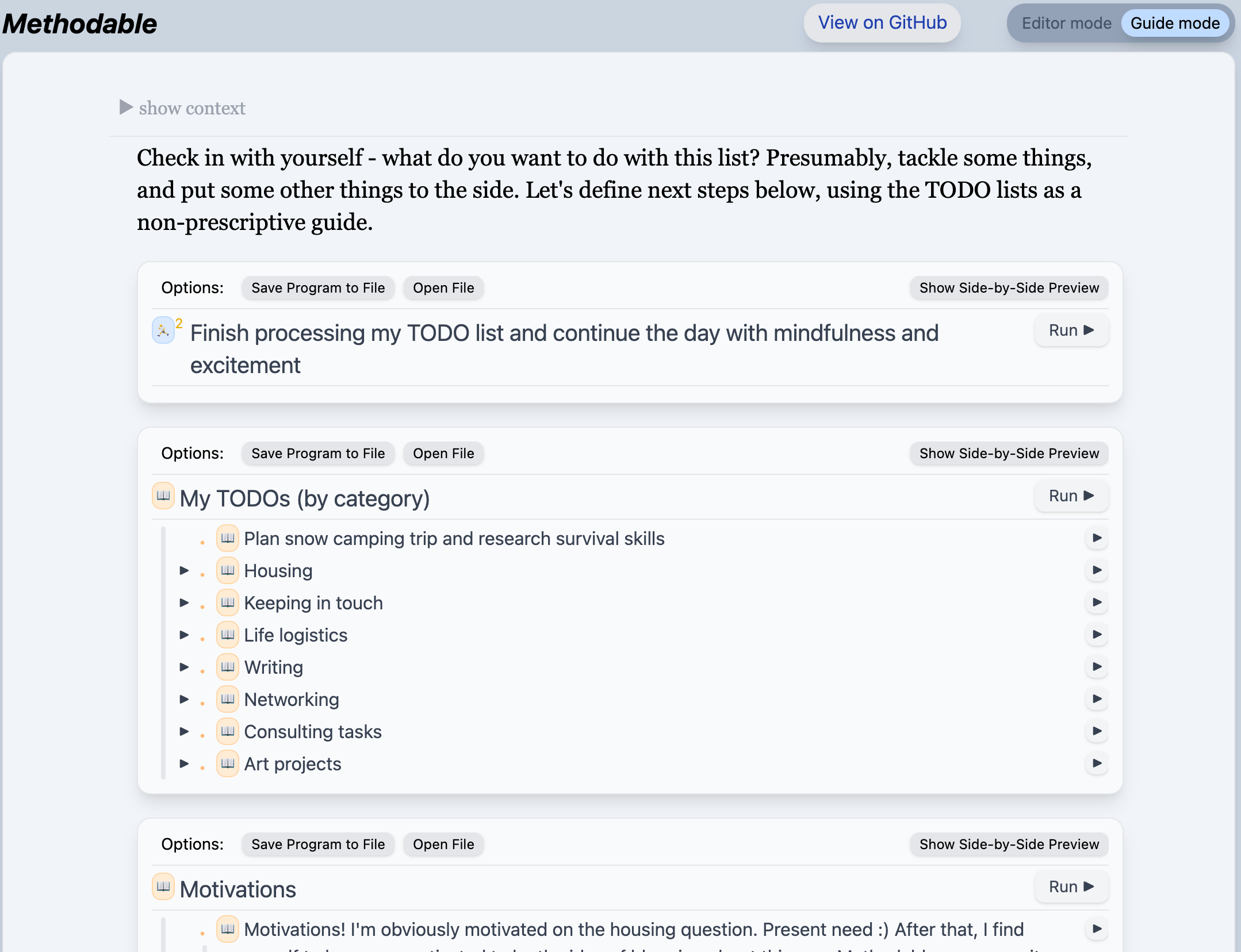
This looks a bit like the programming task from my original meta-plan, but this time things were very different. I no longer felt scattered, and was finally ready to write a program that would take me to completion on my tasks for the day. That program looked as follows:
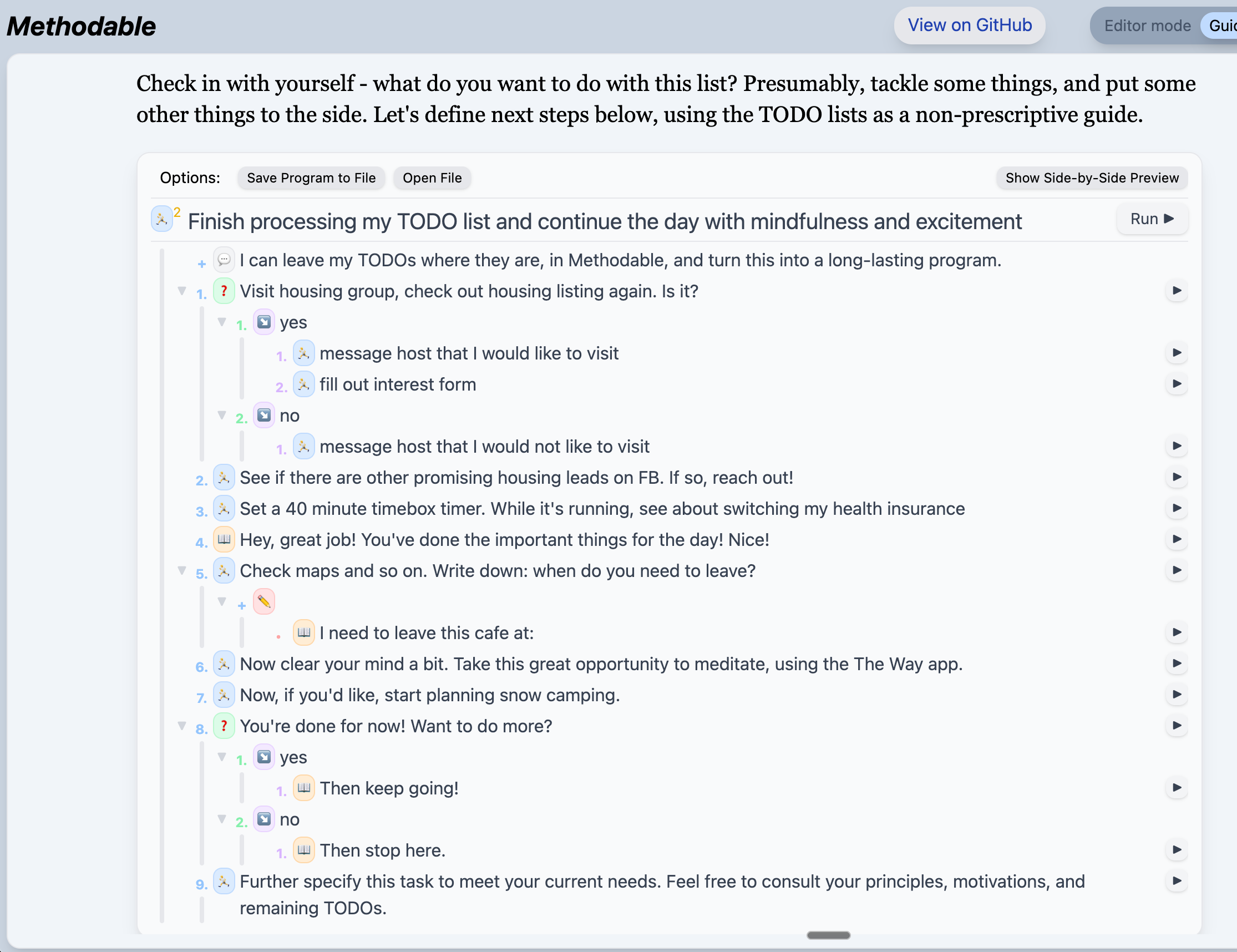
And now, having arrived here, you finally understand the meaning of the second program I wrote, as it described the exact steps that got me to this point: the writing of to-dos, the free-write on motivations, the positive affirmations, and this final planning task. That, plus a step titled “Finish processing my TODO list and continue the day with mindfulness and excitement”… a step which, of course, entails the completion of the third program displayed above. As happened at the end of our first meta-plan, this second meta-plan also seamlessly stitched my newly written program into my guided experience. And the blossoming continued.
You can guess the rest of the story, roughly speaking - I clicked “continue”, and I was brought to a new instruction. I completed that instruction, and I clicked “continue”. Sometimes the instruction was something from my to-do list. Sometimes it was a positive affirmation to read. Occasionally it was a multiple-choice question, but explaining those is out of scope for today’s post.
The final leg of my Methodable session was more straightforward. Having braved the intricacies of the meta-plans, I was left with simpler steps to follow, like this:
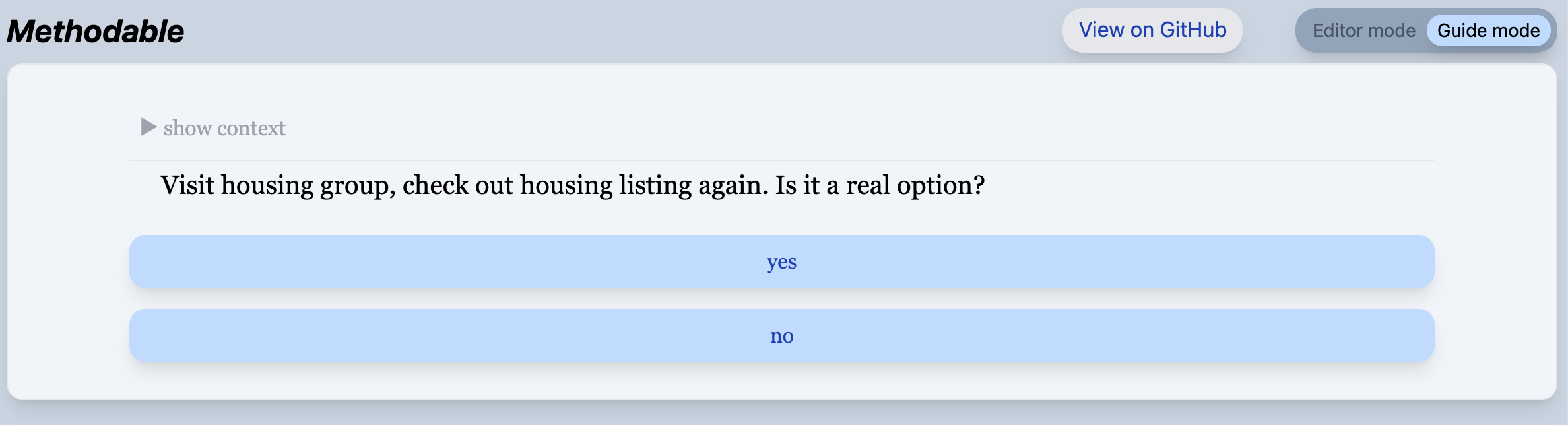
…and like this:
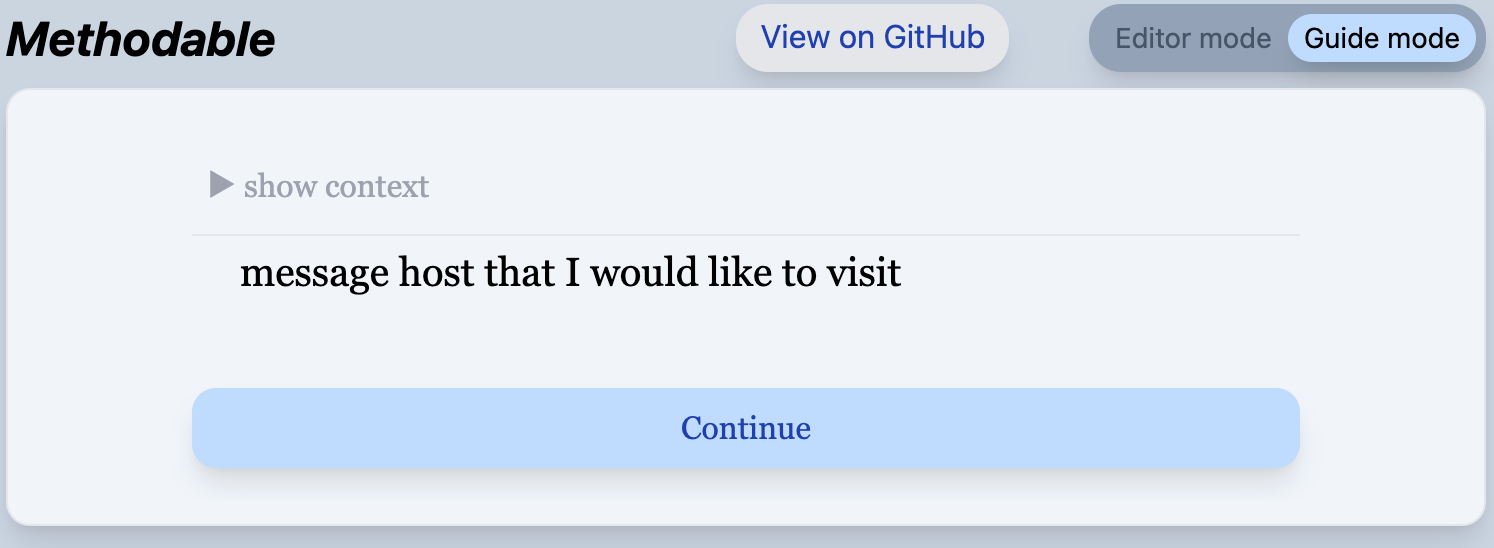
You’re looking at the prototypical Guide Mode experience: a single clear instruction, and a continue button. Just enough to make the next bit of progress you know you need to make.
I won’t bore you with rest of the screenshots, but for completeness, here are the rest of the instructions I received:
Fill out the house’s interest form.
See if there are other promising housing leads on Facebook. If so, reach out!
Set a 40 minute time-box timer. While it’s running, see about switching my health insurance.
(Read this): Hey, great job! You’ve done the important things for the day! Nice!
Now clear your mind a bit. Take this great opportunity to do a guided meditation.
Now, if you’d like, start planning your snow camping trip.
You’re done for now! Want to do more? (y/n)
Then stop here.
I followed those instructions, including the instruction to “stop here.” And then I left the cafe.
You now know exactly what I did at that cafe. I organized my thoughts and to-dos, and did my highest priority tasks in a properly time-boxed way, and meditated. When all was done, I could say “I’ve done what I needed to do today and had a good time doing so,” which is just what I’d hoped - a far cry from the dopamine rut my “spidey senses” had warned me about that morning. And all the time I had a calm companion guiding me along: the voice of my prior intentions.
Methodable is no longer under development, so I’m not advertising its usage, though I’m always happy to onboard the curious. But still, I’m very excited by the patterns of thinking that the tool enables. What I’ve shown you today is only a small sampling of the patterns I’ve seen, which are themselves a small sampling of the patterns that tools like Methodable can support. I think that if properly developed, such tools could benefit all kinds of goal-having entities, be they humans or machines. And while I don’t immediately plan to continue developing Methodable, I do hope to continue developing the ideas behind it in one form or another, and to keep it by my side as a trusty companion in times of uncertainty.
After messaging the landlord, I eventually moved into a house in the Capitol Hill neighborhood of Seattle. Here’s the view from my living room:

The following weekend, Olly and I had our snow-camping trip:

We were well-prepared.
As I anticipated in my free-write, “just by getting through this next period while remaining organized, [I found] my motivations to continue realigning in meaningful ways as new space opened up for each of my latent projects.”
One such project is the publishing of this blog post, which is now complete.

If you liked this post, please share it with friends!
Some brief Q&A on why I started with the particular 3-step meta-plan that acted as my seed program. These are stories about the goings on within my mind, so take them with a grain of salt.
Q: You could have written any set of instructions for yourself to follow. Why did you choose these three steps?
A: The seasoned Methodabler (a term introduced in this very sentence) develops a sense for their own mental capacity and clarity of direction, and learns to write programs to match. This morning, I knew that whatever strand of willful energy existed amid the fog and chaos had exactly the strength to string together these three instructions. And yet, I knew (again from experience) that this small program was enough to nudge me towards meaningful progress.
Q: Why did you write this particular meta-plan which focused on principles?
A: Honestly, it just felt right - I could already sense some half-formed principles swimming around in my soup of thoughts, and I latched onto that as a starting point for my path towards orienting myself. Again, I was probably building off of my experience with similar meta-plans in the past.
Q: Why didn’t you just immediately write those principles down? Why start with the meta-plan?
A: Writing down principles is a creative writing task, and it takes work. I knew that during the task I might easily lose the thread, and losing the thread can send me meandering towards the attentional pitfalls that abound on my laptop. The meta-plan in Methodable does not prevent me from losing the thread, but the meta-plan makes it so that I can easily regain the thread of what I’m doing that day.
In sum, I wrote this meta-plan because it was simple enough for me to produce with ease, and powerful enough to bring me incrementally closer to the place I wanted to be.
We can revisit my original meta-plan to understand how Methodable encodes meta-planning, and in the process learn more about Methodable’s “language”. In the screenshot below we’re zoomed in on the blocks for steps two and three of the meta-plan, along with their child blocks:
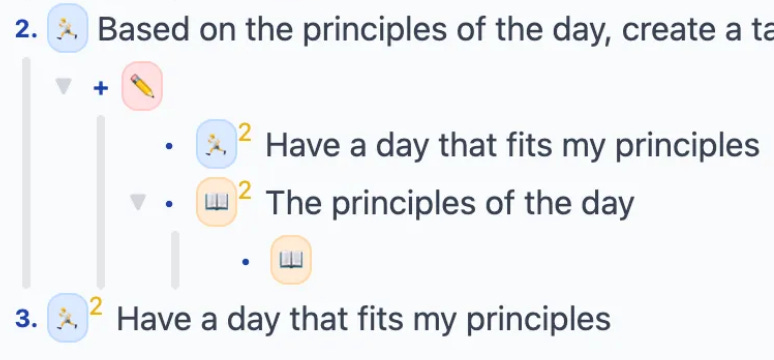
We see that step 2 contains a red “editor” block which attaches two editors as context/workspaces to its instruction. The first editor attached is a reference to step 3 of the program (this is indicated by the yellow superscript 2 next to its verb/emoji). So, in Guide Mode, when I was editing the program “Have a day that fits my principles,” I was really specifying sub-steps of the step immediately following the one I was presently executing. And since Guide Mode automatically presents the user with the most granular instruction available, when I clicked “continue” I was brought straight to the most granular instruction within the block “Have a day that fits my principles” - in other words, I was brought straight to the first step of the program I just wrote!
The pattern described above can be extended to conform to a wide variety of user needs, as is evidenced by the two differently-shaped meta-plans that I wrote in the course of this session.