TL;DR: The AI space is pushing hard for “Skills” as the new standard for giving LLMs capabilities, but I’m not a fan. Skills are great for pure knowledge and teaching an LLM how to use an existing tool. But for giving an LLM actual access to services, the Model Context Protocol (MCP) is the far superior, more pragmatic architectural choice. We should be building connectors, not just more CLIs.
Maybe it’s an artifact of spending too much time on X, but lately, the narrative that “MCP is dead” and “Skills are the new standard” has been hammered into my brain. Everywhere I look, someone is celebrating the death of the Model Context Protocol in favor of dropping a SKILL.md into their repository.
I am a very heavy AI user. I use Claude Code, Codex, and Gemini for coding. I rely on ChatGPT, Claude, and Perplexity almost every day to manage everything from Notion notes to my DEVONthink databases, and even my emails.
And honestly? I just don’t like Skills.
I hope MCP sticks around. I really don’t want a future where every single service integration requires a dedicated CLI and a markdown manual.
Here’s why I think the push for Skills as a universal solution is a step backward, and why MCP still gets the architecture right.
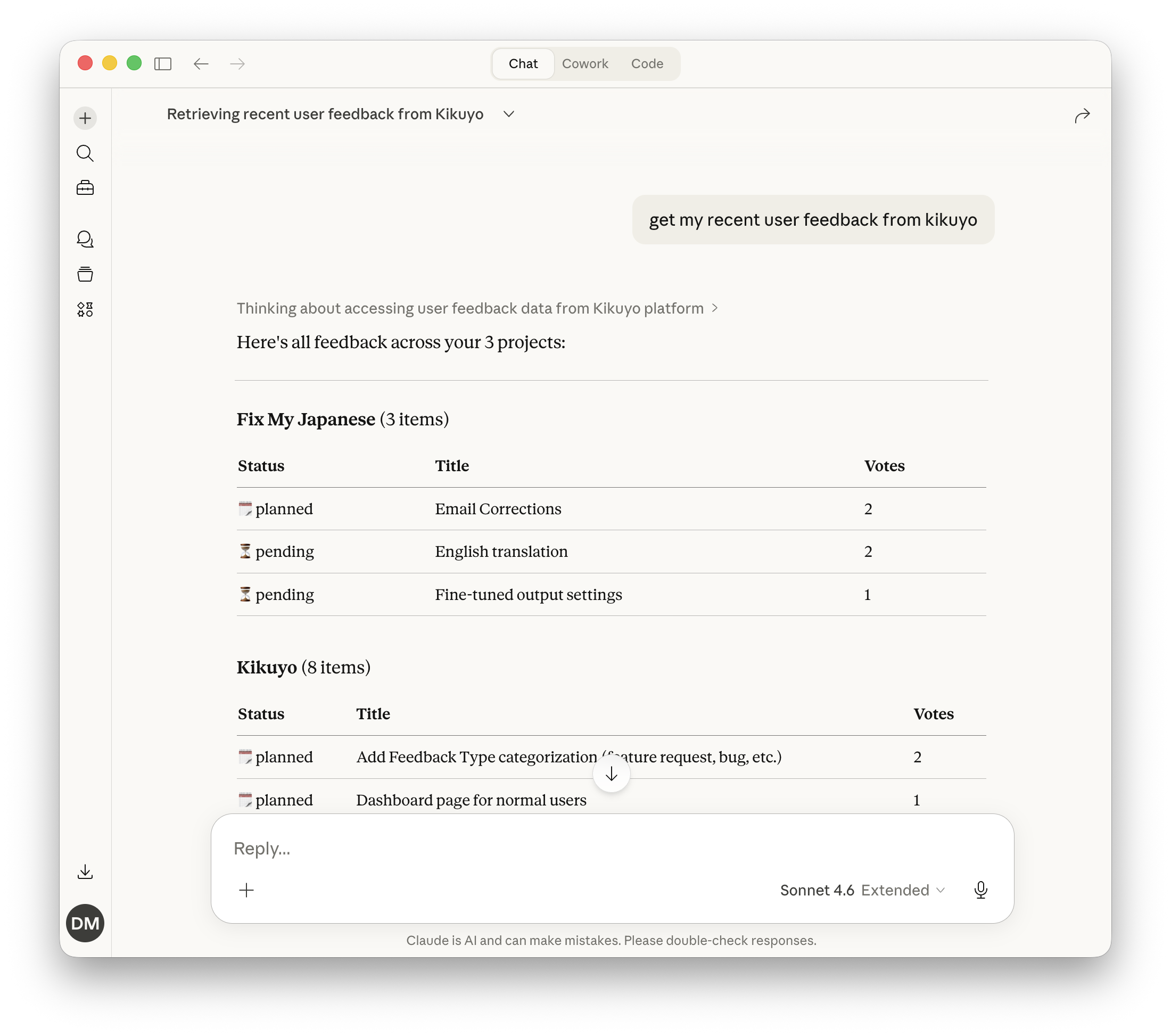
Claude pulling recent user feedback from Kikuyo through the Kikuyo MCP, no CLI needed.
What I Love About MCP
The core philosophy of MCP is simple: it’s an API abstraction. The LLM doesn’t need to understand the how; it just needs to know the what. If the LLM wants to interact with DEVONthink, it calls devonthink.do_x(), and the MCP server handles the rest.
This separation of concerns brings some unbeatable advantages:
- Zero-Install Remote Usage: For remote MCP servers, you don’t need to install anything locally. You just point your client to the MCP server URL, and it works.
- Seamless Updates: When a remote MCP server is updated with new tools or resources, every client instantly gets the latest version. No need to push updates, upgrade packages, or reinstall binaries.
- Saner Auth: Authentication is handled gracefully (often with OAuth). Once the client finishes the handshake, it can perform actions against the MCP. You aren’t forcing the user to manage raw tokens and secrets in plain text.
- True Portability: My remote MCP servers work from anywhere: my Mac, my phone, the web. It doesn’t matter. I can manage my Notion via my LLM of choice from wherever a client is available.
- Sandboxing: Remote MCPs are naturally sandboxed. They expose a controlled interface rather than giving the LLM raw execution power in your local environment.
- Smart Discovery: Modern apps (ChatGPT, Claude, etc.) have tool search built-in. They only look for and load tools when they are actually needed, saving precious context window.
- Frictionless Auto-Updates: Even for local setups, an MCP installed directly via
npx -yoruvcan auto-update on every launch.
The Friction with Skills
Not all Skills are the same. A pure knowledge skill (one that teaches the LLM how to format a commit message, write tests a certain way, or use your internal jargon) actually works well. The problems start when a Skill requires a CLI to actually do something.
My biggest gripe with Skills is the assumption that every environment can, or should, run arbitrary CLIs.
Most skills require you to install a dedicated CLI. But what if you aren’t in a local terminal? ChatGPT can’t run CLIs. Neither can Perplexity or the standard web version of Claude. Unless you are using a full-blown compute environment (like Perplexity Computer, Claude Cowork, Claude Code, or Codex), any skill that relies on a CLI is dead on arrival.
This leads to a cascade of annoying UX and architectural problems:
- The Deployment Mess: CLIs need to be published, managed, and installed through binaries, NPM, uv, etc.
- The Secret Management Nightmare: Where do you put the API tokens required to authenticate? If you’re lucky, the environment has a
.envfile you can dump plain-text secrets into. Some ephemeral environments wipe themselves, meaning your CLI works today but forgets your secrets tomorrow. - Fragmented Ecosystems: Skill management is currently the wild west. When a skill updates, you have to reinstall it. Some tools support installing skills via
npx skills, but that only works in Codex and Claude Code, not Claude Cowork or standard Claude. Pure knowledge skills work in Claude, but most others don’t. Some tools support a “skills marketplace,” others don’t. Some can install from GitHub, others can’t. You try to install an OpenClaw skill into Claude and it explodes with YAML parsing errors because the metadata fields don’t match. - Context Bloat: Using a skill often requires loading the entire
SKILL.mdinto the LLM’s context window, rather than just exposing the single tool signature it needs. It’s like forcing someone to read the entire car’s owner’s manual when all they want to do is callcar.turn_on().
If a Skill’s instructions start with “install this CLI first,” you’ve just added an unnecessary abstraction layer and extra steps. Why not just use a remote MCP instead?
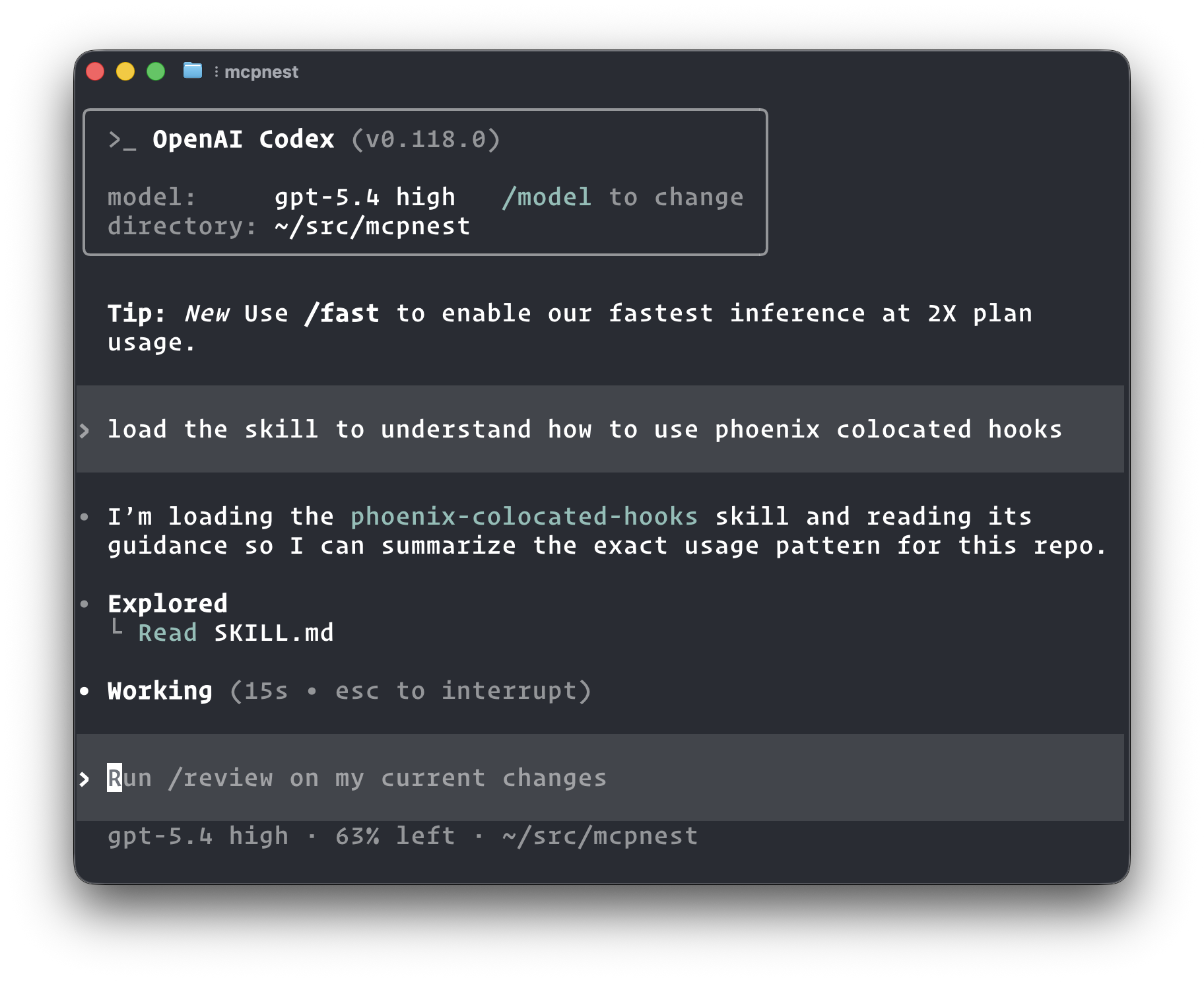
Codex pulling up a pure knowledge skill to learn how Phoenix colocated hooks work. No CLI, no MCP, just context.
I don’t want Skills to become the de facto way to connect an LLM to a service. We can explain API shapes in a Skill so the LLM can curl it, but how is that better than providing a clean, strongly-typed interface via MCP?
Here’s how I think the ecosystem should look:
When to use MCP: MCP should be the standard for giving an LLM an interface to connect to something: a website, a service, an application. The service itself should dictate the interface it exposes.
- Take Google Calendar. A
gcalCLI is fine. The problem is a Skill that tells the LLM to install it, manage auth tokens, and shell out to it. An OAuth-backed remote MCP owned by Google handles all of that at the protocol level, and works from any client without any setup. - To control Chrome, the browser should expose an MCP endpoint for stateful control, rather than relying on a janky
chrome-cli. - To debug with Hopper, the current built-in MCP that lets the LLM run
step()is infinitely better than a separatehopper-cli. - Xcode should ship with a built-in MCP that handles auth when an LLM connects to a project.
- Notion should have
mcp.notion.so/mcpavailable natively, instead of forcing me to downloadnotion-cliand manage auth state manually. (They actually do have a remote MCP now, which is exactly the right call.)
When to use Skills: Skills should be “pure.” They should focus on knowledge and context.
- Teaching existing tools: I love having a
.claude/skillsfolder that teaches the LLM how to use tools I already have installed. A skill explaining how to usecurl,git,gh, orgcloudmakes complete sense. We don’t need a “curl MCP”. We just need to teach the LLM how to construct goodcurlcommands. However, a dedicated remote GitHub MCP makes much more sense for managing issues than relying on aghCLI skill. - Standardizing workflows: Skills are perfect for teaching Claude your business jargon, internal communication style, or organizational structure.
- Teaching handling of certain things: This is another great example and what Anthropic does as well with the PDF Skill - it explains how to deal with PDF files and how to manipulate them with Python.
- Secret Management patterns: Having a skill that tells Claude “Use
fnoxfor this repo, here is how to use it” just makes sense. Every time we deal with secrets, Claude pulls up the skill. That’s way better than building a custom MCP just to callget_secret().
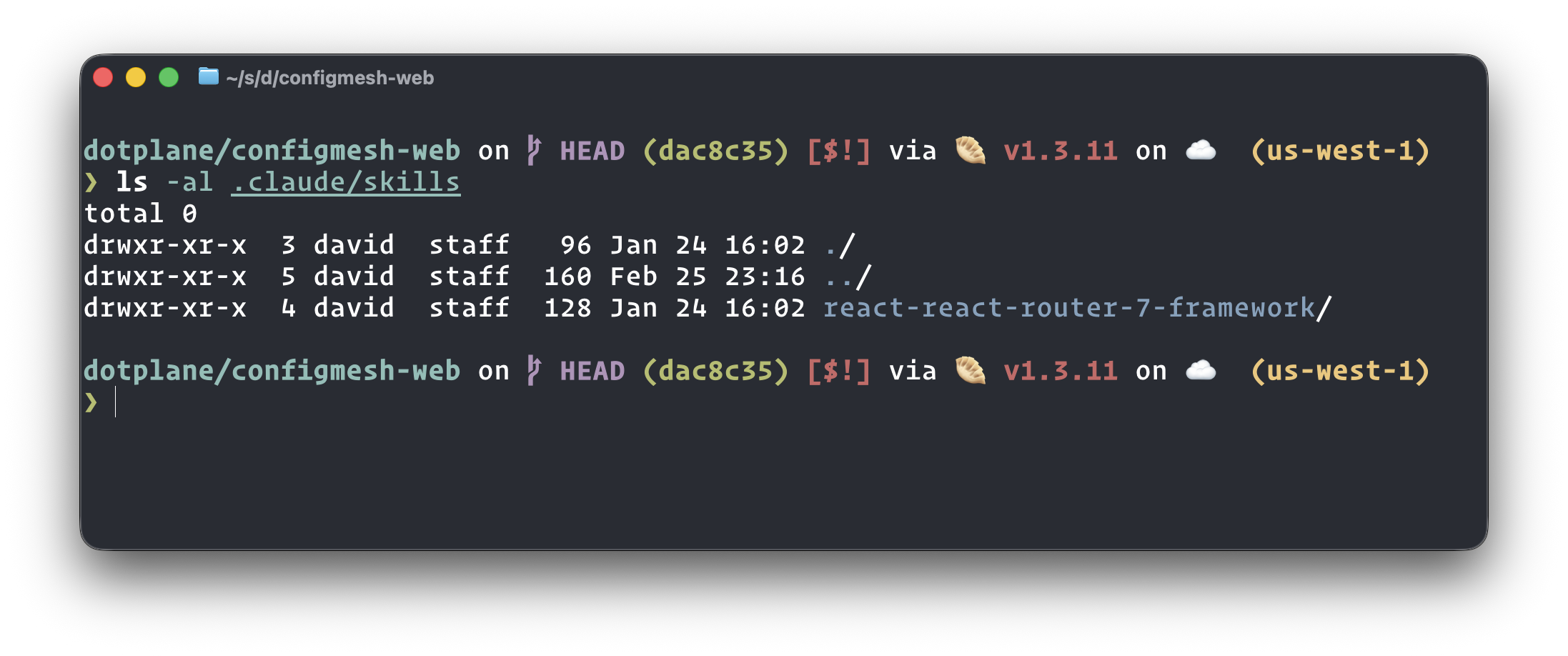
Skills living directly in the repo. The LLM picks them up automatically when working in that project.
Connectors vs. Manuals
Shower thought: Maybe the terminology is the problem. Skills should just be called LLM_MANUAL.md, and MCPs should be called Connectors.
Both have their place.
For the services I own, I already do this. A few examples:
- mcp-server-devonthink: A local MCP server that gives any LLM direct control over DEVONthink. No CLI wrapper, just a clean tool interface.
- microfn: Exposes a remote MCP at
mcp.microfn.devso any MCP-capable client can use it out of the box. - Kikuyo: Same story, remote MCP at
mcp.kikuyo.dev. - MCP Nest: Tunnels local MCP servers through the cloud so they’re reachable remotely at
mcp.mcpnest.dev/mcp. Built it because I kept wanting remote access to local MCPs without exposing my machine directly.
For microfn and Kikuyo I also published Skills, but they cover the CLI, not the MCP. That said, writing this made me realize: a skill that explains how to use an MCP server actually makes a lot of sense. Not to replace the MCP, but to give the LLM context before it starts calling tools. What the service does, how the tools relate to each other, when to use which one. A knowledge layer on top of a connector layer. That’s the combination I’d want.
And this is actually a pattern I’ve been using more and more in practice. When I’m working with a MCP server, I inevitably discover gotchas and non-obvious patterns: a date format that needs to be YYYY-MM-DD instead of YYYYMMDD, a search function that truncates results unless you bump a parameter, a tool name that doesn’t do what you’d expect. Rather than rediscovering these every session, I just ask Claude to wrap everything we learned into a Skill. The LLM already has the context from our conversation, so it writes the Skill with all the gotchas, common patterns, and corrected assumptions baked in.
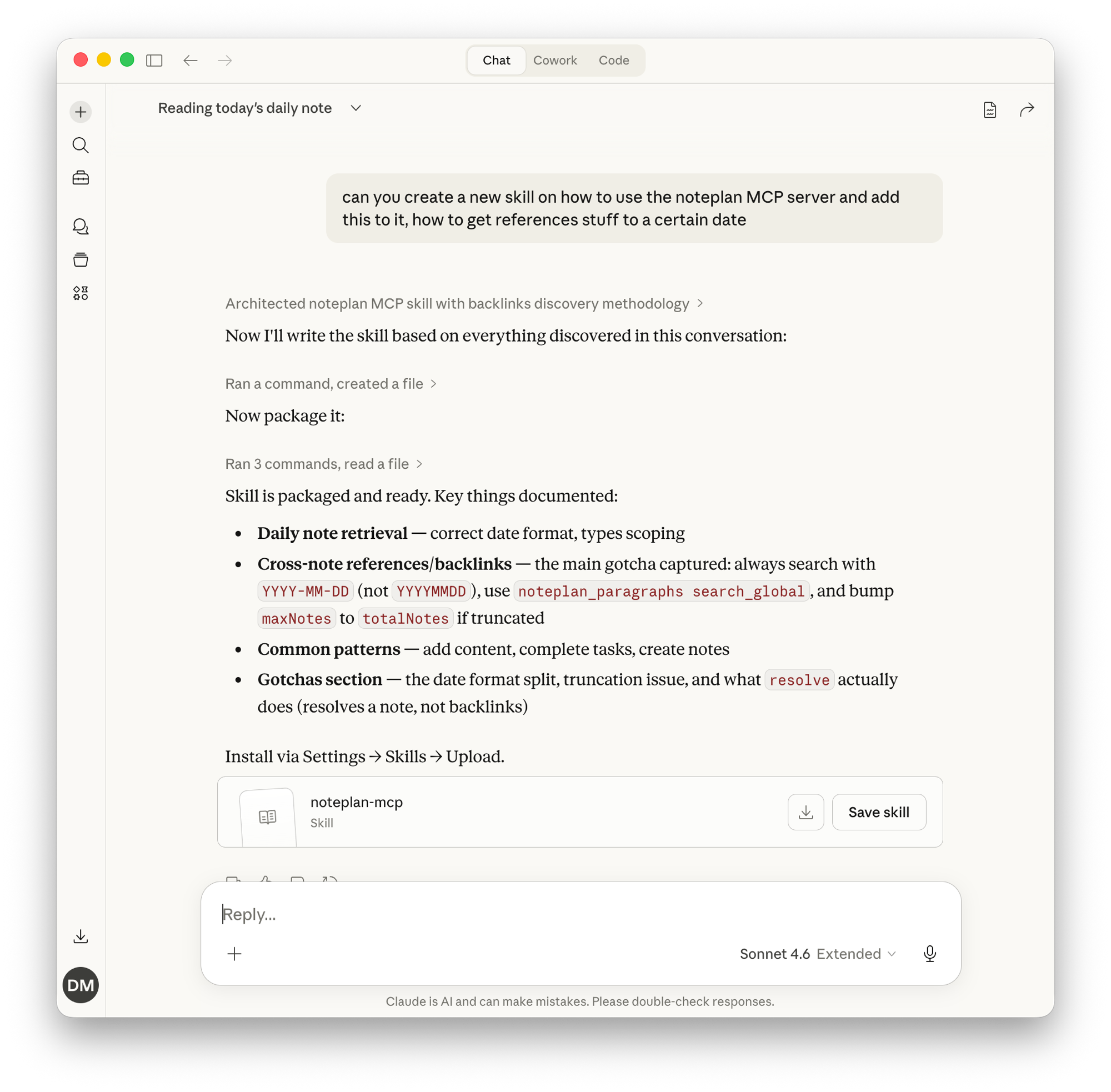
After discovering backlink gotchas and date format quirks in the NotePlan MCP, I asked Claude to package everything into a skill. Now every future session starts with that knowledge.
The result is a Skill that acts as a cheat sheet for the MCP, not a replacement for it. The MCP still handles the actual connection and tool execution. The Skill just makes sure the LLM doesn’t waste tokens stumbling through the same pitfalls I already solved. It’s the combination of both that makes the experience actually smooth.
At the same time, I’ll keep maintaining my dotfiles repo full of Skills for procedures I use often, and I’ll keep dropping .claude/skills into my repositories to guide the AI’s behavior.
I just hope the industry doesn’t abandon the Model Context Protocol. The dream of seamless AI integration relies on standardized interfaces, not a fractured landscape of hacky CLIs. I’m still holding out hope for official Skyscanner, Booking.com, Trip.com, and Agoda.com MCPs.
My two cents.
Speaking of remote MCPs: I built MCP Nest specifically for this problem. A lot of useful MCP servers are local-only by nature, think Fastmail, Gmail, or anything that runs on your machine. MCP Nest tunnels them through the cloud so they become remotely accessible, usable from Claude, ChatGPT, Perplexity, or any MCP-capable client, across all your devices. If you want your local MCPs to work everywhere without exposing your machine directly, that’s what it’s for.