After using the TCL tablet for two months, I’ve come to the conclusion that my tablet doesn’t need a screen with smooth motion. I only read static content — still text.
This realization made me take a fresh look at a type of device I hadn’t even considered before, but which now seems perfect for my needs. I’m referring to Android tablets with E-Ink screens, manufactured by brands like Boox, Bigme, and Pocketbook.
The problem? They’re expensive. The smaller models, with 7–7.8-inch screens, start at prices four times higher than a basic Kindle. The one I wanted, the Boox Go 10.3, with a 10.3-inch screen, is even pricier. And it comes with an outdated version of Android, although I’ve been told that this isn’t a problem, unlike with the iPad. (Last week, Boox launched the second generation of the model, featuring Android 15 and a variant with a backlit screen. It’s likely to be even more expensive.)
Besides being expensive, I hate buying… things. That’s why I was happy when I realized I could use my Kindle — the very one that has never accessed the internet — to read articles, posts, and newsletters published on the web, without spending a single cent and with great quality.
It’s this setup — the result of a week of new brain connections (or many neurons fried over something almost insignificant) — that I’ll share with you.
***
Amazon’s e-readers only read unorthodox digital book formats, such as *.mobi and *.azw3. There is an official way to convert other, more popular formats to supported ones, such as “Send to Kindle.” My Kindle isn’t connected to the internet, which rules out that option.
Therefore, we’ll need Calibre, a great e-book manager, to convert files *.epub, the most common digital book standard, into a format the Kindle can understand.
After installing Calibre, the next step is to create a “book” from a collection of articles/links.
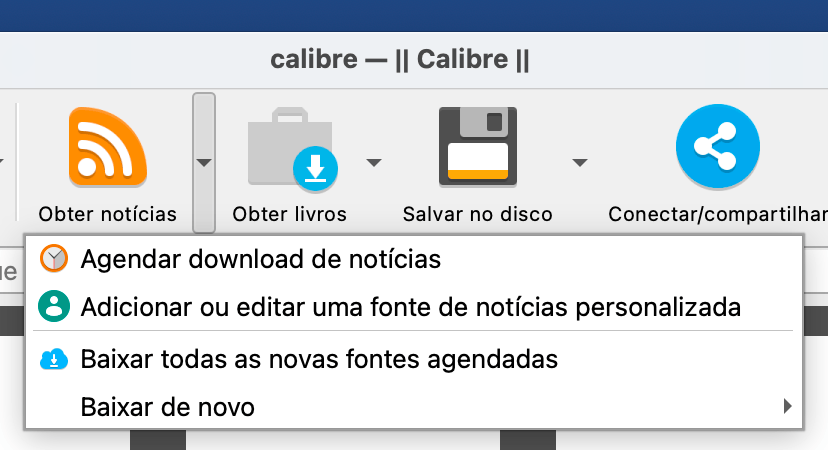
Most services of this type, such as Instapaper and Wallabag, generate RSS feeds from the various filters they offer — unread, favorites, folders etc. At first, I thought about combining this feature with another one in Calibre called “Get News.” The icon on the app’s chaotic toolbar already gives you an idea of what it’s about. It’s an RSS/Atom feed client that fetches new posts and generates books on demand or on a predefined schedule.
To add a new feed, just click the arrow next to the Get News button and select Add or edit a custom news source. On the screen that opens, click New Recipe, set the parameters, and add the feeds you want to follow. You can list several, which allows you to create a highly personalized publication. Among them, include Instapaper, Wallabag etc. own feed.
I noticed that the formatting of these books generated by Calibre is a bit different from that of standard e-books. The table of contents doesn’t use the same layout as books, and even the text display — or what surrounds it, like the progress bar/page numbers — has its own structure. I’ve never read a magazine on Kindle; maybe that’s what they look like?
The important thing is that it works, but there are ways to improve certain aspects of this process and its outcome.
***
I had chosen Wallabag to be the hub for the articles I intend to read on Kindle. I had already been using it on my TCL tablet. (The Android app is good, even if it lacks some features.)
Realizing that its parser is worse than average made me take a step back. The parser is the algorithm that identifies the content of a URL and extracts it. On some websites, Wallabag’s parser fails; it can’t extract the text. The Brazilian piauí magazine website is an example. (Obviously, I’m referring to the open articles, without a paywall.)
Instapaper performed better, but I didn’t want to use it. After all, we self-host not one, but *two* such services: Wallabag and Readeck.
Readeck’s parser is just as good as Instapaper’s. Case closed, right? No, because I couldn’t find the darn RSS feed for unread items.
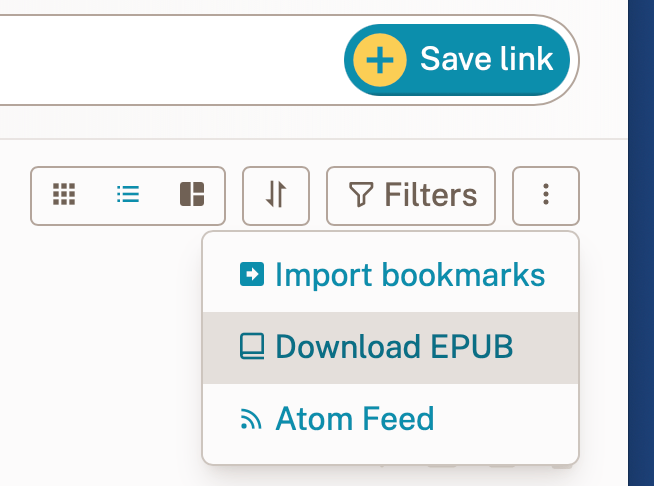
I had to check the official website to realize that the Atom feed is hidden behind the three-dot menu. And then came the big surprise: Readeck itself generates an e-book, in the *.epub, from the listed articles.
I adopted Readeck, which allowed me to set aside Calibre’s “Get News” feature. However, Calibre still needs to be present to convert the file to *.mobi, which the Kindle understands. As a bonus, I take this opportunity to edit the book’s title and add a cover I quickly made in an image editor.
***
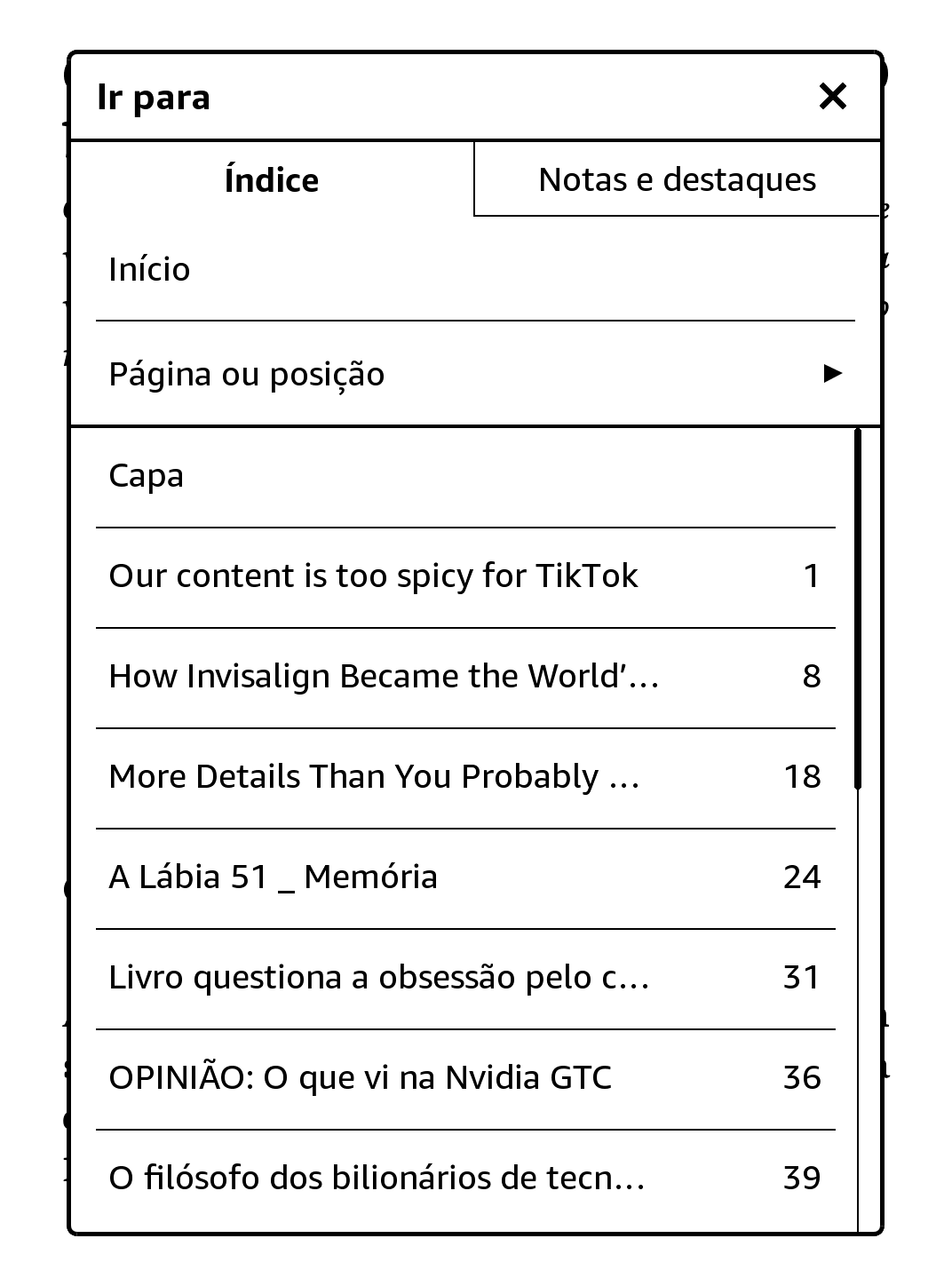
It’s been just over a week since I had this epiphany. I save links in Readeck throughout the day, and in the late afternoon, I generate my own edited newsletter. After reading the edition, I go back to Readeck to archive what I’ve read and, if necessary, “use” some links — register them on the links of the day, share them with someone, or save them as reference material for a longer piece I plan to write.
It’s been great. The E-Ink screen is less tiring on the eyes, especially without the backlight. I can read in the soft sunlight streaming through the living room window at this time of year, early in the morning, without worrying about screen glare. On the contrary: the more sun, the more external light, the more readable the screen becomes.
The only (major) problem with this process is that it requires a computer, because of Calibre and the need to convert the file to a format readable by the Kindle. In this regard, Android tablets with E-Ink screens would be more practical, since they have apps that read *.epub. Besides, you might not even need the e-book. The Readeck app would be enough, with direct access to the texts on the same E-Ink screen. Bonus: you could use Readeck’s native highlighting and note-taking features, which would be quite useful.
For those who already have a Kindle and a computer at their disposal, however, it’s hard to justify a new device for these few advantages of direct access to Readeck. Generating the book is a minimal effort in exchange for ~90% of what an Android tablet would provide.
One side effect I didn’t anticipate is that I’ve been reading fewer books, which now share space (and my time) with web articles on the Kindle. That’s my problem, right?