We are pleased to bring you Jellyfin 12.0, our new stable release. This release continues in the same direction as 10.11: finishing what the database conversion started, turning that new foundation into real performance work, and finally giving books and comics the support they have deserved for years.
If you just want a quick summary of what you need to know to get your system upgraded and running, please read on to the "TL; DR" section just below, or keep reading for a full explanation of all the major features and improvements in Jellyfin 12.0! You can also view full changelogs on the server and web GitHub releases.
- Cody
TL; DR
info
IT IS VERY IMPORTANT THAT YOU READ THIS SECTION BEFORE UPGRADING TO JELLYFIN 12.0! Failure to do so may cause issues! Always feel free to ask for help in our chat if you are unclear or run into trouble.
This release changes the database schema and actively rewrites data on first boot, so a backup is the only way back to your previous version.
-
As always for major upgrades, ensure you STOP Jellyfin and take a FULL MANUAL BACKUP OF YOUR DATA AND CONFIG DIRECTORIES before upgrading!
-
You must be running Jellyfin 10.10.7 or any 10.11.x release before upgrading to 12.0. Upgrading directly from 10.11.x is fully supported and no intermediate step is needed. If you are on anything older than 10.10.7, upgrade to 10.10.7 first, then upgrade to 12.0.
-
Check your usernames before upgrading. Usernames are now case insensitive, so two accounts can't have names that only differ by capitalization. If you have users that match this pattern the database migration will fail.
-
A full library scan is REQUIRED after upgrading. As part of fixing how alternate versions are stored, versions that Jellyfin grouped automatically, not ones you merged yourself, are cleared during the upgrade. Until you run the scan those versions will look like they are missing.
-
The first scan after upgrading will take significantly longer than normal, and some movies may appear as newly added. This is expected. Jellyfin now checks every item in your library against the files on disk to clear out leftovers from previous versions, and anything that was previously filed incorrectly gets corrected as it goes. Do not stop the server while migrations are running.
-
Once installed, please ensure you hard refresh (e.g. Ctrl+Shift+R or similar) and/or clear your web cache for your Jellyfin instance if you notice any UX anomalies. Bad cached assets are the #1 cause of such issues.
-
Remove any third-party plugins before upgrading. Plugins built for 10.11 will not load on 12.0 and need updated builds from their authors, so give them time to catch up before adding them back. Official plugins have been updated for 12.0 support.
-
Very old third-party clients will stop working. Support for the legacy
/emby/and/mediabrowser/addresses has been removed, and the deprecated way of signing in is now disabled, including on existing servers. Clients that have not seen an update in years are the ones at risk here. -
This release contains security fixes, so we recommend upgrading rather than staying on an older release once you are ready.
-
As always with major Jellyfin releases, bugs will exist. Please prefix bug reports with "[12.0]" so we can triage them quickly, and see point 1 one more time: take a backup.
And now on to the cool new features!
Why 12.0?
The most visible change in this release is the one in its name: we are dropping the major version "10" from our naming scheme. What would have been 10.12.0 is simply 12.0, and the server reports its version as 12.0.0. 10.11.x was the last release branch to use the old scheme.
The reason is the feedback we got after 10.11.0, which we first raised in January and confirmed in May. A release like 10.11.0 was, by any reasonable measure, a major release - it rewrote the library database - but the version number presented it as a minor update, and people upgraded with expectations to match. The leading 10. never changed and never told anyone anything, so all it did was push the number that actually mattered into the middle position and make "major" releases look minor. Dropping it means the first number moves when the release is big.
If you maintain anything that parses Jellyfin version strings - a client, a monitoring check, a deployment script, a container tag pin - this is the item to look at before upgrading.
Tuning the new database
Jellyfin 10.11.0 finished rebuilding how the library database works, which opened the door for the performance work in this release. We aren't finished, but you should notice a big difference when browsing.
One of the largest changes is how playlists and collections are stored. Before, everything in a playlist was kept as one big list inside the playlist itself, and the database couldn't look into that list. Anything we needed to know meant loading the whole playlist and unpacking it first. Getting the item count, working out how much you've watched, or showing a single page all cost the same as loading the entire thing. Editing was the same story, because adding or removing one item meant writing the whole list back out.
Every item in a playlist is now its own row. The database can count rows, return one page, and add or remove a single item without touching the rest, so this should be a big improvement on large playlists. Collections and boxsets were stored the same way and get the same fix.
Alongside that:
- Deleting a large number of items at once no longer fails partway through.
- Continue Watching, Next Up, rewatching, Latest Media for music, artist lookups, and the watched counts on folders should be faster.
- Heavy database maintenance no longer runs during a library scan, so the two stop competing for the same resources.
Most of this shows up as pages that used to freeze no longer freezing.
One thing to note is that this work went into how Jellyfin reads your library, not into the library scanner. You may find the scanner is a little quicker as a side effect, but speeding it up was not a goal this time around.
What runs on first boot
As usual, a new release of Jellyfin comes with multiple database migrations. These migrations will take a while to complete depending on the size of your library and how much bad data has been accumulated.
If you would rather run that step deliberately than have it happen on first start the server now accepts --mode MigrateSystem, which performs the upgrade and exits without starting the rest of Jellyfin.
Multiple versions for episodes
Alternate versions have been a movies-only feature since they were introduced. In 12.0 they work for episodes as well, so a series with a broadcast cut and an extended cut, or a 1080p and a 4K copy of the same episode, can be grouped the way movies always could. This includes resume data that follows the version you were actually watching.
This is also the feature behind the required post-upgrade scan: making versions work correctly for episodes meant fixing how version links are stored, and automatically resolved versions have to be rebuilt from the files on disk.
Books and comics, properly this time
Books have often taken a backseat in favor of video playback in Jellyfin, and this release is the start of an effort to change that. Most of what the Bookshelf plugin used to do now has been moved to the server itself.
On the server:
- Book metadata is read directly from OPF and ComicInfo files, or from ComicBookInfo comments, with no plugin required.
- Posters are generated for EPUBs and every supported comic archive format, and external covers work for audiobook files.
- Name, index, year, and series are read from book filenames, and volume and chapter numbers are picked up from comic filenames when they are there.
- Page counts are extracted from comic archives and PDFs.
- Chapters are extracted from audiobooks.
- Bookshelf has been split into separate GoogleBooks and ComicVine providers, and a new OpenLibrary plugin provides metadata and images.
- ISBN external IDs and links are supported.
In the web client:
- There is a Modern book library layout with view types and paging, plus Authors, Collections, and Folders tabs.
- Books show information about their authors, and authors show their books and audiobooks.
- The reading interface has been redesigned and standardized across all book types, with unified fullscreen behavior and swipe navigation for PDFs.
- Progress indicators work again for supported eBooks, sorting by index number and release date is available, and font size selection for EPUBs has been improved.
- Background audiobook playback works on iOS devices.
note
The Bookshelf plugin has been deprecated. Its features have been merged into the server or extracted into the ComicVine and GoogleBooks providers.
Better recommendations, and a search that plugins can extend
Where "more like this" and the suggestion rows get their ideas from is no longer fixed. You now choose the source per library in the same place you already pick metadata providers, so you can use one source for movies and a different one for music.
ListenBrainz ships with the server as one of those sources. Point your music library at it and similar-artist suggestions come from real listening data rather than from tags alone.
Search works the same way now: a plugin can add its own results alongside Jellyfin's own. If you have ever wanted Jellyfin to search somewhere else at the same time, that is a plugin now rather than a fork. Both systems are written up for plugin authors in the release notes.
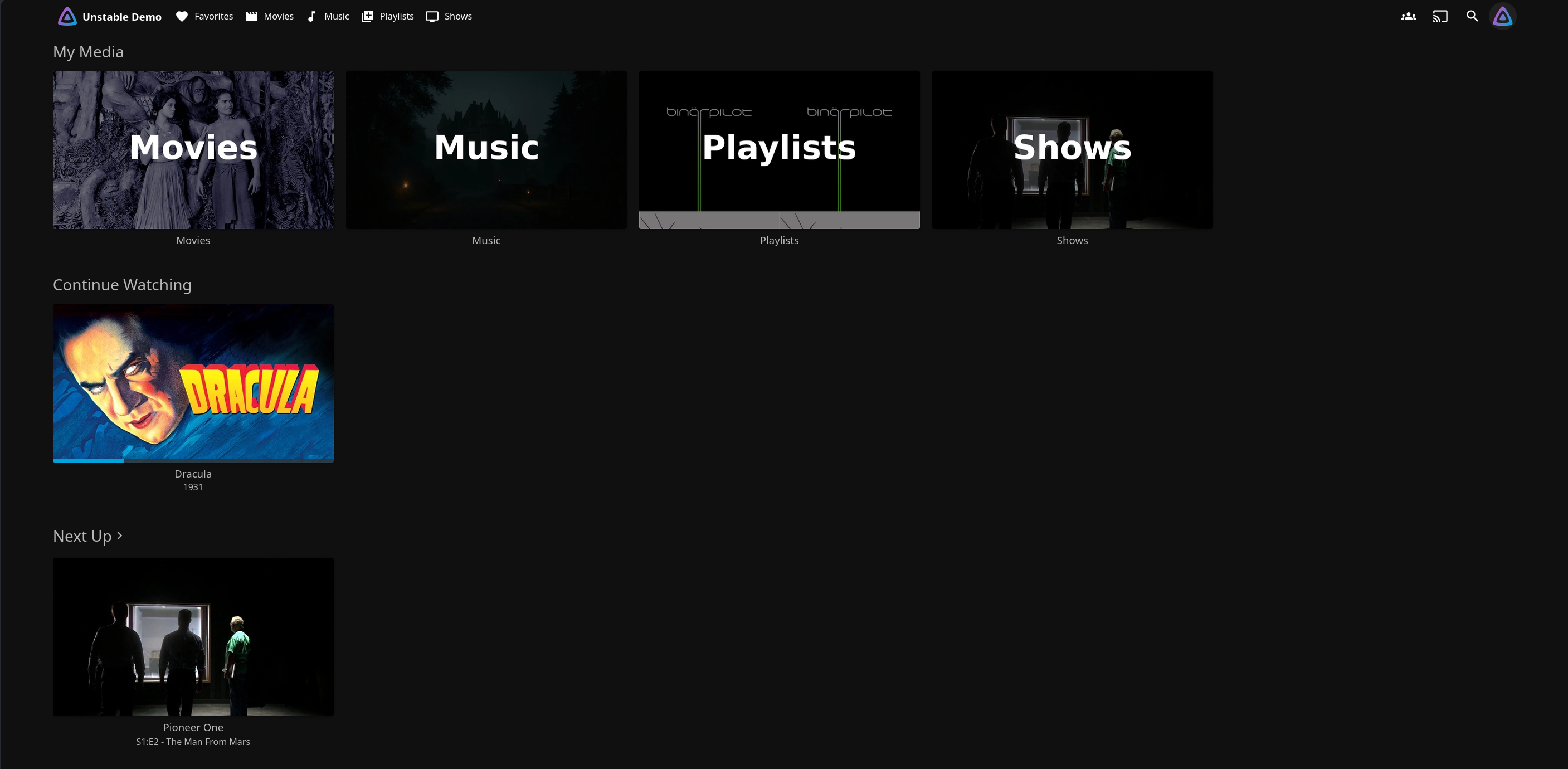
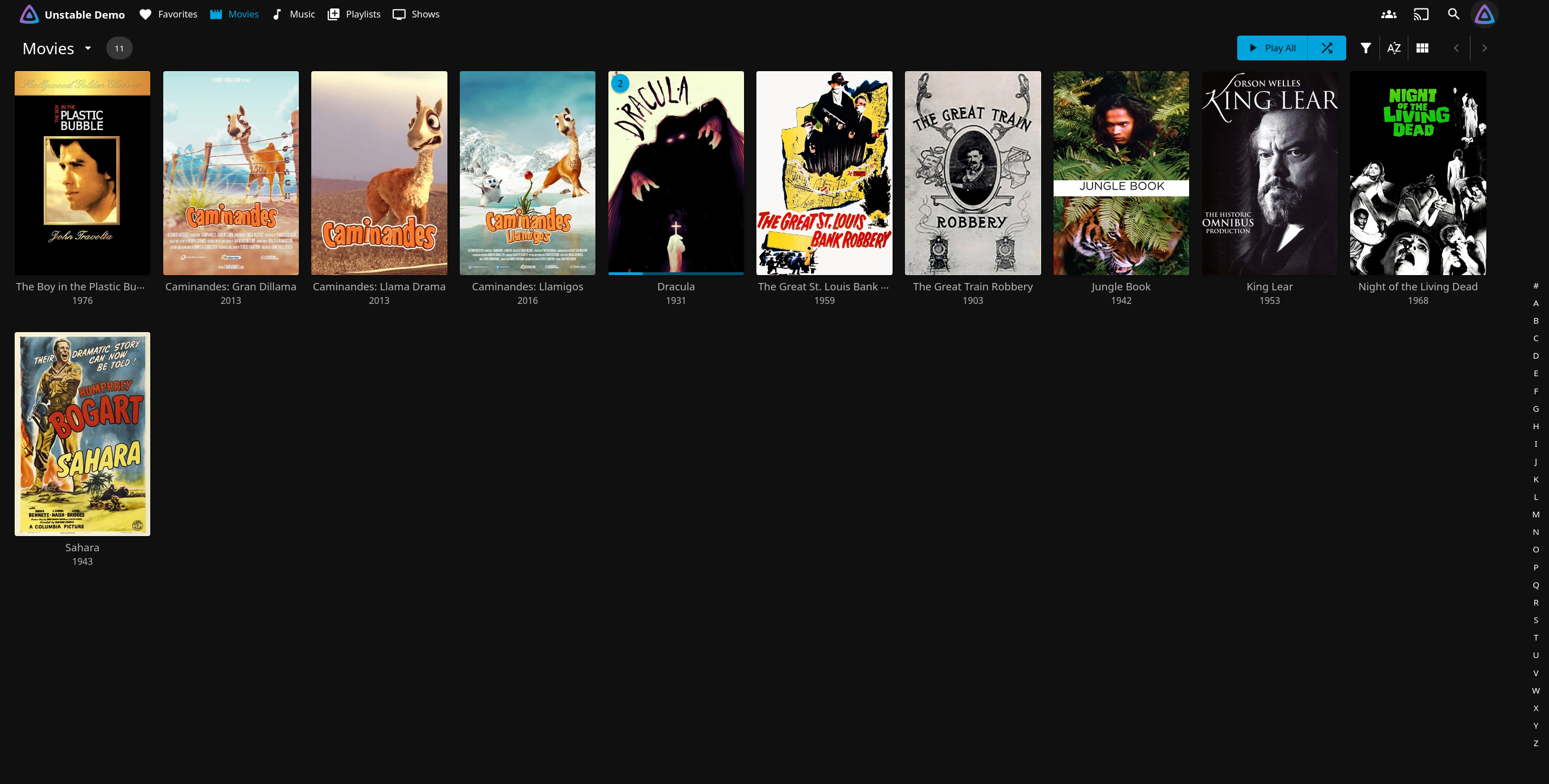
The Modern layout is now the default
The layout that shipped as "experimental" is now simply the Modern layout, and on desktop and mobile it is the default for anyone who has not explicitly chosen otherwise. The previous layout is still available and is now called Legacy. Televisions are unchanged: TV devices continue to use the TV layout, which still runs on the legacy app.
Alongside making it the default, the layout got the polish that implies:
- All themes - Dark, Light, WMC, Blue Radiance, Apple TV, and Purple Haze - now derive from a shared base theme built on CSS variables. If you maintain a custom theme, this is worth a look.
- The library toolbar has been merged into the app bar, with a sticky library header.
- Collections and playlists tabs are available on all libraries, and collections appear on item details pages.
- Music Videos, Mixed Media, Collections and Playlists, and Books views were all updated, and Home Videos and Photos libraries gained default tab options and a folder view.
- New filters for audio and subtitle languages, a Reset Filters button, and studio search.
Changes you may notice after upgrading
A few things behave differently than they did on 10.11, beyond the legacy client removals covered above:
- Subtitle settings are now configured per library rather than once for the whole server, so the old server-wide subtitle options no longer exist.
- Sorting is more consistent, which does mean some libraries will be ordered slightly differently than you are used to.
- Artwork is no longer stretched past its real size. Low resolution posters now appear at their actual size instead of being blown up to fit, which looks smaller but sharper.
.oggfiles are treated as audio, not video. If you had.oggvideo files, they will be re-sorted on the next scan.- Usernames can now be changed between upper and lower case. As part of that, two accounts can no longer have names that differ only by capitalization. If your server has usernames that differ only by capitalization, the database migration will fail.
- Symlinked media is followed when something is played rather than when the library is scanned.
Security
This release includes a number of security fixes on both the server and the web client. Several of them close off ways a crafted request could reach files outside the directories Jellyfin is supposed to serve. Others prevent the setup wizard being re-run on a misconfigured server without signing in, reject plugin packages with unsafe names, apply parental controls in more places, and fix cross-site scripting issues in the web client.
New Features & Enhancements
User Experience - Web Client
- A "still watching" prompt.
,and.scrub frame-by-frame during playback.- Chapter names appear in the preview bubble as you drag along the seek bar, and the playback info overlay is more compact while showing more detail.
- Folders can be marked as played.
- An improved Upcoming view, and Play All and Shuffle buttons on series libraries.
- The screensaver is suppressed while viewing photos or reading, and a screensaver time setting is available in the Modern layout.
- Crew members with multiple roles are merged into a single card, and TV show creators appear on item details.
- A configurable delay for the photo slideshow.
- The web client caches more data in your browser, so screens you have already visited come back faster, and artwork no longer looks blurry on high resolution displays.
- Game controller navigation fixes, keyboard shortcuts that work on non-Latin keyboard layouts, and support for rewind and fast forward buttons on remotes.
Administrator Experience - Web Client
- The log viewer can follow a log live instead of needing a refresh.
- Sorting and filtering on the Activity page.
- The source of similar-item and recommendation data is configurable per library.
- Jellyfin now marks its cache directories with
CACHEDIR.tag, so backup tools know to skip them instead of backing up these files. - Clients can ask for responses in a specific language, so a server with users who prefer different languages behaves better.
- The database file can be kept somewhere other than the default location.
- Disabled plugins are no longer re-enabled on restart.
- Backups no longer fail outright when they hit a corrupt record, and you now get a warning before restoring a backup, or before starting one while a library scan is running.
- A restyled startup interface that shows version and activity information.
- Collections and playlists can be filtered by library, so each library can show only its own.
- More ways to filter when searching for people, the option to prefer a title's original language for audio, and the new "Collections" listing on item pages.
- Live TV: XMLTV background images and episode thumbnails are imported, unreachable "server-local" streaming URLs are no longer returned to clients, and XMLTV guide imports now skip programs whose data has not changed, making repeat guide refreshes considerably cheaper.
- Metadata: TVDB IDs work for movies, AudioDb artist search, ReplayGain album gain is read from music files, MusicBrainz lookups are more resilient, WEB-DL tags in filenames are recognized, and provider IDs can be set on season and episode folder names.
- Curly braces and parentheses are now supported, along with the existing square brackets, for parsing Provider Identifier values. New aliases are also supported: tvdb for tvdbid, imdb for imdbid, and tmdb for tmdbid.
- The optimize database task now analyzes and vacuums the DB when triggered and at shutdown.
- The Refresh People task now properly cleans up removed people and checks for updates for people with missing images.
- Live TV: EPG now honors SchedulesDirect API error codes, preventing lockouts. HDHomeRun tuners will now direct play on clients that support it. M3U tuners will no longer direct play and will instead default to remuxing.
- The playlist library image can now be set for all users through the Metadata Manager. Duplicate tracks are now allowed in playlists.
Transcoding and Media Handling
- We have moved to the new upstream FFmpeg 8.1.
- Optimized CUDA transposing, OCL scaling, and OCL tonemapping performance, the last of these specifically on Mali GPUs.
- HLG tonemapping now uses the EOTF from BT.2446 Method B.
- A spec-compliant
dvh1HLS variant for Dolby Vision Profile 5 for better device compatibility. - Fixed a potential A/V desync in HLS when transcoding video while remuxing audio.
- Subtitle writing now goes through SubtitleEdit, which avoids the old SSA to ASS conversion and the loss of styling that came with it.
- VobSub subtitle support, external subtitles can be embedded into MKS when transcoding, the subtitle extraction timeout is configurable, and image-based subtitles can be rendered by the client during remuxing.
- A device profile option for Android TV boxes that cannot handle rotated video, so phone footage shot sideways plays the right way up.
- Trickplay picks up files that already exist on scan instead of regenerating them, no longer produces duplicates for interlaced video, works with bad timestamps in the source file, and cleans up after itself when generation fails.
- Better device support in the web client: Dolby Vision in MKV files on webOS 25 and newer, AV1 direct streaming on TV clients, anamorphic video direct play on Tizen, and on iOS both background playback with the screen off and a fix for audio normalization affecting pitch and speed.
Client Development Changes
The following changes apply to all client application developers. Please review thoroughly and update your applications as required.
HTTP API
- Deprecated authorization mechanisms are now disabled by default. See the details in this pull request if you have not migrated yet.
GetItemsis now asynchronous and appliesrecursivewhen filters are requested, limited to requests that includeincludeItemTypes. The same query can return a different result set than it did on 10.11.ItemByNameresponses are restricted and people are deduplicated.- Newly obsolete but still functional:
GetTrailers(useGetItemswithincludeItemTypes=Trailer),GetArtistsandGetAlbumArtists(useGetPersons),GetArtistByName(useGetPerson),GetMusicGenre(useGetGenre), the music genre instant mix endpoints (useGetInstantMixFromItem),GetRecordingsSeries, and the startup routes (use the configuration endpoints).UserDto.HasPasswordis also obsolete and no longer provides useful information. The HLS controllers are hidden from the specification. - Swashbuckle has been updated to v10, which changes the generated OpenAPI document. SDKs need to be regenerated.
- Removed routes:
POST /Users/\{userId\}/EasyPassword,GET /Items/\{itemId\}/CriticReviews,GET /Environment/NetworkShares,POST /System/MediaEncoder/Path, andGET /LiveTv/Recordings/Groups/\{groupId\}were all obsolete no-ops returning 403, 404, or an empty result.GET /QuickConnect/Initiatedid work and was an alias for the POST route, so clients using the GET form need to switch to POST.
As a general reminder of our API support policy: if an endpoint is not listed in the OpenAPI specification it should not be used, and if an endpoint or parameter is marked obsolete it should not be used. Deprecations will normally be marked for an entire major release cycle before removal.
Plugins
- The server now targets .NET 10, and several plugin interfaces changed. Plugins need to be retargeted and rebuilt for 12.0.
- New things plugins can do: provide search results, provide similarity and recommendation data, provide comic metadata, provide unaired and missing episode data, use aggregated credits for cast members, save chapters for non-video items such as audiobooks, handle a password reset for a username the server does not recognize, and clean up their own extracted files when an item's data is pruned. Live TV plugins can also query Schedules Direct availability through the server instead of reimplementing it.
- Plugins that worked with alternate versions or playlist contents need attention, since those are no longer stored inside the parent item. There are new library methods for both.
- The full list of new, changed, and removed interfaces is in the release notes -
ISearchEngine,IAuthenticationProvider.HasPassword, parts ofIItemRepository, and a fewIUserManagermembers are the notable breaks.
Deprecation of internal TLS/SSL support
In the 10.11.0 release notes we announced that internal TLS/SSL support would be removed in this release. That removal has been postponed to a future version. The reasoning has not changed - we continue to recommend running Jellyfin behind a reverse proxy - so if you are running an Internet-facing instance using Jellyfin's built-in TLS, this is extra time to migrate, not a reprieve.
Happy Watching!