Henry Fellerhoff • February 6th, 2026
TL;DR → I built an art website for my sister using PagesCMS, Astro, and Coolify, and it’s the best combination of tech I’ve found to empower her to update her own site while maintaining good DX for the developer (me).
I built an art website for my sister this past Sunday.
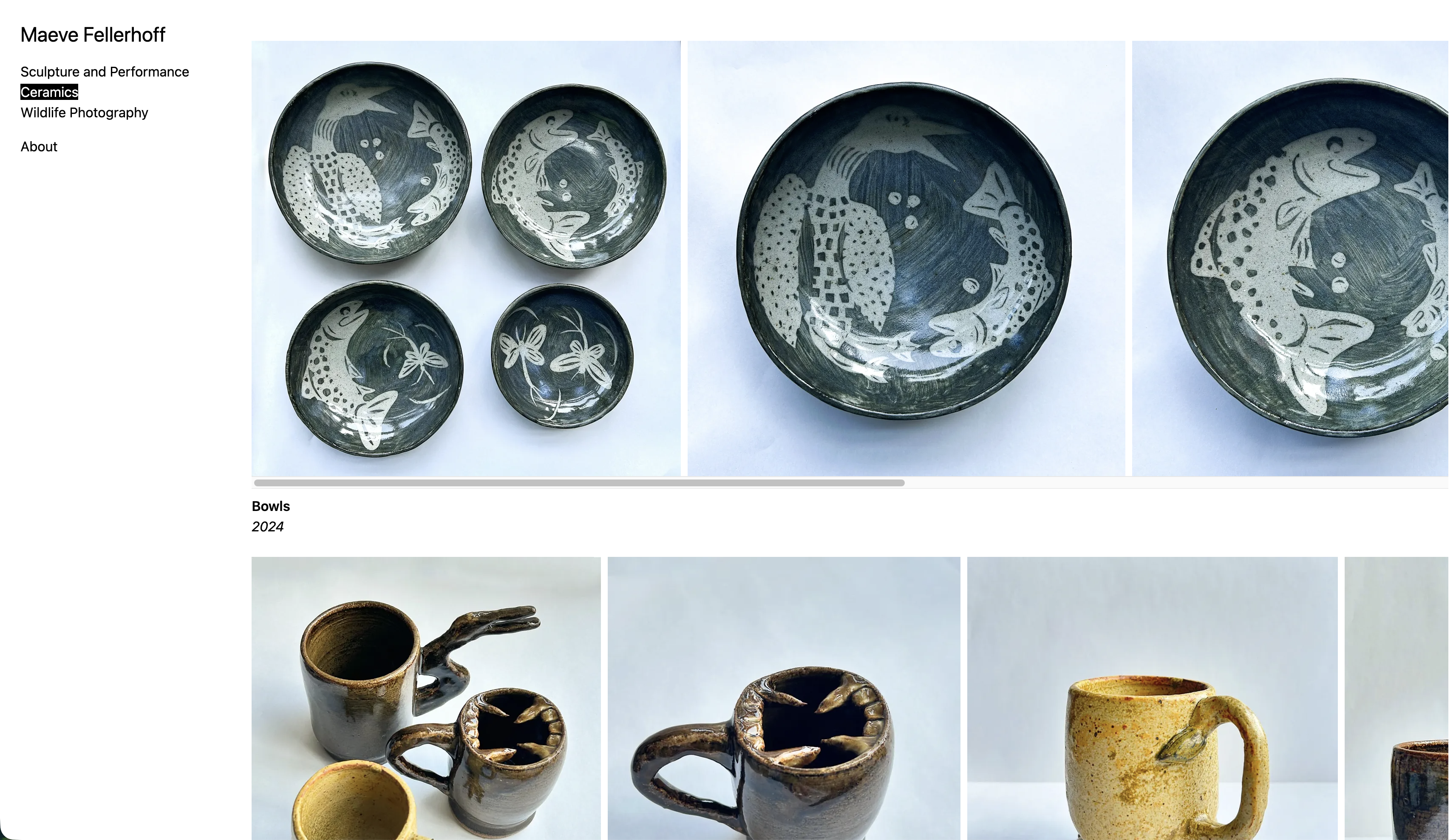
Some ceramics from the site – they’re cool, right?
The easy choices for this website were Astro and Coolify. Astro is the one web framework that I have had essentially zero problems with (this site is an Astro site), and it consistently does exactly the amount that makes your life easier and nothing more. All of its nice-to-have features are opt-in, and only add complexity if you use them. It has escape hatches for easy client-side interactivity as you need them, but is fully statically generated by default.
Coolify is a tool to host projects on your own VPS, with the niceties (aka, git-based deployment) of a hosting platform like Vercel or Netlify. As I already run Coolify on a VPS (and have trialed it with much more intensive applications), it was trivial for me to spin up my sister’s site through it. This is the least necessary part of this whole “stack”, and I’m not married to Coolify longterm. To me, there is no need to be caught up on the details of where to host a low traffic static site more than the goal of “I don’t want to pay Squarespace $192 a year on their cheapest plan”.
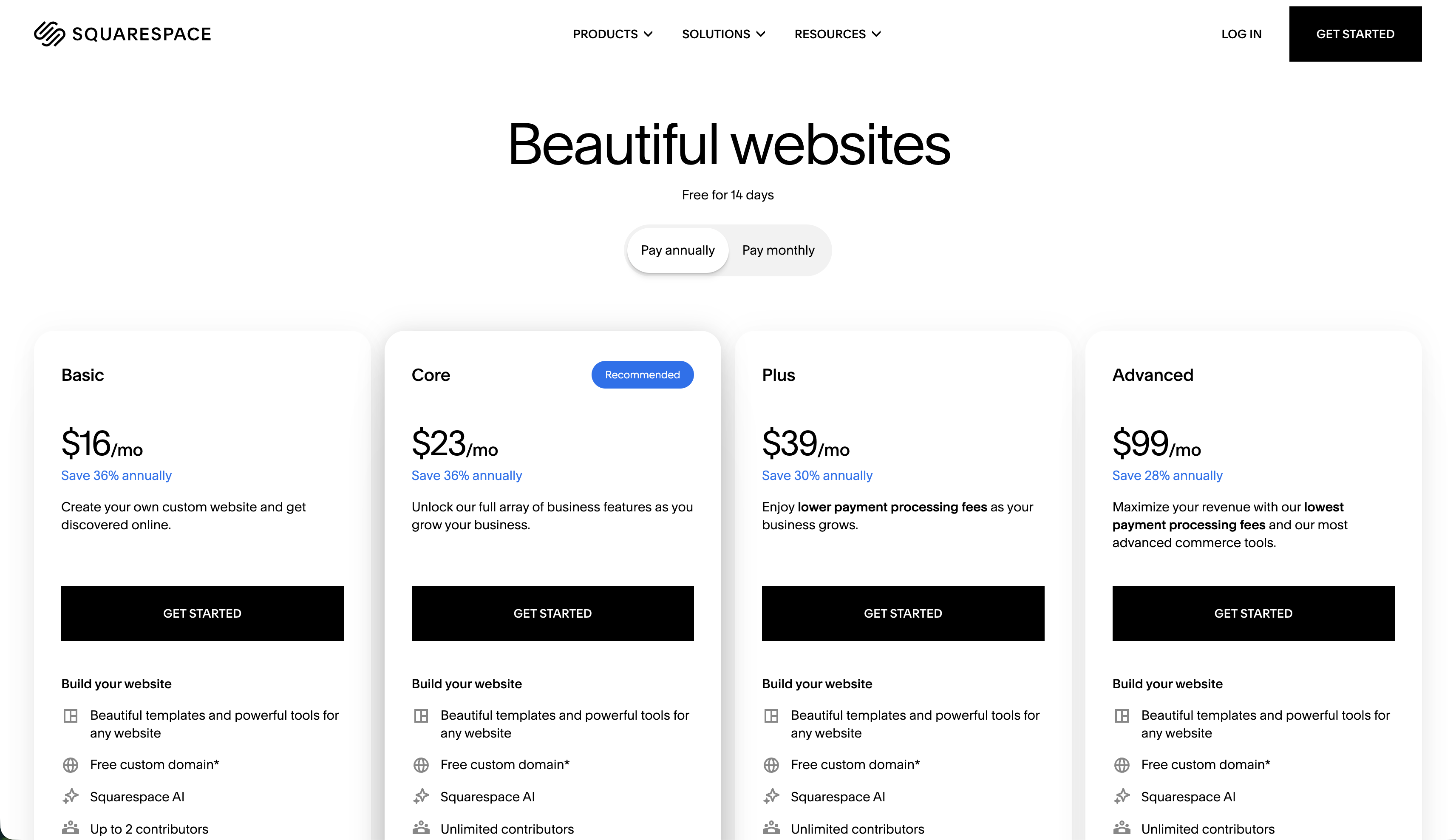
Squarespace pricing as of February 6th, 2026
Brief aside – there are valid reasons to use a website builder, and it’s fine if you do. It is, however, slightly absurd to me for someone to need to pay hundreds of dollars a year for a static site when they are essentially free for anyone who is somewhat technical. Over the longer term, it should absolutely be easier for everyone to create a site of their own without a programmer to help. I also understand that there is labor that goes into maintaining a “free” personal site for someone, but in the same way that someone is happy to cook for their family, I have no desire to send my sister off to a general-purpose website builder. As long as I can make it trivial for her to update the site content herself, I’m happy to manage any larger-scale changes that need to happen. I would love to work towards a world where friends can help friends build and maintain their websites, and have more skill sharing as a whole.
It is surprisingly difficult to track down the tools for this “skill sharing” dynamic that feel right for the job. Long-standing solutions like Wordpress exist, but that feels far too complex for a project like this. For a static site like hers, a git-based (and ideally self-hostable) CMS was a requirement; if whatever CMS I was using ceased to exist, her site should still exist as a fully-independent project that could be hosted anywhere and easily migrated to a new solution. It’s also just the way that I like to work, which is an equally relevant constaint for a project like this.
After taking a thorough tour of the loosely up-to-date Jamstack Headless CMS list, I identified a couple of possible candidates. Tina CMS seems like it could be useful for a somewhat larger project, but I found their self-hosting documentation lacking and wasn’t willing to wade through figuring it out. I took another look at Decap CMS (which I always want to be a viable option), but the fact that the only clear documentation was to set it up through Netlify was a non-starter for me. It’s also worth noting that their product and marketing copy look identical to years ago when they were still called Netlify CMS, which does not inspire confidence.
Out of the available options, I settled on PagesCMS for a couple of reasons:
- The UI is incredibly minimal. There are only the knobs and settings that are necessary, and I can tailor what is editable for my sister’s needs with an easy to understand
.pages.ymlconfig file. - I can invite her as an editor without her needing a GitHub account. This immediately lowers the barrier to entry compared to other options.
- It’s a flat-file based solution where content is stored directly in Markdown files. This greatly increases the site’s portability if the CMS stops being maintained, and integrates perfectly with Astro’s content collections.
Self-hosting PagesCMS was fairly trivial by following their docs – outside of a brief hiccup with an environment variable that I didn’t mark as multiline in Coolify (make sure to do that), things went very smoothly. It’s worth noting that self-hosting is not necessary, as you can simply use their hosted version for free. This is the beauty of a git-based CMS – if their hosted option goes down tomorrow, you still have all your content and replace their infrastructure with your own.
At the end of this all, I have an incredibly simple and easy to use UI to hand to my sister to update her site. Here’s what it looks like for her:
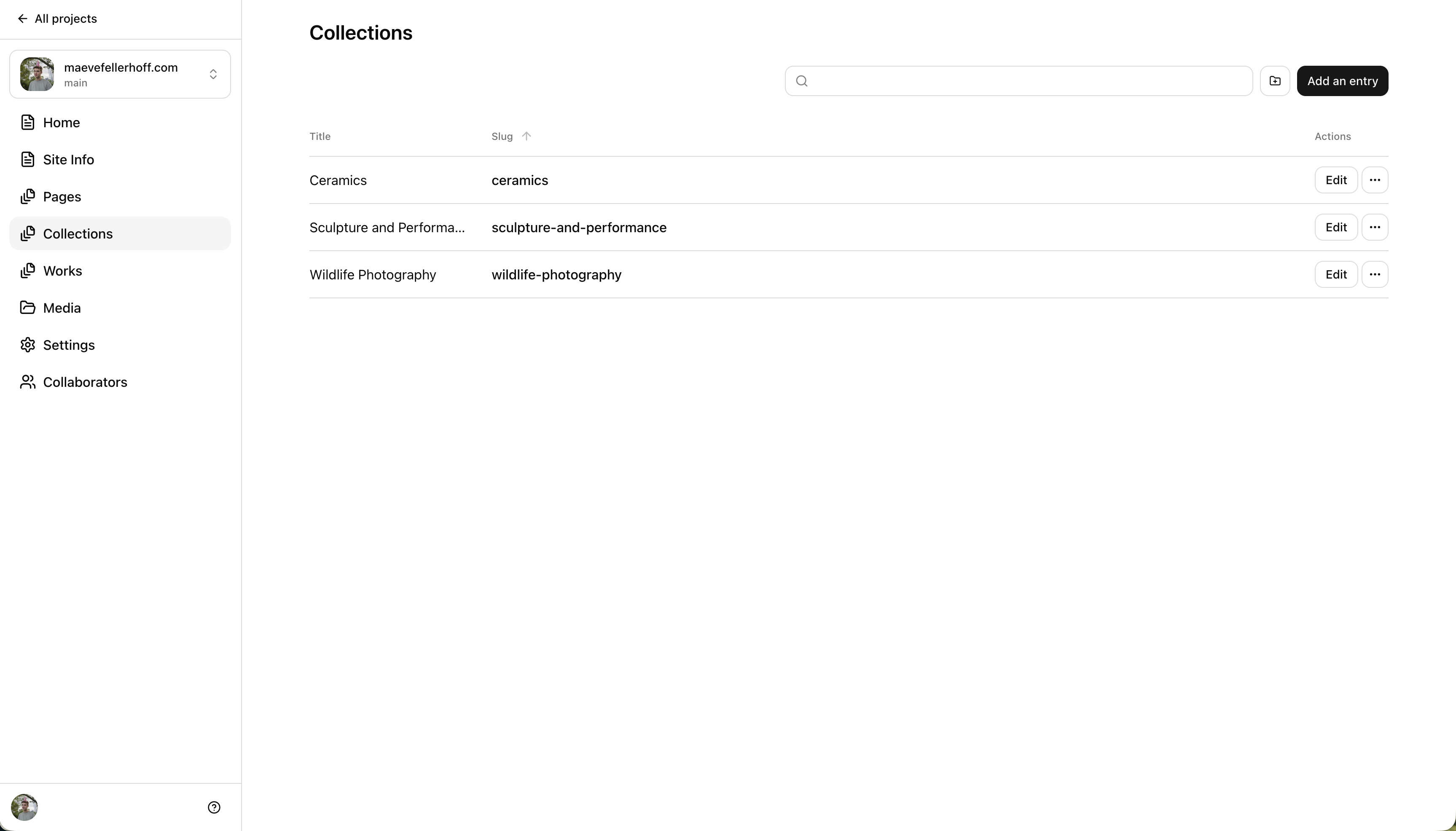
I would love live preview support at some point, but it’s really not that significant – with a git-based deploy integration, it only takes ~5 minutes to see content reflect live.
At the end of all of this, I feel like I’ve picked the right tools for the job. We live in a period of (what feels like) either framework over-engineering or a contrary desire to return to “the old way of doing things”, so it’s nice to find a secret third option in the middle. I haven’t signed myself up for the long tail of minor copy updates that keeps someone from maintaining a simple site long-term, but I’m also lacking the dread that comes from the realization that you now need to maintain an overly-complicated set of technologies for an indeterminate time into the future.