os8088 1.0
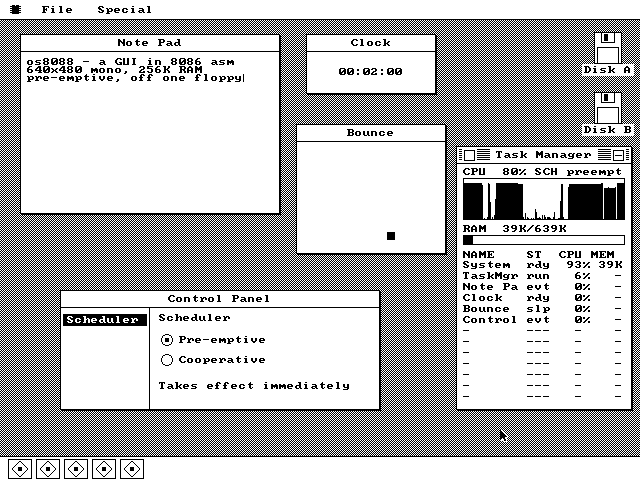
A Macintosh System 1-style desktop for the Intel 8086, written entirely in real-mode assembly and booted from a floppy. Overlapping windows, pull-down menus, a serial mouse, loadable programs -- and pre-emptive multitasking, which the real 1984 Macintosh never had.
- pixels
- 640x480
- colors
- 16
- of RAM
- 256K
- byte kernel
- 78,950
- task slots
- 12
- pre-emption
- 18.2Hz
os8088
What it is
os8088 boots from the first sector of a floppy into a graphical desktop. There is no DOS underneath it and no command line anywhere in it -- the 512-byte boot sector loads a 40KB kernel, the kernel works out which display adapter the machine has and switches it into graphics, borrows the video card's own 8x8 character set, and puts up a menu bar.
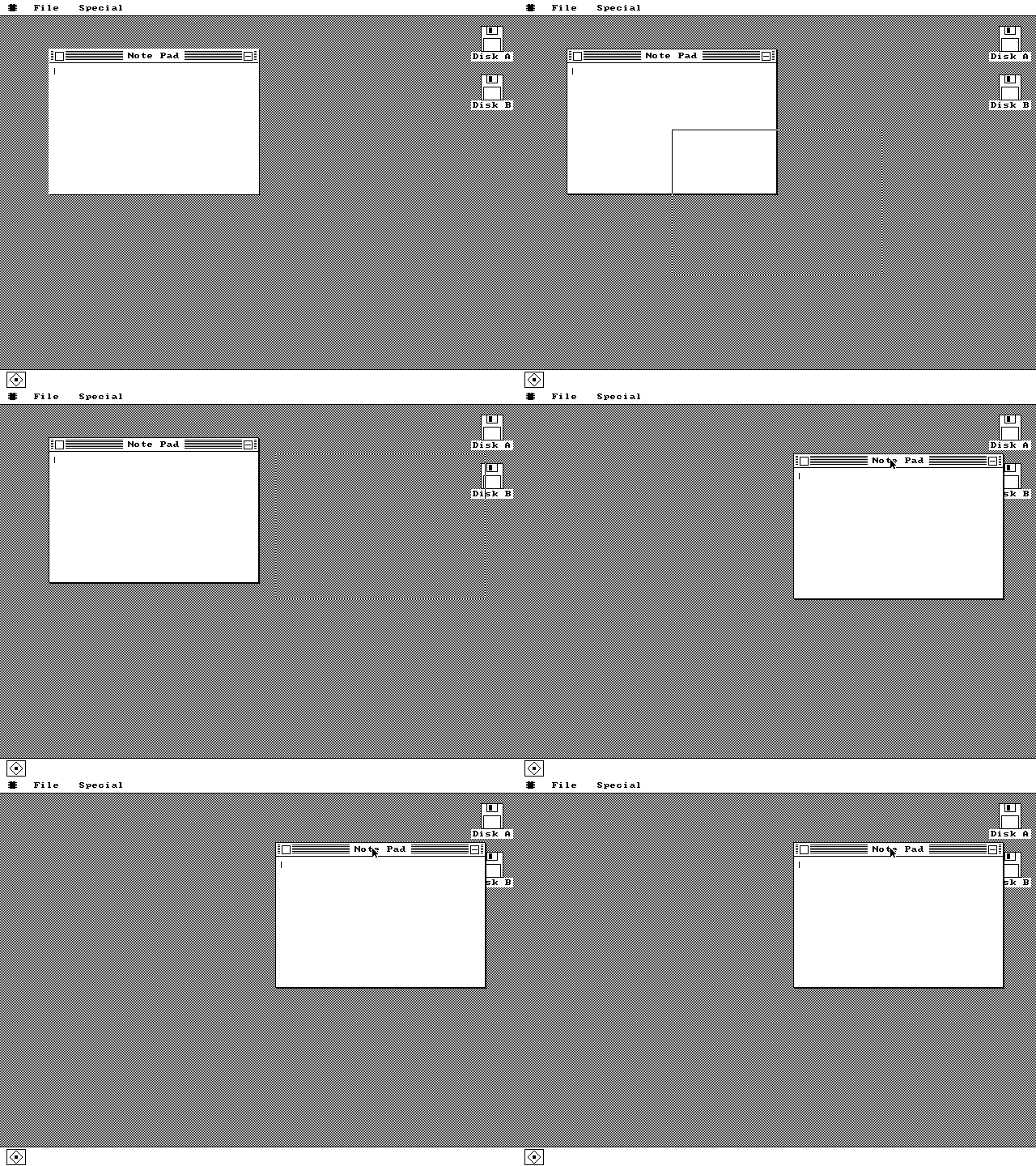
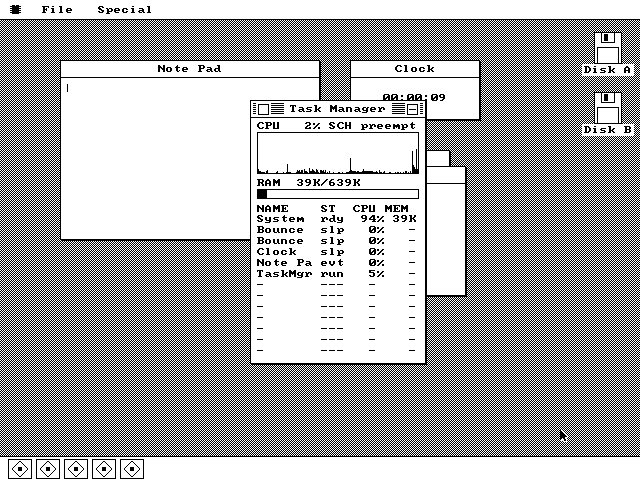
Everything after that is the interface you remember from a 1984 Macintosh: windows you drag by the title bar with a rubber-band outline, menus you pull down and drag through, a close box and a minimize box, icons for each floppy drive, and a dock along the bottom with one tile per running program. Programs load from a second floppy and run as first-class applications, several at a time.
The whole thing fits in 256K of RAM on an Intel 8086 or 8088 -- the processor in the original IBM PC and PC/XT. It is a hobby project, it is finished enough to use, and the source is 112,792 lines of NASM you can read in an afternoon.
By the numbers
Every figure below comes from the build, not from memory.
| Kernel size | 78,950 bytes | The scheduler, window manager, VGA driver, mouse driver, sound layer, file manager, loader, Task Manager and Control Panel, all of it. |
|---|---|---|
| Boot sector | 512 bytes | LBA-to-CHS translation and retrying BIOS floppy reads. The build fails if it assembles to anything else. |
| Segment footprint | 53,842 bytes | Code plus every buffer the kernel reaches through DS. It must fit the 64K segment -- currently 11,694 bytes of headroom. The task stacks, the disk buffers and every loaded program live outside the segment and are not counted here. |
| Lines of assembly | 112,792 | Hand-written real-mode 8086. No C, no linker, no runtime library. |
| Display | VGA, Hercules or CGA | Probed at boot. VGA mode 12h is 640x480 in 16 colors -- four 1-bit planes, 80 bytes per scanline; Hercules is 720x348 and CGA 640x200, both monochrome and banked. Drawn straight to the framebuffer on all three. |
| Back buffer | optional, off by default | An off-screen copy of the screen is 153,600 bytes, more than half the machine's memory, so a 256K machine always draws straight to the display, as the 1984 Macintosh did. At 500K or more the Control Panel can switch one on. |
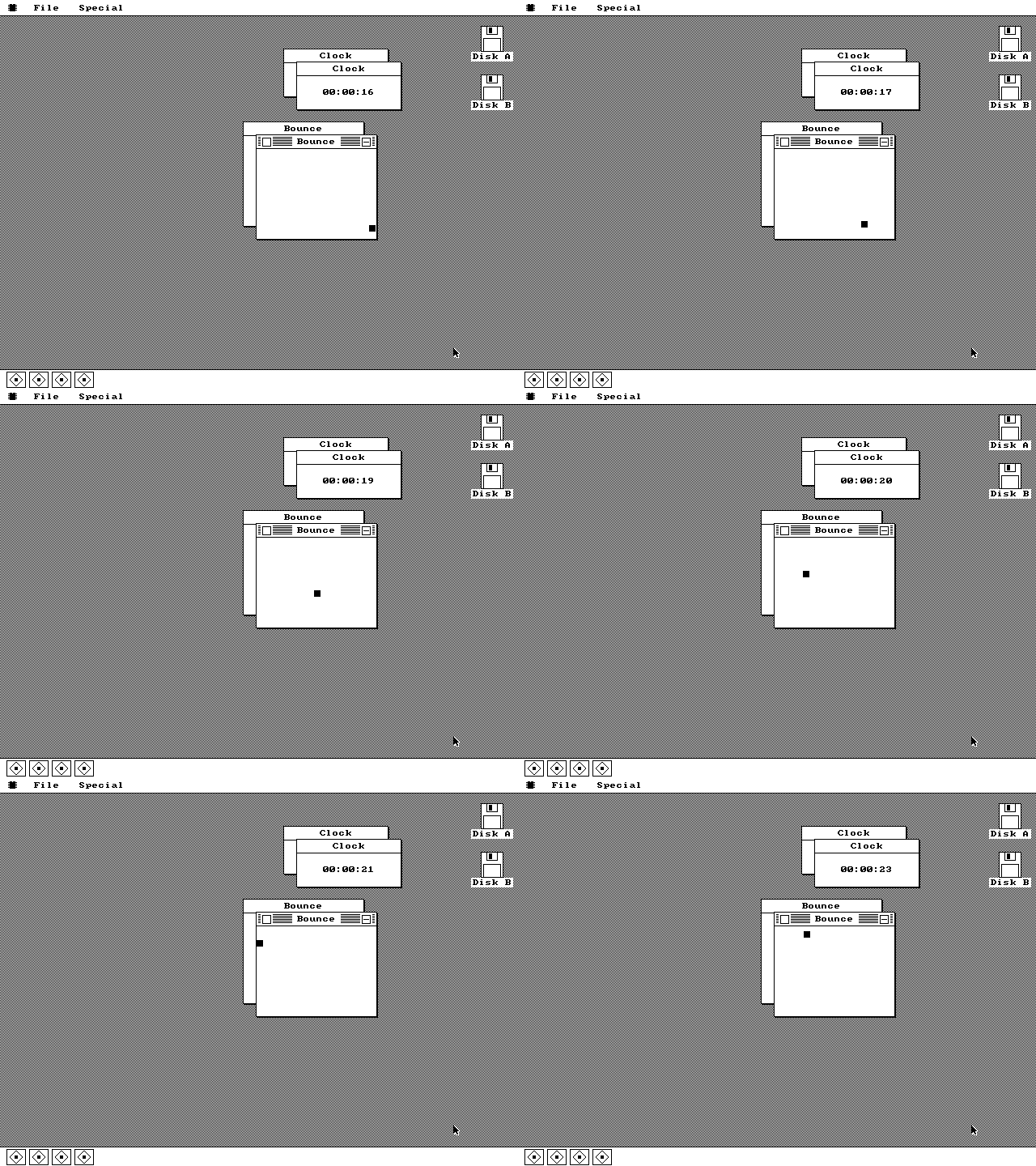
| Tasks | 12 slots, 1,536-byte stacks | Each Clock and each Bounce window is its own pre-empted task. |
| Context switch rate | 18.2065 Hz | The PC's stock timer rate. Every tick the handler saves nine registers, swaps the stack pointer and returns into a different program. |
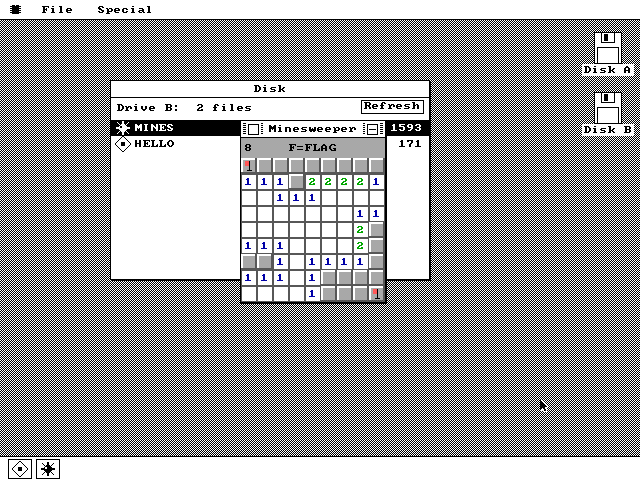
| Loadable programs | a segment each | Packages loaded from a second floppy into their own regions of conventional memory -- about 107K of arena on a 512K machine, 233K at 640K -- several resident at once, each freeing its memory when closed. |
| Mouse | 1200 baud, 7N1 | A Microsoft serial mouse on COM1, three bytes per report, decoded in an interrupt handler that also draws the cursor. |
| Target hardware | IBM PC/XT, 8088 at 4.77MHz | 256K of RAM, a serial mouse, and any of a VGA, Hercules or CGA card. Repaints are slow enough to watch happen. |
| Instruction set | 8086 only, enforced | cpu 8086 plus -w+error, so anything newer is a build failure. A 1978 instruction set, mechanically guaranteed. |
What it does
Four of the things it is actually good at. There are more on the screenshots page.
Pre-emptive multitasking
Rubber-band dragging
Loadable software
Task Manager
It runs on the real thing
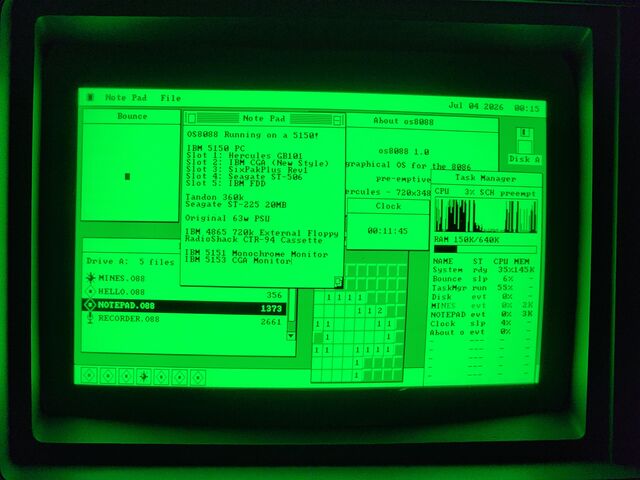
Everything above was captured in an emulator. In August 2026 someone wrote the disk images onto actual floppies and booted them on three period machines -- a 1981 IBM 5150, a Toshiba T1100 Plus and a 286 -- and photographed the results.
IBM 5150, 8088 at 4.77MHz
The history it is arguing with
In February 1985 Digital Research shipped GEM 1.0 for the IBM PC: a Macintosh-style desktop with overlapping windows and icons, running on stock XT hardware. Apple sued. The settlement led to GEM Desktop 2.0 in 1986, which removed overlapping windows and desktop icons on the PC -- while the Atari ST version, not covered by the agreement, kept them.
So the PC did briefly have this, and then it did not. os8088 is a rebuild of roughly that idea, from scratch, forty years later, on the same class of machine -- plus the pre-emptive multitasking that neither GEM nor the Macintosh of the period offered.
What it is not
- It is not DOS and it does not run DOS programs. There is no DOS underneath it; it owns the machine from the boot sector up.
- It has no memory protection. The 8086 has none to offer -- every program shares one 64K segment with the kernel, which is precisely what makes a context switch cheap enough to be worth doing.
- There are no file handles and no seeking. The disk API moves whole files at a time -- write, read, delete, rename -- which is the largest subset that stays honest with no disk cache and twelve pre-empted tasks.
- There is no networking.
- It is a hobby project, not a product. It is also complete enough that you can sit down and use it, which is the whole point.
Try it
The browser demo boots the real floppy image in an emulated PC -- same bytes you would write to a disk. If you would rather run it yourself, the download page has 360K images for period hardware and 86Box, and 1.44MB images for QEMU.