The RCade is a custom arcade cabinet at the Recurse Center that runs games made by the community. It has a real CRT running at 320x240, a custom graphics card, custom input controllers with spinners, and a deployment system where any Recurser can ship a game to it just by pushing to GitHub. There’s also a web player and local simulator so remote Recursers can play and build for it from anywhere.
There are now 44+ games on it. This is the story of how it came together.
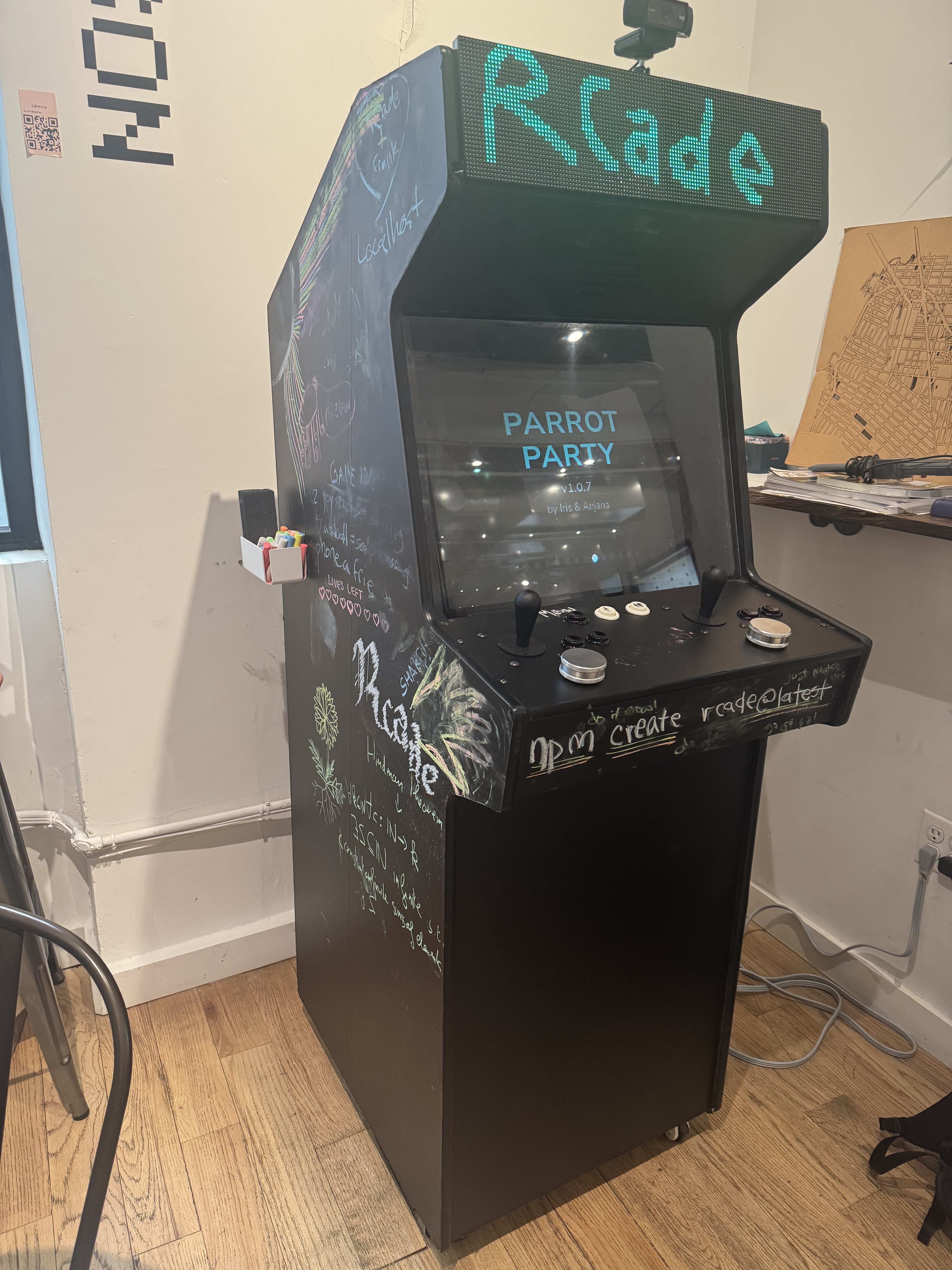
At the Recurse Center, I met Greg Sadetsky and saw his Rapid Riter project. The Rapid Riter is an LED display from the 1980s, 96 pixels wide by 38 pixels high. Greg hung it on the wall in the hub and built a way for Recursers to contribute images and animations to it. The simplicity of the display and the fact that it lives in the physical space means both in-person and remote Recursers can leave their mark on the community.
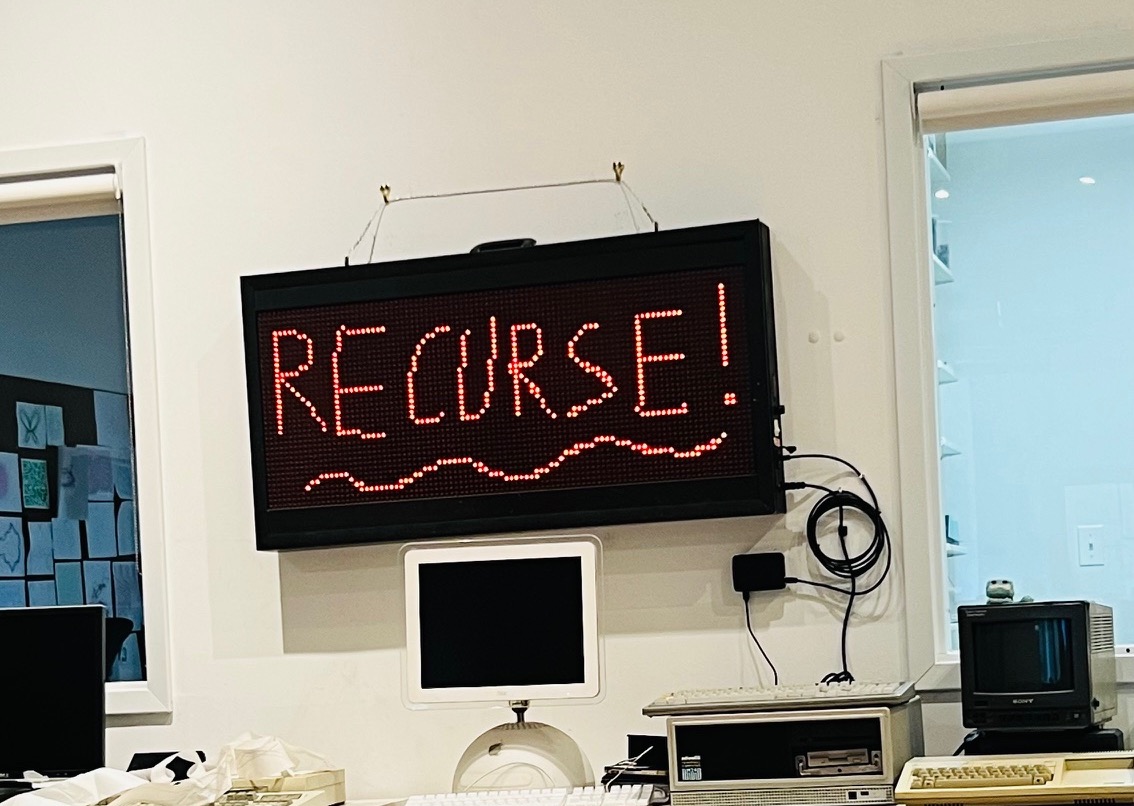
I love the constraints. There’s something about retro hardware and limited resolution that gets people’s creative juices flowing in a way that a blank canvas doesn’t. People really want to build for it.
I loved my time at RC and really wanted to give back in the same way that Greg did. Eva Khoury, who runs Operations at RC and also coordinates Boshi’s Place, an indie games and arts space in Brooklyn, was super encouraging about the idea from the start. I wanted to build something similar to the Rapid Riter: the RCade, a custom arcade cabinet that runs games made by the community.
The project had three goals:
- Build hardware that feels like a real arcade machine
- Make deployment so easy that someone who has never made a game can ship one in minutes
- Create something that connects remote and in-person Recursers
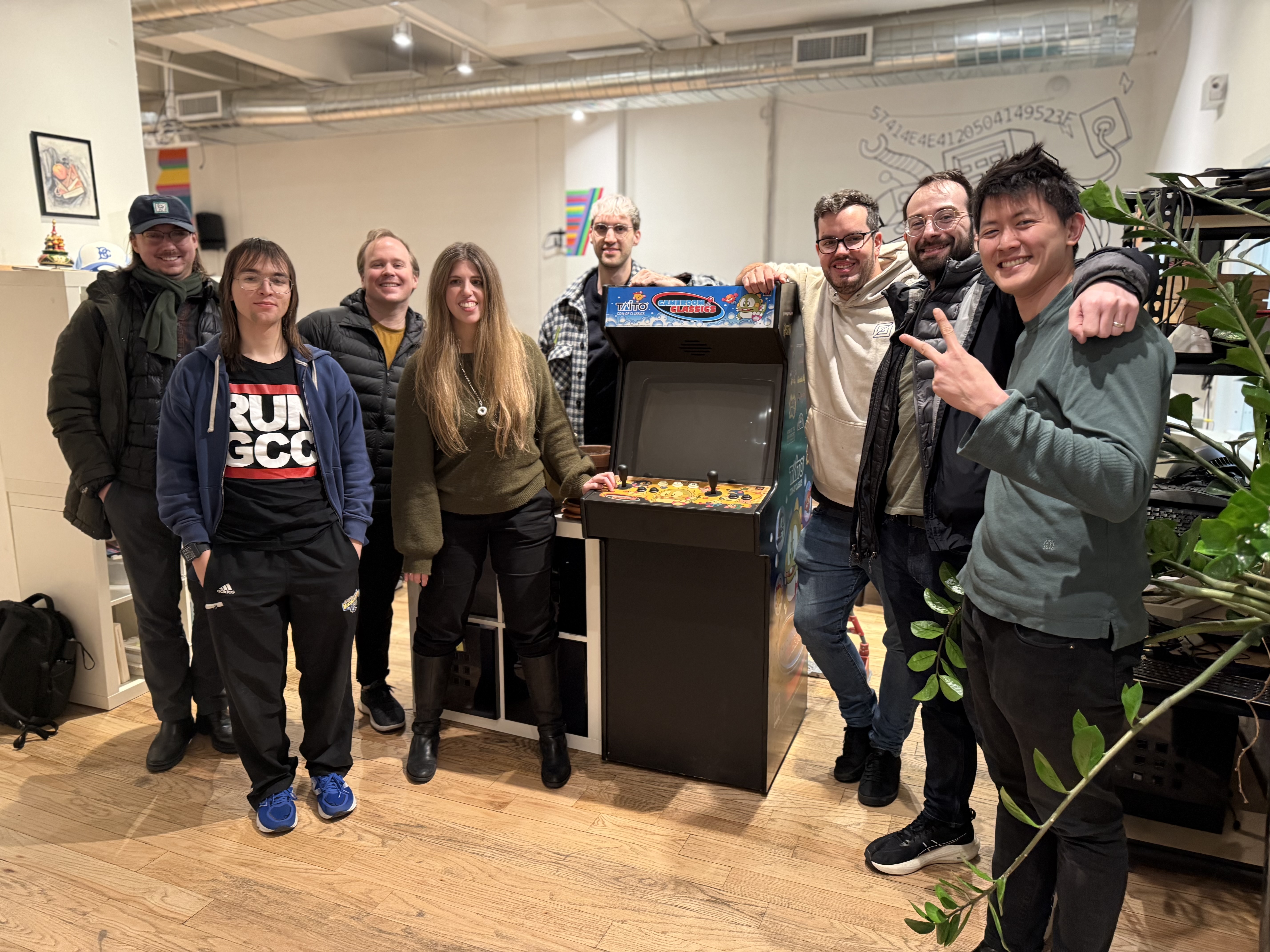
Part 1: The Hardware
Starting with a Bare CRT
The project started with me scouring Facebook Marketplace and Craigslist, bombarding Greg with listing after listing. We eventually found a gutted cabinet with an 80s CRT that had all its wires cut. Just a bare tube, no connectors, no interface. I wanted to keep the original CRT rather than swap in an LCD for the same reason the Rapid Riter works so well: retro hardware and its constraints inspire people.
The first challenge was getting any video out of it at all. This turned out to be the hardest part of the entire project.
Understanding Arcade Monitor Signals
Classic arcade CRTs are quite different from modern VGA monitors. Standard VGA runs at 31.5kHz horizontal sync, meaning it draws 31,500 lines per second. Arcade monitors run at 15.7kHz, roughly half that rate. So unfortunately you can’t just plug a VGA cable into an arcade monitor: the monitor’s horizontal deflection circuitry physically cannot sweep the electron beam fast enough.
At 60 frames per second with a 15.7kHz horizontal rate, you get about 262 lines per frame. Subtract the vertical blanking interval and you’re left with roughly 240 visible lines, which is why classic arcade games run at 320x240 or similar resolutions.
VGA signals at these timings also use different sync polarities and timing parameters (front porch, back porch, sync pulse width) than what off-the-shelf adapters expect. Most display adapters refuse to go below 640x480. We needed something custom.
Tracing the Pinout
The first challenge was figuring out which wires went where. Joseph Abrahamson and I used an oscilloscope to trace the signals from the tube’s neck board. We were looking for the RGB color lines, horizontal sync, vertical sync, and ground connections.
Once we identified the pinout, we wired up a JAMMA connector. JAMMA (Japan Amusement Machine and Marketing Association) is the standard edge connector used in arcade cabinets. It carries video (active-low RGB with composite sync), audio, power, and player controls through a single 56-pin connector. Most arcade games from the late 80s through the 2000s used JAMMA, which means if you have a JAMMA-compatible monitor setup, you can swap games easily.
The moment we got any video on the screen was the most exciting part of the project. A flickering, incorrectly timed mess of pixels, but pixels nonetheless.
The VGA666 Adapter
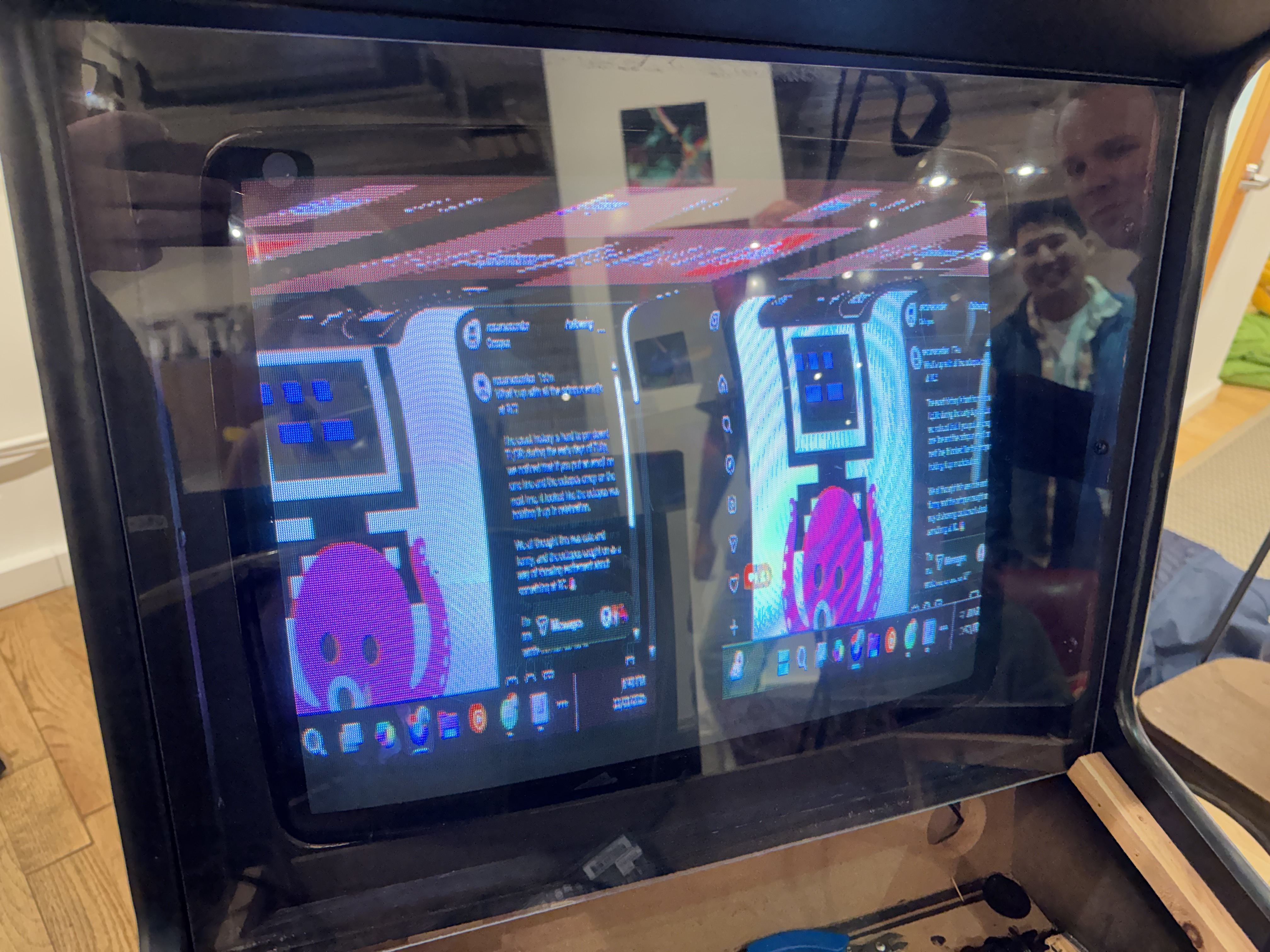
With JAMMA working, we needed a way to drive the monitor from a computer. David Allen Feil and I got a vga666 adapter running on a Raspberry Pi. The vga666 is an open-source design that uses the Pi’s GPIO pins to output analog VGA signals through a resistor DAC.
The vga666 was designed for small TFT displays, but because VGA is just analog RGB plus sync signals, it can drive any monitor that accepts the right timings. We needed two configuration files.
An X11 configuration file at /etc/X11/xorg.conf.d/99-vga666.conf:
Section "Device"
    Identifier  "VGA666"
    Driver      "fbdev"
    Option      "fbdev" "/dev/fb0"
EndSection
And device tree overlay parameters in /boot/config.txt for the exact timing:
dtoverlay=vc4-kms-dpi-generic
dtparam=clock-frequency=5700000,hactive=320,hfp=9,hsync=16,hbp=18
dtparam=vactive=240,vfp=2,vsync=3,vbp=17
dtparam=hsync-invert,vsync-invert
Breaking down the timing parameters:
clock-frequency=5700000: 5.7 MHz pixel clockhactive=320: 320 visible pixels per linehfp=9, hsync=16, hbp=18: horizontal front porch, sync pulse, and back porch (total line = 320+9+16+18 = 363 pixels)vactive=240: 240 visible linesvfp=2, vsync=3, vbp=17: vertical front porch, sync pulse, and back porch (total frame = 240+2+3+17 = 262 lines)hsync-invert, vsync-invert: active-low sync polarities, which arcade monitors expect
At a 5.7 MHz pixel clock with 363 pixels per line, we get 15,702 lines per second (5,700,000 / 363 ≈ 15,702 Hz). With 262 lines per frame, that’s ~60 frames per second (15,702 / 262 ≈ 59.9 Hz). These timings fall within what a 15kHz arcade monitor can handle.
The setup worked, but the vga666 only supports 18-bit color (6 bits per channel), a limitation of the Raspberry Pi’s GPIO interface. With only 64 levels per color channel instead of 256, you get visible color banding, especially in gradients.
For the games people were making at this point, it was fine. But we wanted better.
Stephen’s Custom Display Adapter
Stephen D took on the challenge of building a proper display adapter. We wanted to replace the Raspberry Pi 5 with a more capable computer that could run WebGPU. The Pi’s GPIO-based video output tied us to that specific hardware. A USB display adapter would let us use any laptop or mini PC.
Stephen wrote an amazing in-depth blog post about the entire journey, including multiple failed attempts, designing custom PCBs, writing PIO assembly for the RP2040, implementing the GUD (Generic USB Display) protocol, and eventually landing on an STM32H750-based solution with precision DACs. I highly recommend reading it.
The result: 24-bit color at 60fps with no visible latency. Words can’t describe how amazing the before and after looks. The 18-bit to 24-bit jump eliminated all the color banding we’d been living with.
Custom Input Controllers
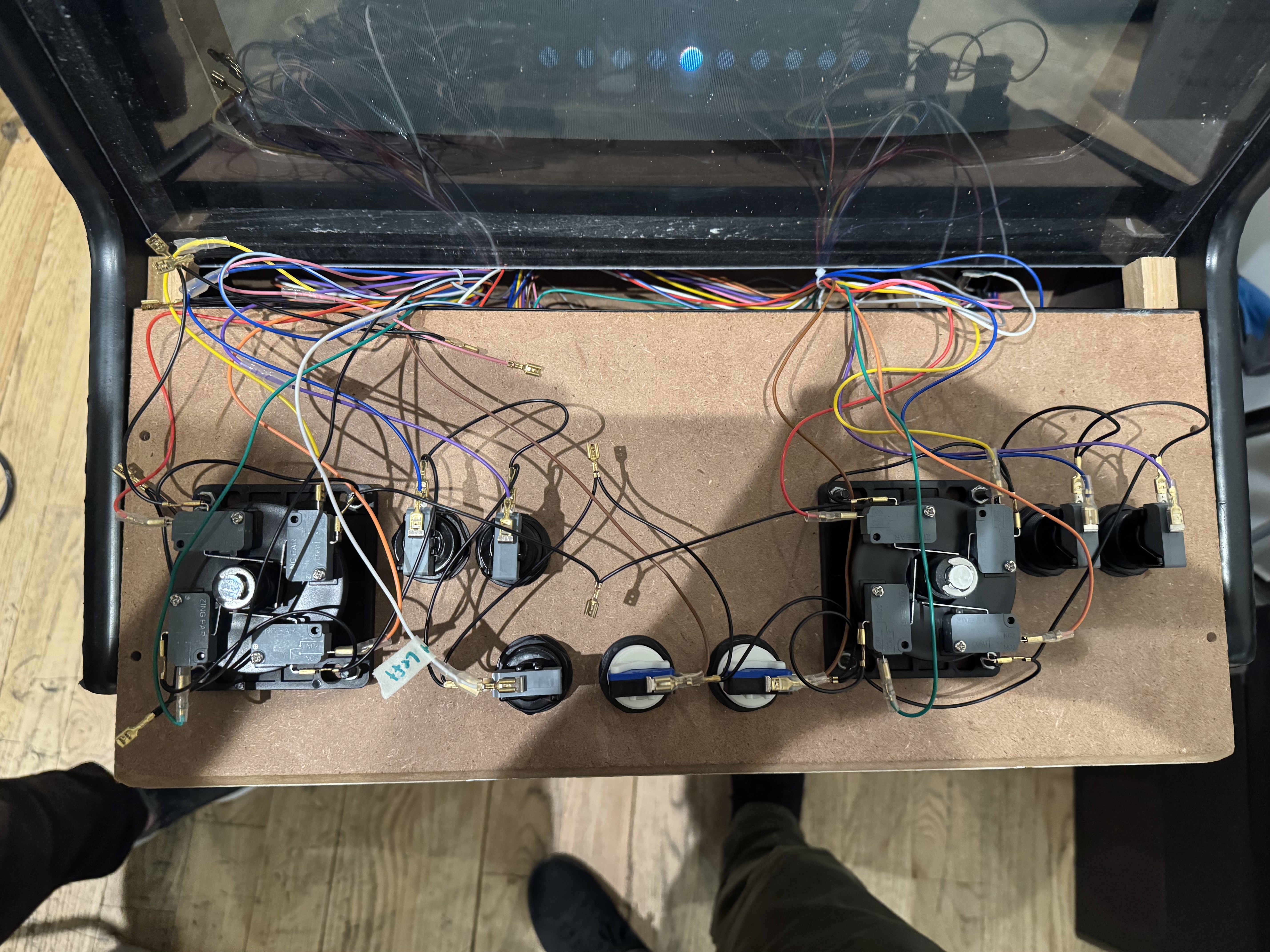
For controls, I worked with Iris E Fernandez Valdes and Anjana Vakil on custom input boards using RP2040 microcontrollers.
Each player has:
- One 8-way joystick (up/down/left/right as digital switches)
- Two action buttons
- One spinner (rotary encoder found on games like Tempest or Arkanoid)
Eva helped a lot when we were figuring out the control design, and was kind enough to let me take over a corner of the hub semi-permanently, both for building the cabinet and now as its permanent home. They also showed me the Wondercab, an open-source arcade cabinet design, which influenced how we thought about the controls.
We added the spinners after playing Hoverburger at Wonderville in Brooklyn. The spinner controls felt so good that we knew we had to have them on the RCade. If you’re in NYC, definitely check out Wonderville, it’s an incredible arcade bar full of indie games.
The firmware reads the digital inputs and the quadrature signals from the rotary encoders, debounces everything, and presents itself to the host as a standard USB HID gamepad. This means the cabinet works with any operating system without custom drivers.
The spinners are weighted knobs that you can spin freely in either direction. Inside, a rotary encoder produces two square wave signals (A and B) that are 90 degrees out of phase. By counting the edges and checking which signal leads, you can determine both the speed and direction of rotation. We sample these at 1kHz in firmware and report the accumulated counts as an axis value in the HID reports.
The Marquee
We also added a marquee to the top of the cabinet using two HUB75 RGB LED matrices. They fit perfectly in the space where an original arcade marquee would go. David helped me drill out the cabinet to mount them, and Stephen designed the RCade logo that now glows above the screen.
For the cabinet’s exterior, we decided against a permanent design. Instead, we wrapped it in chalkboard vinyl so that Recursers can draw on it, add to the design, and change it over time. The cabinet itself becomes a collaborative art piece. Joseph and I went a little overboard and bought Hagoromo chalk for it, because only the best for Recurse.
Part 2: The Software
With the hardware working, Rose and I turned to the software. We both care deeply about developer experience, and our goal was that someone who had never made a game before should be able to create one and see it running on real hardware in under five minutes. Ideally without the need to set up any deployment scripts or manage any secrets.
The CLI: npm create rcade@latest
The create-rcade package is a scaffolding tool that sets up a complete game project. When you run it, it asks you a series of questions:
$ npm create rcade@latest

? Enter game identifier (e.g. my-game): space-blaster
? Enter display name: Space Blaster
? Enter game description: An epic space shooter
? Game visibility: Public (Everyone can play!)
? Versioning: Automatic (version is incremented every push)
? Starting template: Vanilla (JavaScript)
? Package manager: npm
Based on your answers, it generates:
- A game project with your chosen template (vanilla JS, TypeScript, p5.js, or Rust/WASM)
- An
rcade.manifest.jsonfile describing your game - A
.github/workflows/deploy.yamlfile for automatic deployment - Development tooling (Vite for hot reloading)
The generated workflow file looks like this:
name: Deploy to RCade

on:
  push:
    branches:
      - main

jobs:
  build-and-deploy:
    name: Build and Deploy to RCade
    runs-on: ubuntu-latest
    permissions:
      contents: read
      id-token: write
    steps:
      - name: Checkout
        uses: actions/checkout@v4

      - name: Setup Node
        uses: actions/setup-node@v4

      - name: Install dependencies
        run: npm ci

      - name: Build
        run: npm run build

      - name: Deploy to RCade
        uses: fcjr/rcade/action-deploy@main
The key line is permissions: id-token: write. This enables GitHub’s OpenID Connect token generation.
Authentication with GitHub OIDC
Traditional CI/CD authentication requires storing secrets (API keys, tokens) in your repository settings. This is annoying to set up and creates security risks if secrets are leaked.
GitHub Actions has a better approach: OIDC (OpenID Connect) tokens. When a workflow runs with id-token: write permission, it can request a cryptographically signed JWT from GitHub. This JWT contains claims about the workflow:
- Which repository the action is running in
- Which branch triggered it
- Who owns the repository
- The workflow file path and ref
The RCade deployment action requests one of these tokens and sends it to the RCade API. The API:
- Validates the JWT signature against GitHub’s public keys
- Extracts the repository owner (your GitHub username)
- Checks the Recurse Center API to see if that GitHub username is linked to an RC profile
- If yes, allows the deployment
This is “passwordless” authentication: no secrets are stored anywhere, yet we can cryptographically verify that a deployment came from a GitHub Action running in a repository owned by a Recurser. The tokens are short-lived (valid for a few minutes) and scoped to the specific workflow run.
The Recurse Center is a trusted community. Everyone who has access has been through the admissions process. The OIDC flow extends that trust boundary to the deployment pipeline without requiring any manual configuration.
Currently, only Recursers can add games to the RCade. I hope to create a public section of the site soon.
The Sandbox
When you’re running community-created code on shared hardware, security matters. A malicious or buggy game shouldn’t be able to:
- Access other games’ data
- Make network requests to external servers
- Persist data that survives across game sessions
- Read input events intended for other applications
- Crash or hang the cabinet
Games on the RCade run in a sandboxed iframe with strict Content Security Policy headers:
Blocked capabilities:
fetch()andXMLHttpRequestto external URLslocalStorage,sessionStorage,indexedDB, cookiesdocument.addEventListener('keydown', ...)and other direct input APIs- WebSockets and WebRTC
- Access to the parent frame (
window.parent,window.top)
Allowed capabilities:
- Canvas 2D and WebGL rendering
- Web Audio API
- Web Workers
requestAnimationFrame- All assets bundled with the game
The iframe is loaded from a separate origin than the cabinet UI, so the same-origin policy provides additional isolation. The CSP headers explicitly block inline scripts, eval, and connections to non-allowlisted hosts.
The Plugin System
Since direct browser APIs are blocked, games read the arcade controls through plugins.
Rose designed the plugin system. Plugins are trusted code that runs in a separate context and communicates with games through postMessage channels.
A game using the input plugin looks like this:
import { PLAYER_1, PLAYER_2, SYSTEM } from "@rcade/plugin-input-classic";

function gameLoop() {
  if (PLAYER_1.DPAD.up) moveUp();
  if (PLAYER_1.DPAD.down) moveDown();
  if (PLAYER_1.DPAD.left) moveLeft();
  if (PLAYER_1.DPAD.right) moveRight();

  if (PLAYER_1.A) fire();
  if (PLAYER_1.B) jump();

  if (SYSTEM.ONE_PLAYER) startOnePlayerGame();
  if (SYSTEM.TWO_PLAYER) startTwoPlayerGame();

  requestAnimationFrame(gameLoop);
}
The @rcade/plugin-input-classic package looks like a normal npm import, but it’s actually a shim. At runtime, the RCade cabinet:
- Reads the game’s
rcade.manifest.jsonto see which plugins it depends on - Loads the plugin code in a privileged context that can access the real input events
- Sets up a
postMessagechannel between the plugin and the game iframe - The plugin sends input state updates through the channel
- The game’s imported shim receives these updates and exposes them as the
PLAYER_1, etc. objects
Games only get access to plugins they declare in their manifest, so a game that doesn’t need spinner input doesn’t get it. We can add new plugins (persistence, networking, leaderboards) without changing the sandbox model. And during local development, the plugin shims can be backed by keyboard input instead of real arcade controls.
The manifest file declares dependencies:
{
  "$schema": "https://rcade.dev/manifest.schema.json",
  "name": "space-blaster",
  "display_name": "Space Blaster",
  "description": "An epic space shooter",
  "visibility": "public",
  "authors": { "display_name": "Your Name" },
  "dependencies": [
    { "name": "@rcade/input-classic", "version": "1.0.0" }
  ]
}
The Cabinet Software Stack
The cabinet itself runs an Electron app. We originally tried Tauri, which would have been smaller and more efficient, but we ran into GPU acceleration issues on the Raspberry Pi and eventually gave up. Electron gives us a Chromium-based browser for rendering games plus Node.js for system integration (reading USB input devices, managing the game library, handling updates).
The stack:
- Electron: Main application runtime
- SvelteKit: Game browser UI and menu system
- Node HID libraries: Reading input from the custom controllers
- Systemd service: Auto-start on boot, restart on crash
Games are stored locally and synced from the RCade API. When someone deploys a new game, the cabinet receives a webhook notification, downloads the new build, and adds it to the library. No manual intervention required.
The Web Player
Games are also playable at rcade.dev, though the online player is still a work in progress. In the meantime, you can use the simulator and test games locally with npx rcade@latest play. This is important for remote Recursers: you can build a game, deploy it, and immediately play it in your emulator. You know people at RC are playing it on the real cabinet, even if you’re on the other side of the world.
The web player uses the same sandboxed iframe setup as the cabinet, with keyboard input mapped to the arcade controls (arrow keys for joystick, Z/X for buttons). Under the hood, it uses the Cache API to store game assets, which is probably worthy of a separate blog post once we’ve ironed out the kinks.
There are now 44+ games on the RCade, all created by Recursers. The rcade-community GitHub organization maintains mirrors of every game ever deployed.
We’ve run game jams where people build and ship games in a single session. The scaffolding and deployment pipeline make this possible: you can go from zero to playable game on real hardware in minutes. Greg Sadetsky even made a game in 5 minutes while hanging out at an Infra meetup.
Some of My Favorite Games
NIBBLES.BAS by Joe is a recreation of the original NIBBLES.BAS, but with a ton of beautiful easter eggs. My favorite: he built it in sub-pixels, so if you use the spinner knob it breaks out of the x/y grid.
SIGGY SKETCH by Iris, Victoria, and Anjana is a true-to-life implementation of an Etch A Sketch.
YOUR CAT by Sarah and Nadia makes you understand what it’s like to own a cat.
Goose Chase by Claire has you scaring geese out of the room before they poop everywhere.
ONE TWO THREE SOLEIL by Paul-Elliot. He literally added an OCaml template to the RCade just to build this game.
BAD ORCHESTRA by Henry uses the spinners to adjust the pitch of instruments and is generally one of the funniest games to hear people play.
POSECADE by Claire is a webcam-based dance partner game.
LET IT RIP by Henry and Cyrene is a PvP Beyblade-inspired game where you use the spinners to gain enough momentum to beat your opponent.
This is just a small selection. There are too many good games to list. Check out the full library.
Contributors
This project wouldn’t exist without contributions from:
- Rose Hall: Plugin system architecture and cabinet software
- Stephen D: Custom 24-bit USB display adapter (hardware and firmware)
- Joseph Abrahamson, Jack Heard, Joel Holmberg: Oscilloscope work, CRT wiring, and JAMMA connector
- Iris E Fernandez Valdes, Anjana Vakil: Custom input controller firmware
- David Allen Feil: vga666 adapter configuration and initial video output
- Greg Sadetsky: Inspiration (Rapid Riter) and contributions to the platform
These are just a few of the people involved. Many more Recursers contributed ideas, tested hardware, playtested games, and helped shape the project along the way.
What Made It Work
The RCade exists because of a few things that came together.
RC gives you time and space to work on weird projects without business justification. The arcade cabinet had no product requirements, no user stories, no quarterly goals. It exists because it seemed like a cool thing to build.
But more than the project itself, I loved that the RCade gave me a reason to work with all these incredible people. It pulled me deeper into the community. There were two weeks of all-nighters with Rose to get ready for our first game jam, and many late nights with Joseph, David, and Stephen working on the hardware. These weren’t obligations. They were some of the best nights of my time at RC.
The Recurse Center is a self-directed retreat for programmers where you can spend six or twelve weeks working on whatever interests you most, surrounded by curious and kind people doing the same. I did two back-to-back batches. I went in wanting to rediscover what I loved about programming, and I left having built something that brings joy to a community I care about and hope to be part of for the rest of my life. If that sounds interesting, you should apply.
The source code is at github.com/fcjr/RCade. Games are playable via the emulator by running npx rcade@latest play (or on rcade.dev, though not all games work there yet). And if you’re a Recurser, remote or in-person, I hope you’ll make something for it.
npm create rcade@latest