• ~800 words • 4 minute read
I built a tool to help people keep track of their job applications. In an instance of domain-name-driven application development, the project is called Little Irons (littleirons.com)—a tool for helping you keep track of "all your little irons in the fire."

It's free, it's early, and I would love feedback: https://littleirons.com
The inspiration was an ancient Google Sheet I'd used forever as part of my own job + opportunity explorations. I wanted to see if I could run with this as the base and add nicer features on top inspired by software I enjoy (like Linear) and some thoughtful affordances and "AI flourishes" sprinkled on top, including:
- A browser extension to save job descriptions from any site for opportunities you are exploring.
- An AI-powered parser that can extract all the important info (title, company, pay, location, job description, etc.) from the posting itself—all you have to do is provide the URL.
- Company research with citations, salary data relative to role + industry, and personalized interview preparation based on the role, company, and your experience (if you've uploaded a resume or CV).
- An ICS calendar feed you can subscribe to in any software (Google, Apple, Microsoft) that shows upcoming steps for any opportunities you've created events for.
- An email assistant you can forward emails to—whether it's opportunities you're interested in or followups for jobs you've applied to. It will smartly know whether to add it as a new job you're "exploring," update the status of an opportunity in motion—even a tragic rejection—or proactively "schedule" a new event in the sequence, like a final call with the hiring manager or an on-site.
The heart of the tool is a kanban view of all the job applications you have in motion, with the columns aligning to an overall "status" for that particular opportunity. The furthest left column labeled "Exploring" is a place to put any jobs you're interested in applying to. The "Applied" column to the right is, hopefully, self-explanatory. Any columns further to the right are for when you move forward with the process.
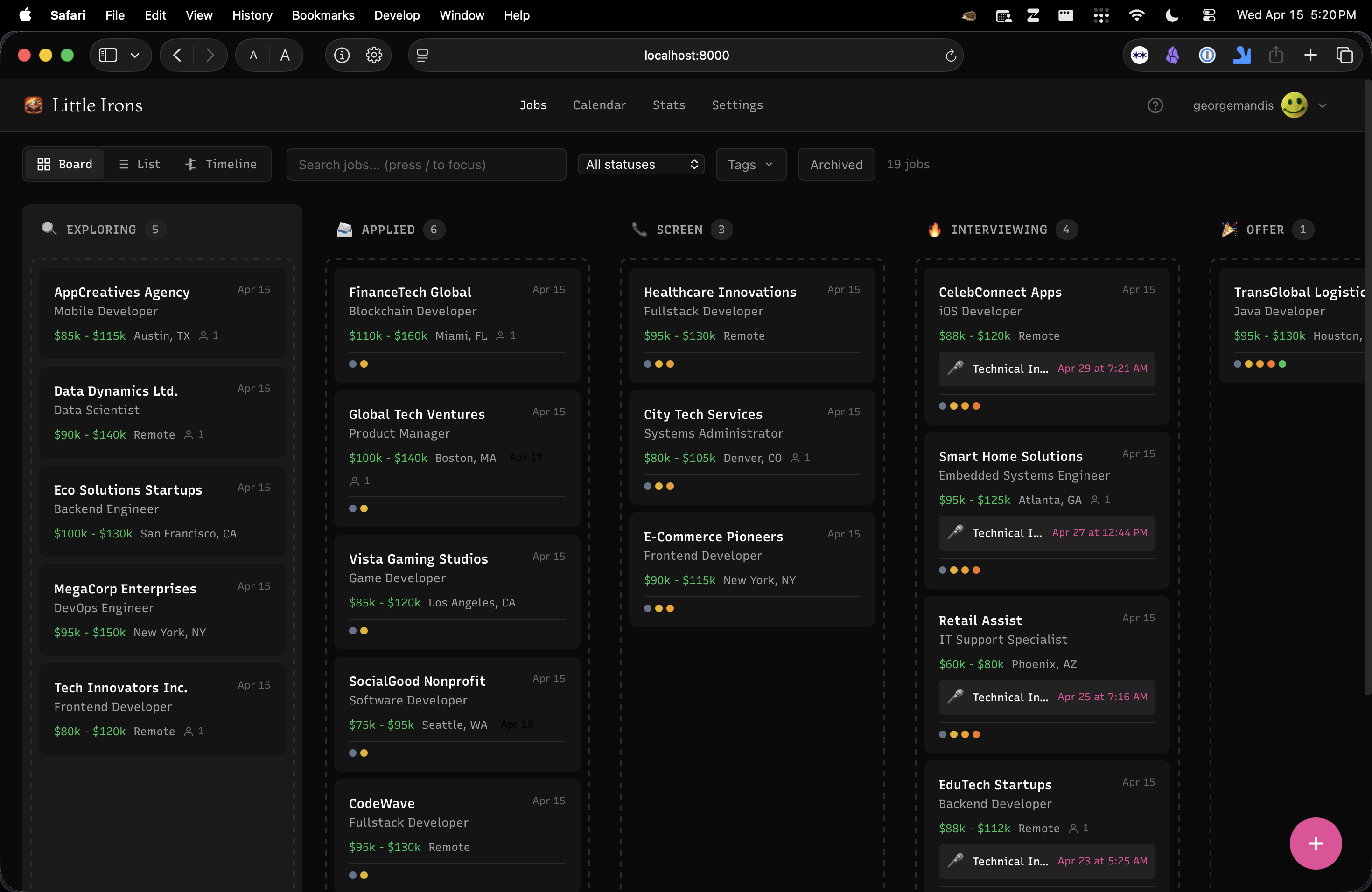
In my experience there is often enough a distinction between the initial screening and the rest of the interview process that it's worth ratifying these as proper top-level statuses. The interview process itself though can take many forms and even multiple phases, from one-on-one conversations with stakeholders to panel-style interviews. This is where the individual "events" associated with an opportunity come into play.
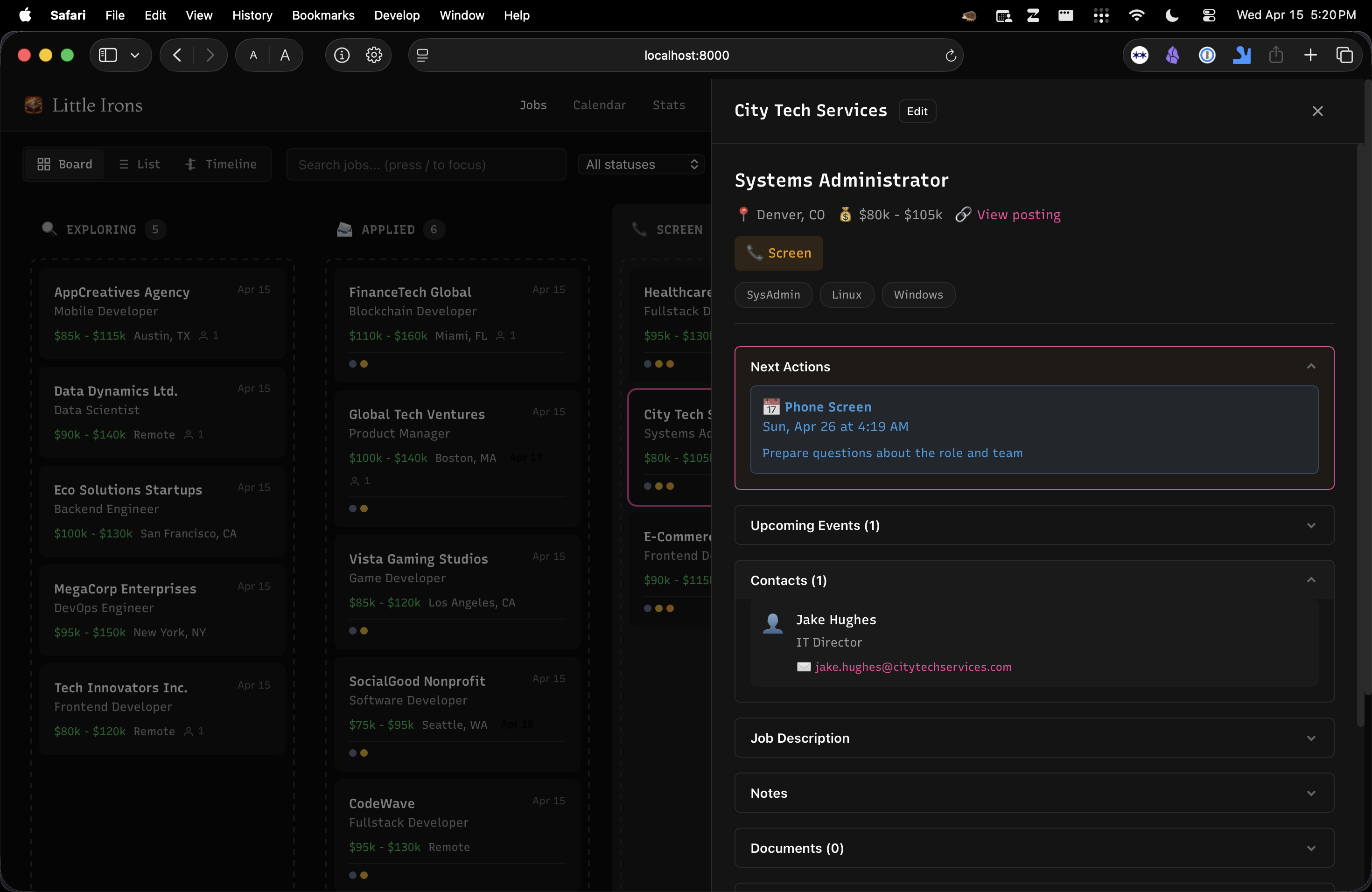
Click any job to open its detail panel without leaving the board. You get the full picture: status, salary, location, relevant skill tags, and collapsible sections for upcoming events, contacts at the company, the full job description, your notes, and attached documents. The "Next Actions" section surfaces what you need to do next so nothing falls through the cracks.
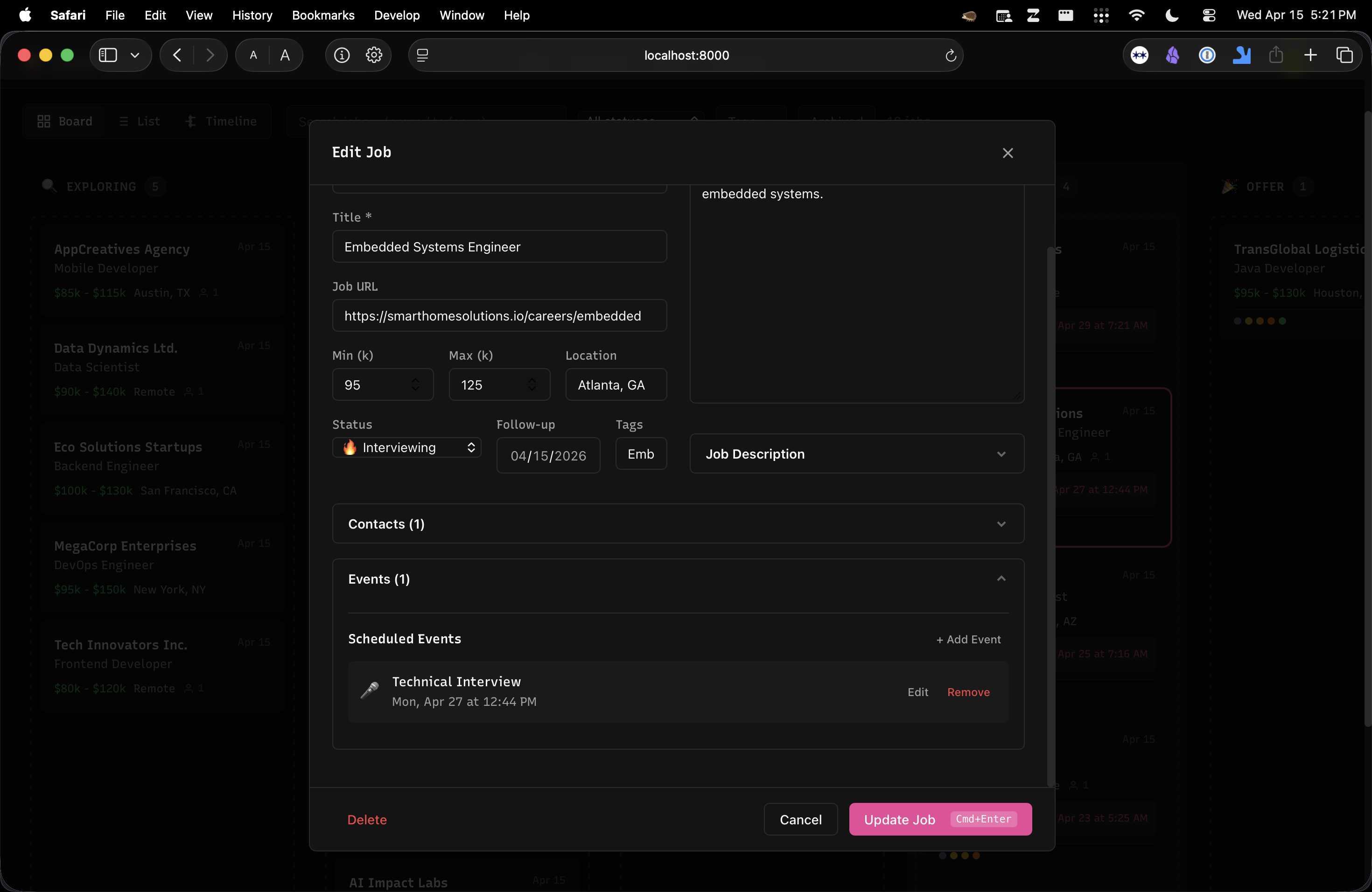
Adding or editing a job happens through a single modal—fill in the basics and expand the Contacts and Events sections to track who you're talking to and what's scheduled. The Job Description tab stores the full posting text for easy reference later.
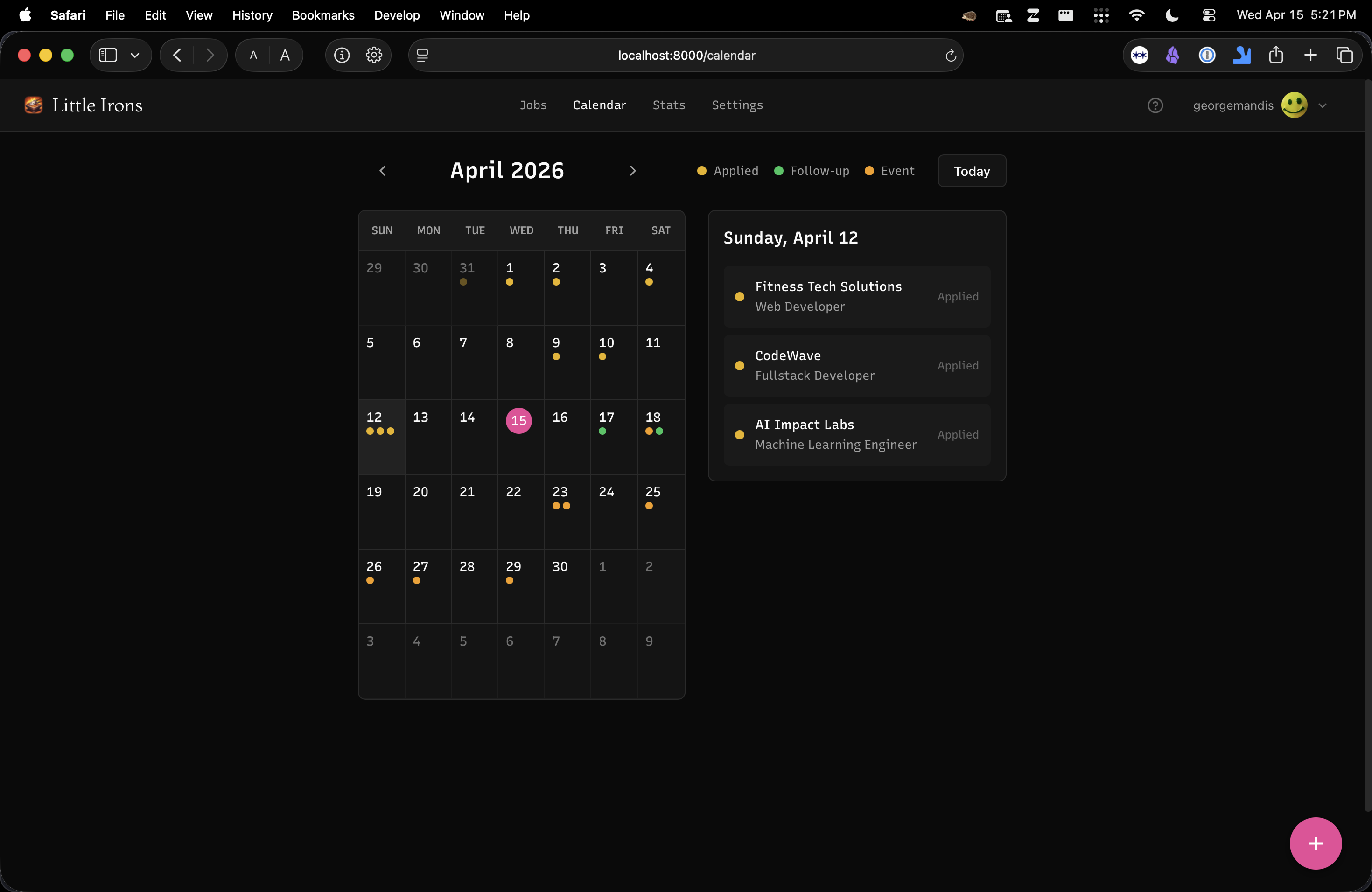
Beyond the board, there are a few other ways to look at your search. The Calendar gives you a monthly overview of your activity—color-coded dots mark application dates, follow-ups, and scheduled events like interviews. Click any date to see what happened that day. You can also generate an iCalendar feed to sync everything into Google Calendar, Outlook, or Apple Calendar.
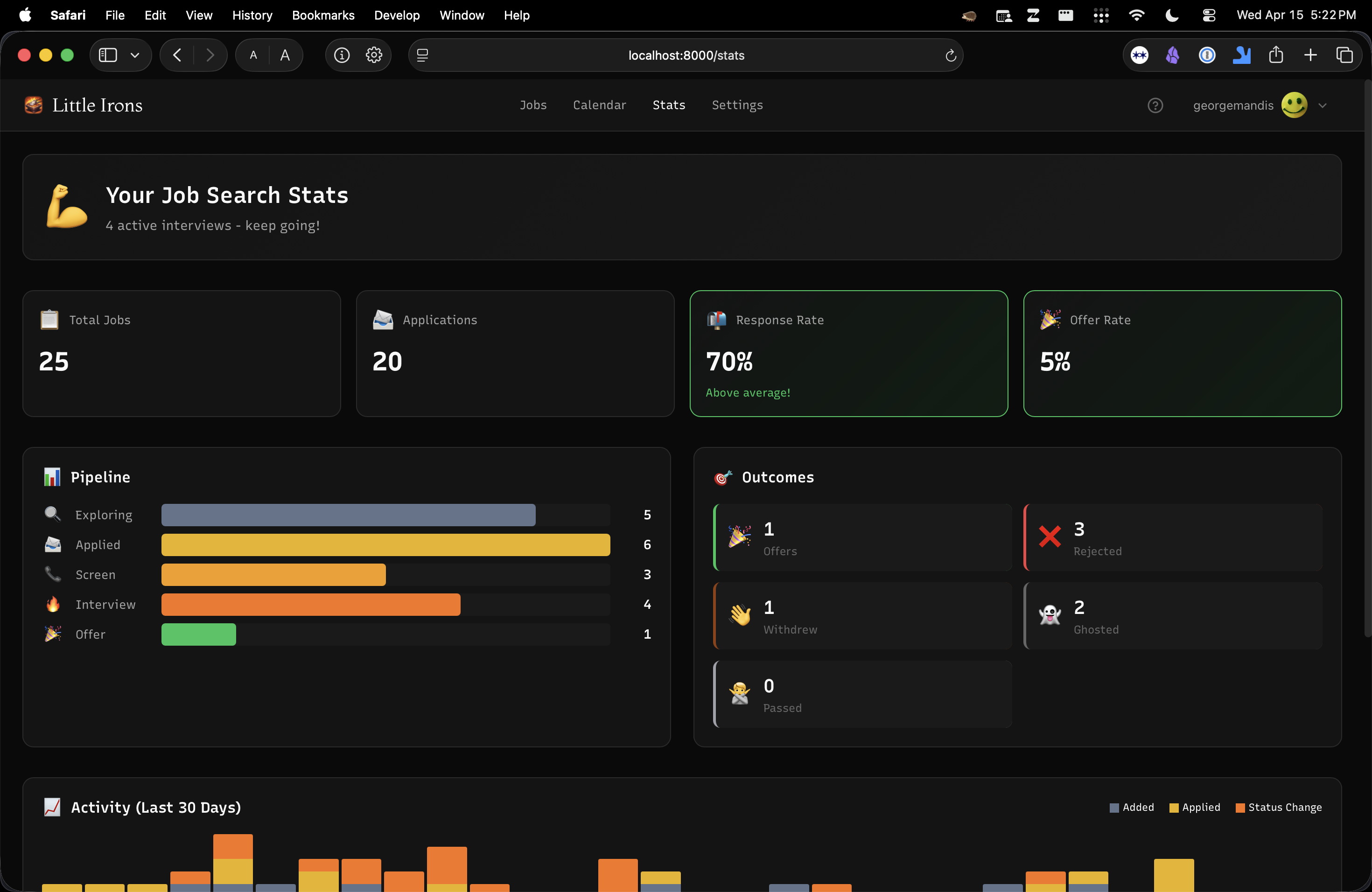
The Stats page turns your job search into numbers. Top-line metrics show total jobs tracked, applications sent, response rate, and offer rate. A pipeline funnel breaks down how many jobs sit at each stage, and an outcomes section tallies your offers, rejections, withdrawals, and ghostings. The activity chart tracks your momentum over the last 30 days—helpful for keeping yourself accountable during a long search.
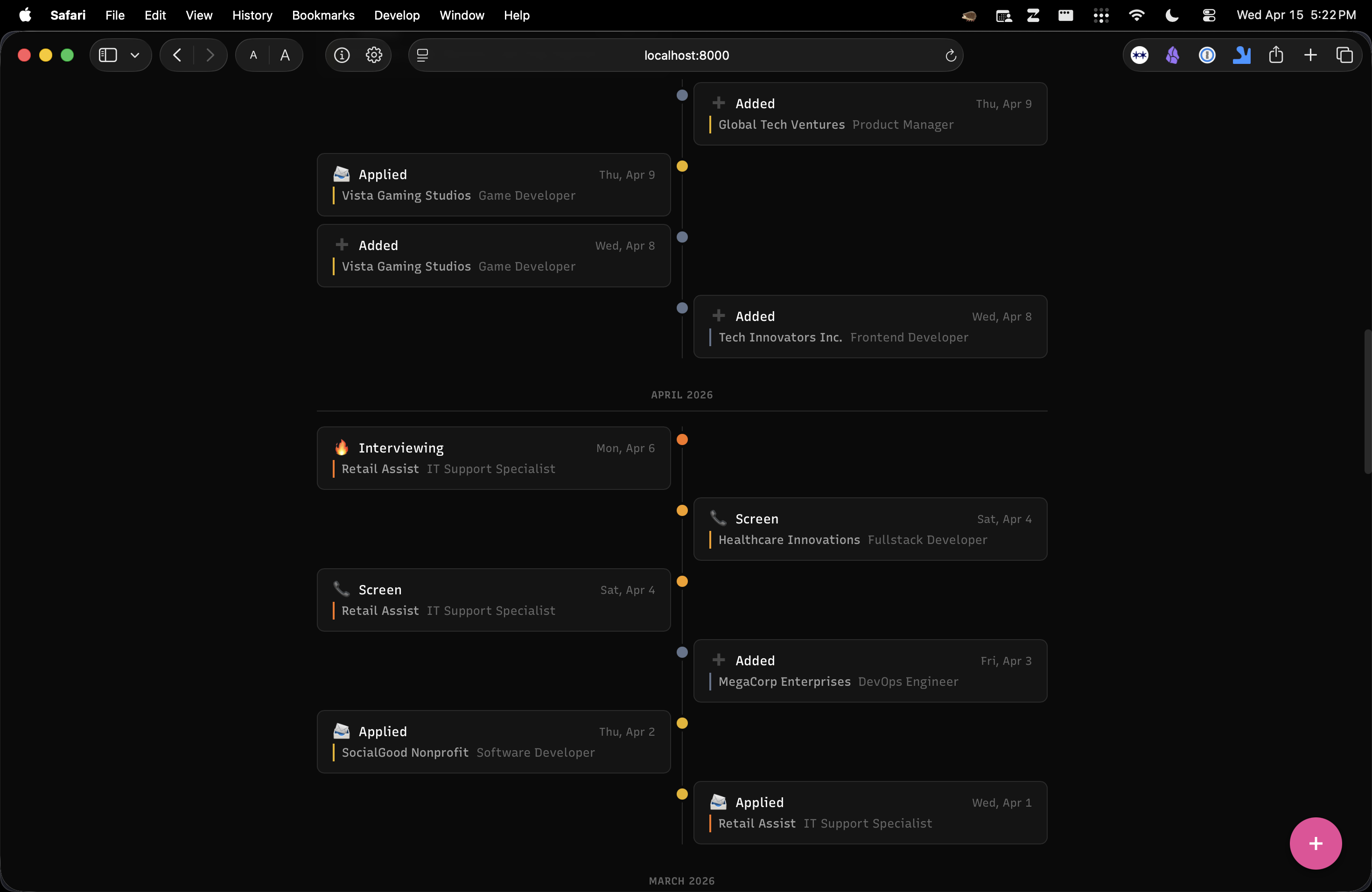
The Timeline presents your job search as a chronological story—every status change appears as an entry on an alternating feed with color-coded dots. It's a useful way to look back and see how active you've been or spot patterns in your pipeline.
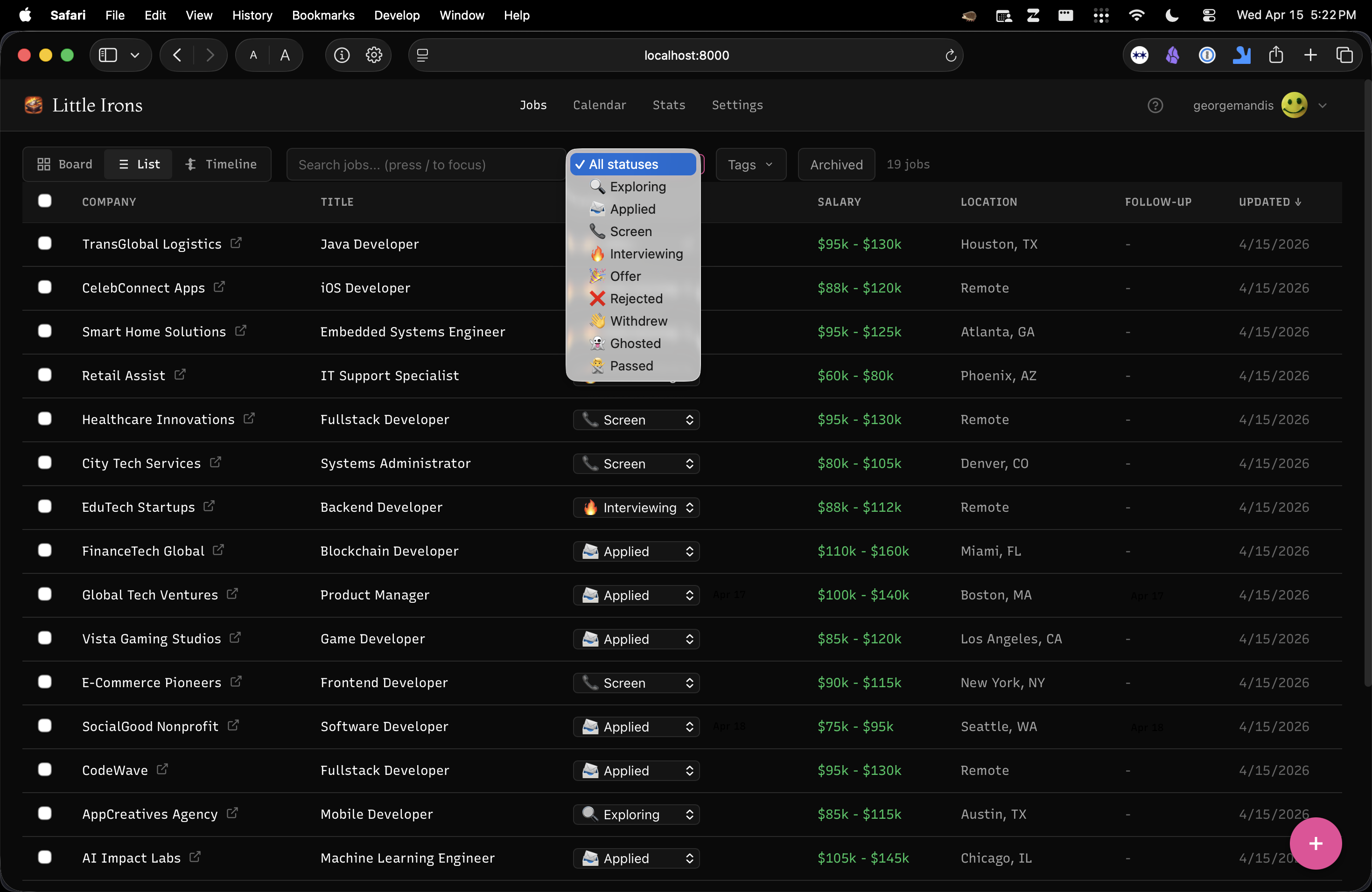
And for people who prefer spreadsheets, the List view shows everything in a sortable table. Click any column header to sort, filter by status, or select multiple jobs for bulk actions.
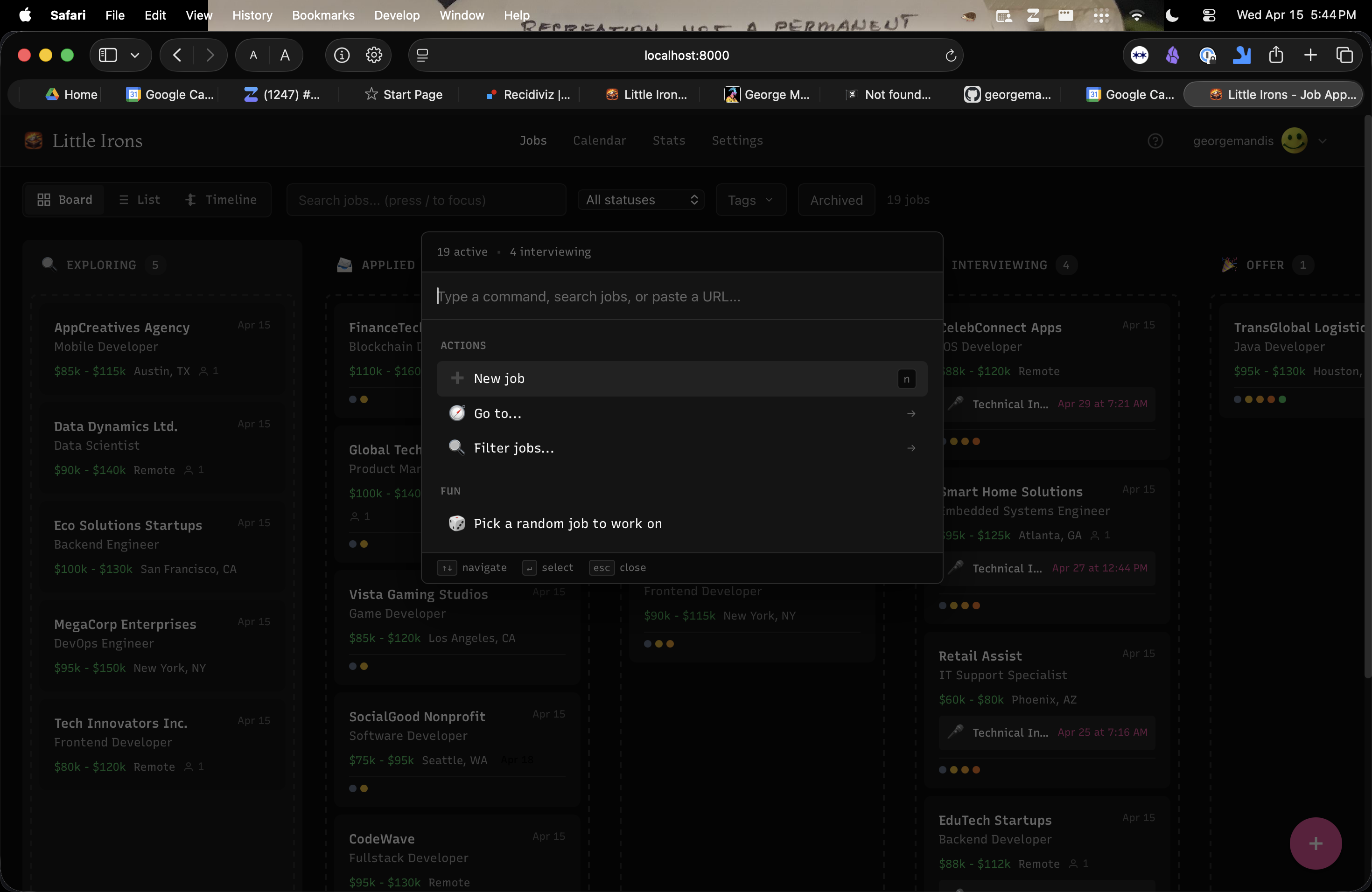
The UI is admittedly a bit rough around the edges—something I plan on improving as I get more users to test with. Press Cmd/Ctrl+K to open the Linear-inspired command palette to quickly search jobs, jump between views, change statuses, or create new entries without reaching for the mouse.
To be clear: this is not intended to be an automated bulk-application tool. It's a simple, focused place to try and organize a real job search.
The site is completely free—all features, including the AI ones—and all you need to join is a GitHub account. If you find it useful and want to support ongoing development, I have a GitHub Sponsors page.
Give it a shot and let me know what you think!
--Published on Wednesday, April 15th 2026. Read this post as Markdown or plain-text.
If you enjoyed reading this consider signing-up for my newsletter, sharing it on Hacker News or hiring me.