Nobody has MP3s anymore. Streaming won. But streaming doesn’t work underwater.
I tried using my headphones via Bluetooth — they obviously didn’t work submerged. Not to mention the lifeguard reminding me that phones aren’t allowed near the pool: if the screen breaks, they have to drain the whole thing.
Luckily my waterproof headphones have built-in storage — but they need actual files. So I built two things: Corriente (Spanish for current) pulls music from the stream, and Fluid carries it to shore. Do other tools like these exist? Sure. But where’s the fun in that?
Corriente — The Current
The Need
I hear a song I like. I want to do my swim workouts with it. But going from “I like this track” to “tagged MP3 on my server” has way too many manual steps in between.
The Prompt
Build a TypeScript HTTP server that accepts music streaming URLs, resolves track metadata via API, finds and downloads matching audio files, and organizes them into Artist/Album/Track structure. Add automatic metadata tagging with ffmpeg (title, artist, album, track number, album art). Include a queue system with auto-sync, concurrency controls, and an API designed for Apple Shortcuts integration.
What I Got
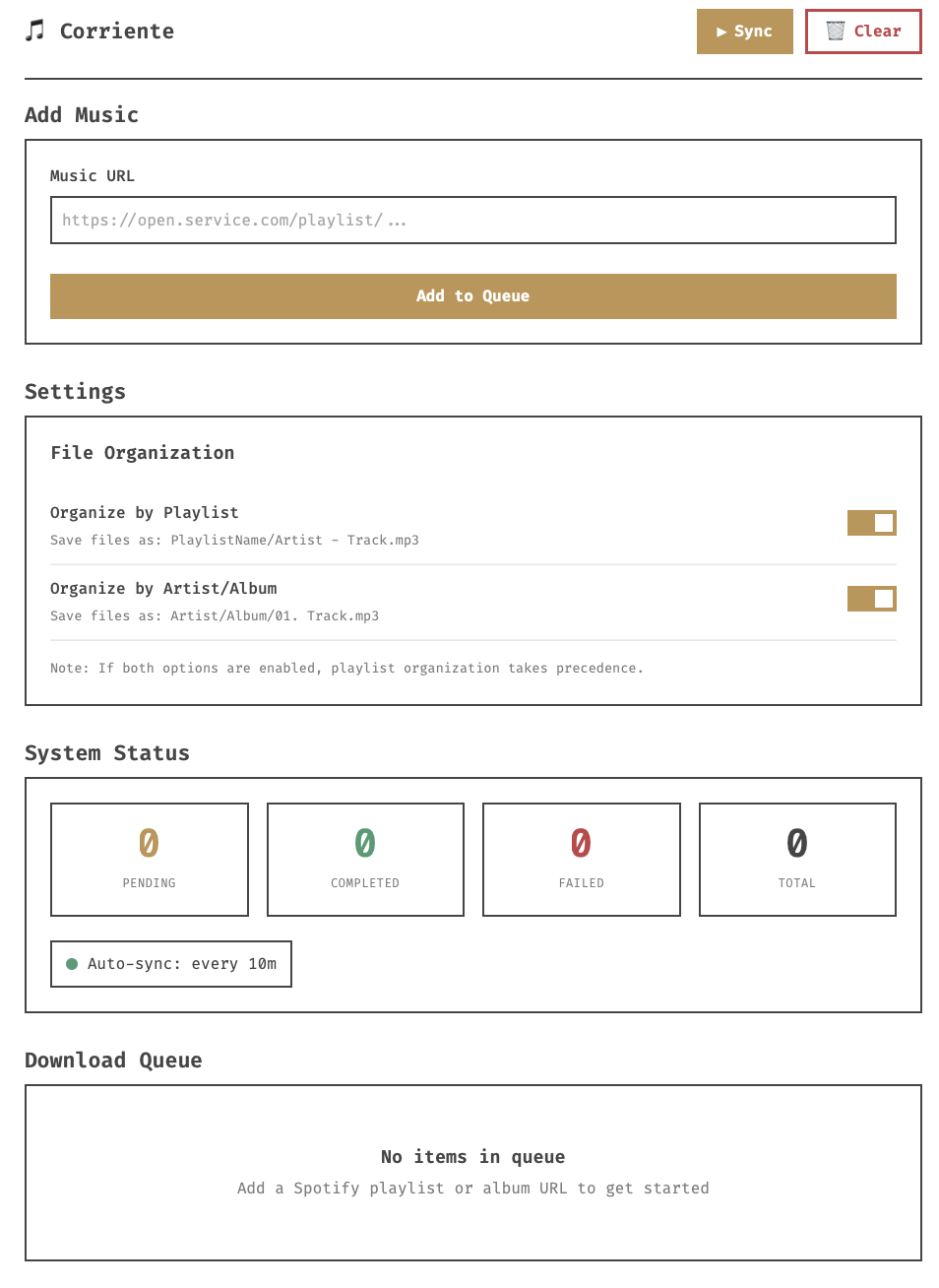
Corriente is a self-hosted API that turns streaming URLs into organized, tagged audio files. I share a link from an Apple Shortcut and it queues the download, finds the right match (with optional audio fingerprinting to avoid covers and live versions), tags everything with metadata and album art, and files it away. It runs on a home server in the background. TypeScript and Deno.
Fluid — The Flow
The Need
I have music on my server and waterproof headphones that mount as USB storage. Getting music from one to the other should be simple, but in 2026 it never is. My server doesn’t have a monitor, so being able to do this over SSH was key.
The Prompt
Build a terminal-based dual-pane file manager in Go using the Charm.sh ecosystem (Bubbletea, Bubbles, Lipgloss). Left pane is source, right pane is destination. Vim-style navigation (hjkl). Space to select files, Tab to switch panes,
cto copy. Two copy modes: preserve directory structure or flatten to root. Add a USB device manager that auto-mounts devices. Progress bars for copy and delete operations. Skip files that already exist at the destination.
What I Got
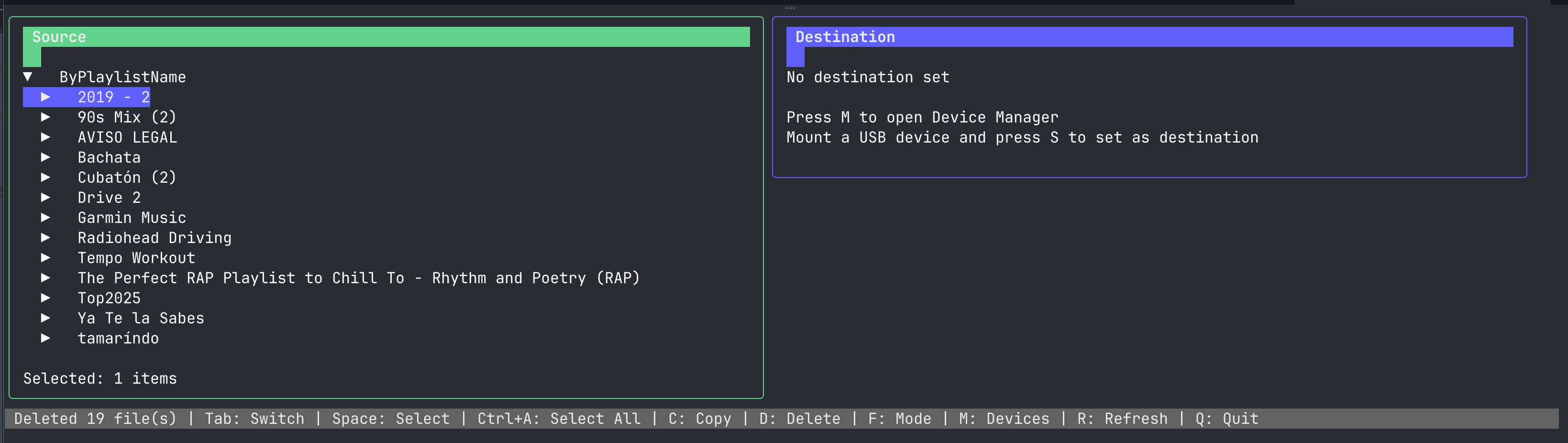
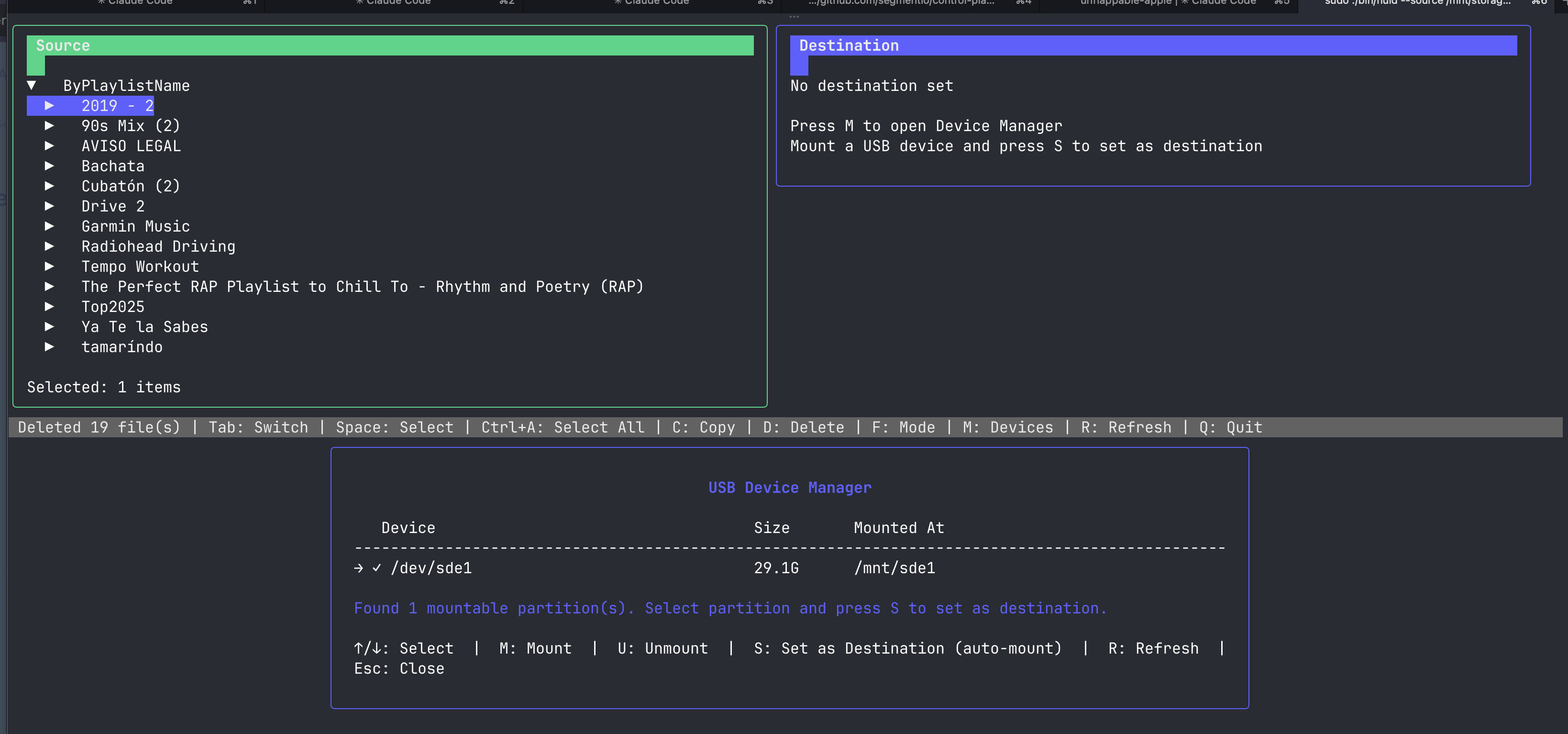
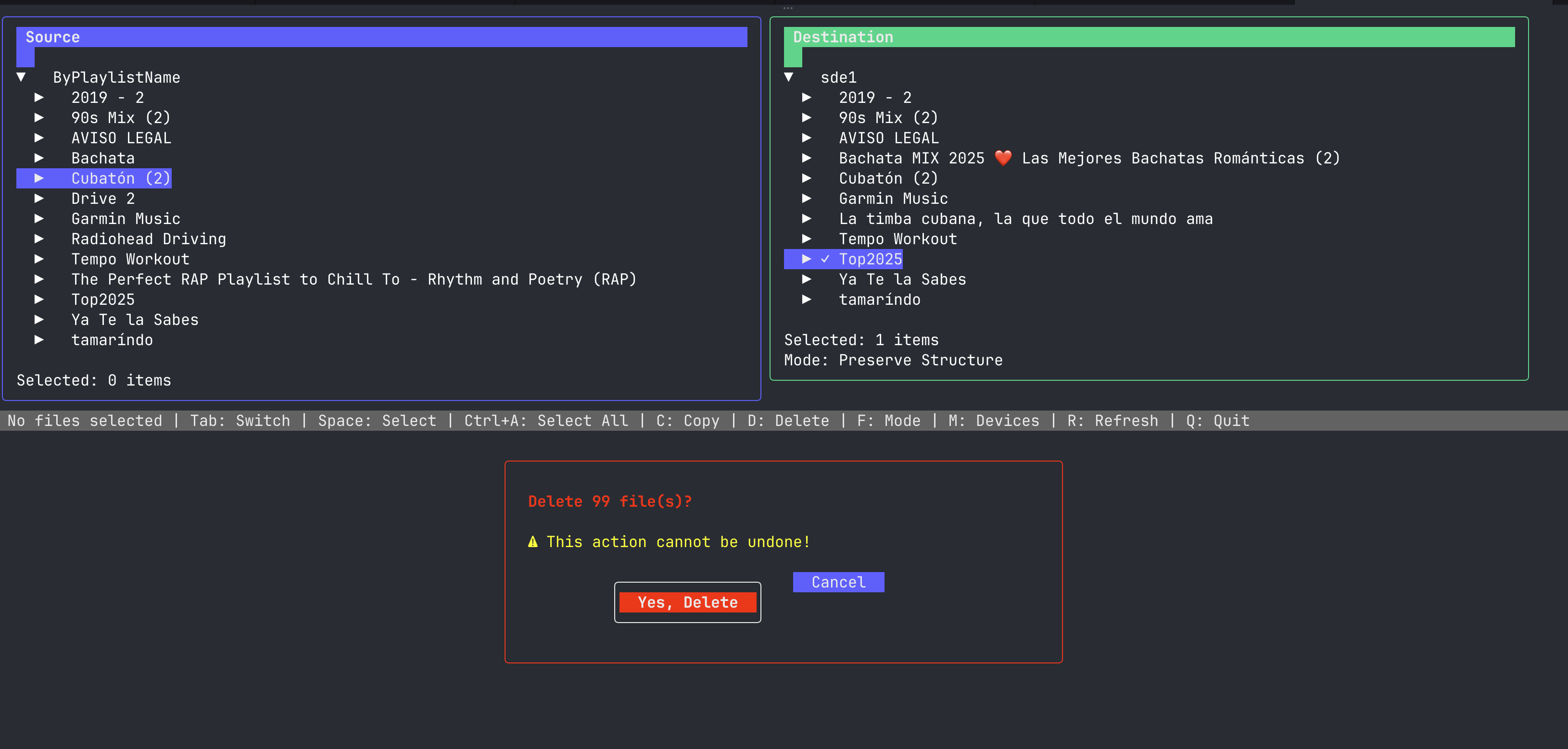
Fluid does exactly one thing: move music to a USB device. Two panes, vim keys, select and copy. It detects USB devices and mounts them. You can preserve your folder structure or flatten everything to the root. That’s it.
How I Actually Use This
My headphones stay plugged into the server, charging. I hear a song on my phone, tap an Apple Shortcut, and Corriente handles the rest — the file lands on the server, tagged and organized. Before a swim, I SSH in, open Fluid, and copy whatever’s new to the headphones. Unplug, go to the pool.