
For a few years now, various Commoncog members have told us that keeping up with Commoncog can be a bit of a slog. Sometimes you don’t have the time to read. “Why don’t you make an audio version,” some of you have said, “Then we can listen when we’re doing the dishes, or walking the dog, or driving to work.”
Well, it took awhile, but the audio version of the Commoncog Case Library is finally here.
We’ve implemented this in a way that enables you to listen to the cases that you want, in the order that you wish to listen to them.
Each member now has a private podcast feed of their own. You’ll get all the new cases that are published to the Case Library, of course. But you may also:
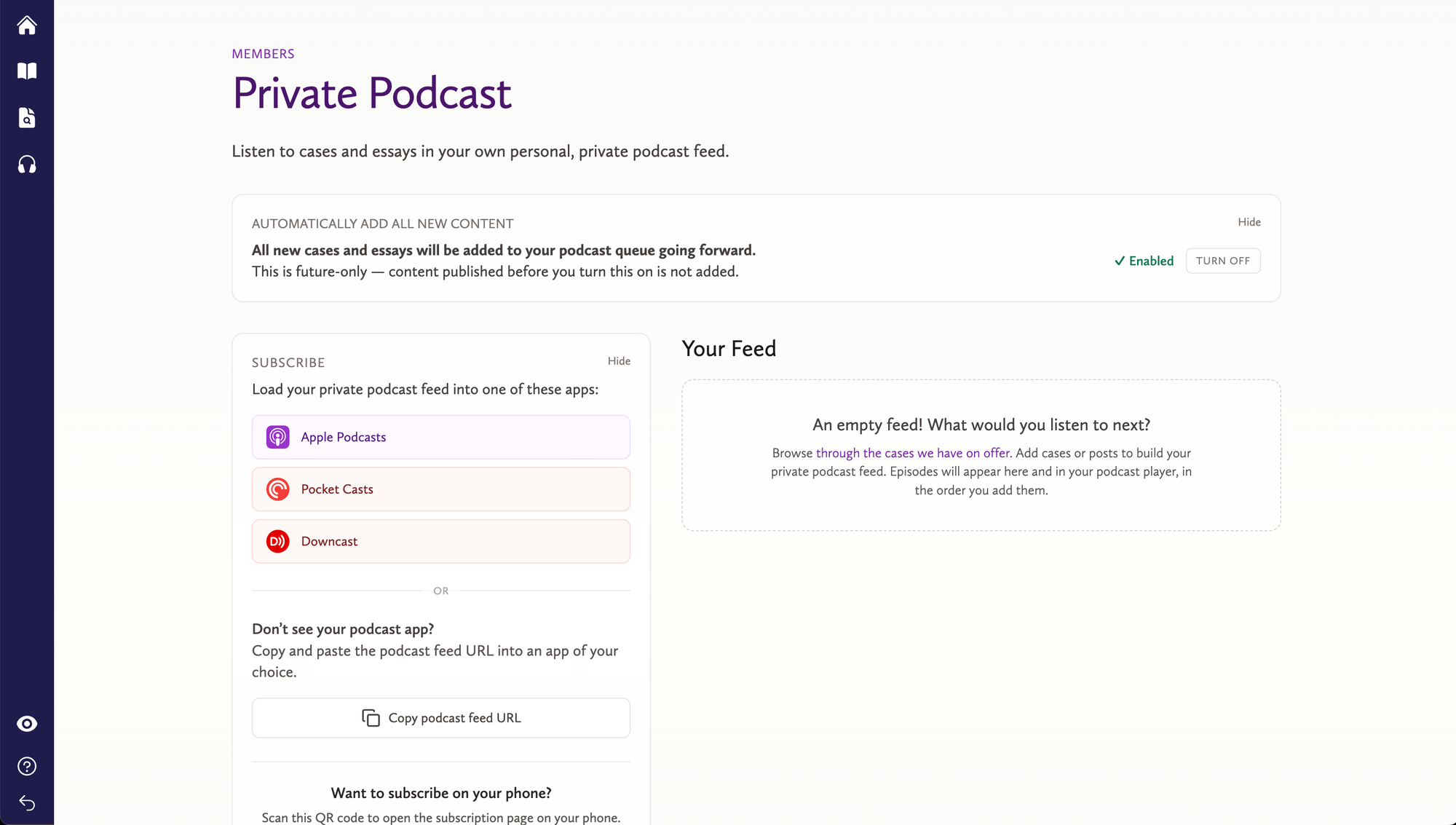
To set up your podcast feed, you should log in first, and then go to https://commoncog.com/c/podcast/. You’ll see something like this:
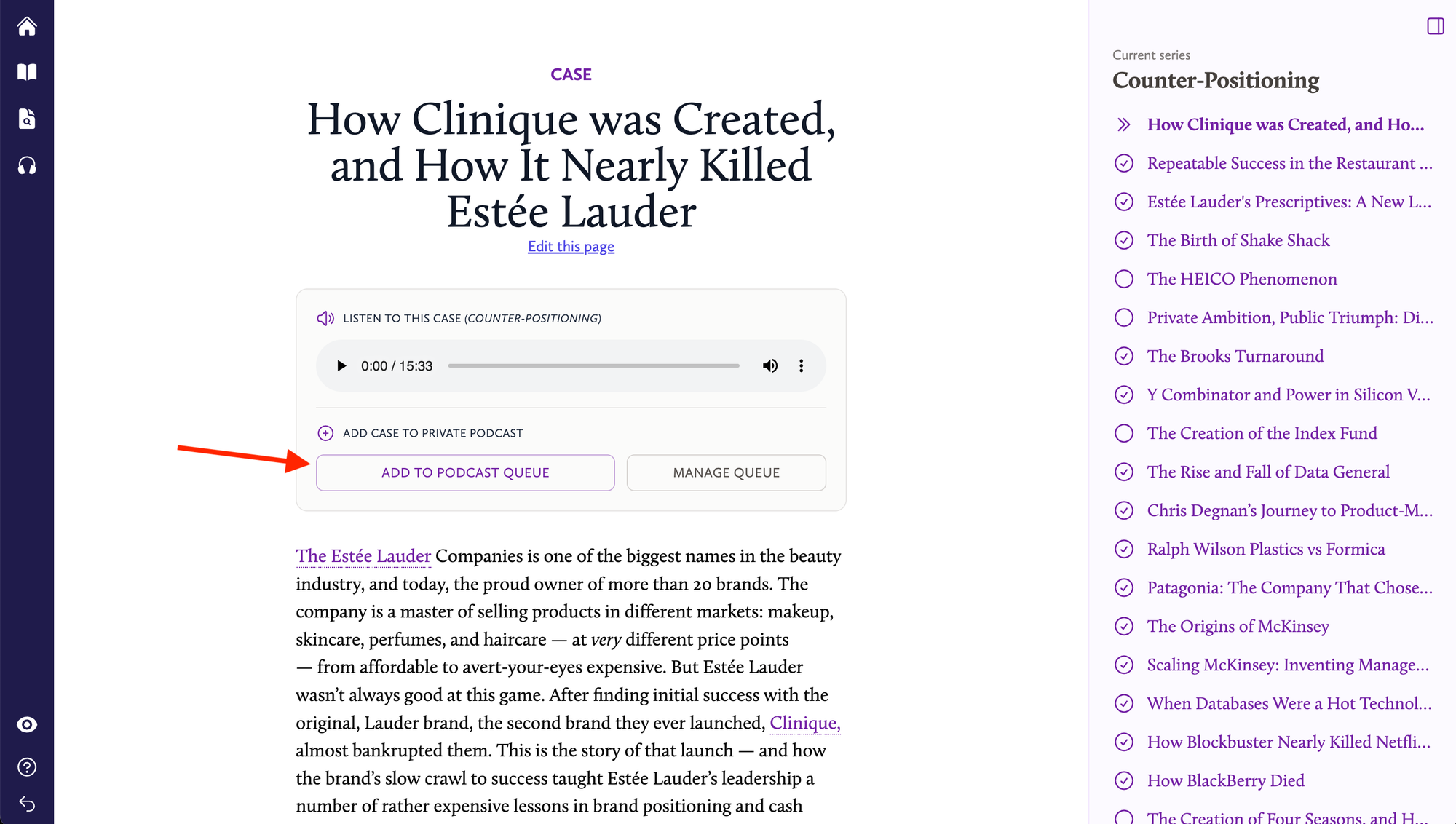
Hopefully the interface changes should be intuitive to you. For instance, to add a case to your feed, you can go to any case now and click this button:
However, if you’d like full instructions on how to get set up, you may find them here:
If you’d like more help, reply directly to the members-only announcement email sent to you, or start a new thread in the forum.
Enjoy!